Functional operation
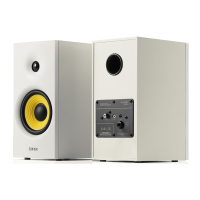
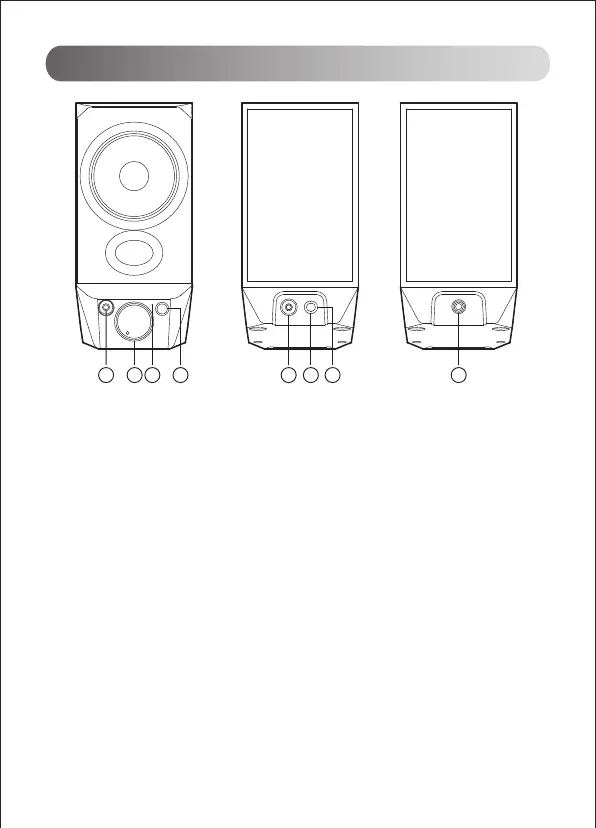
1. Earphone port
2. Power switch/volume control
Power ON: rotate the knob to the right, it’s ON if there is a "click" prompt tone
Power OFF: rotate the knob to the left, it’s OFF if there is a "click" prompt tone
Volume up: rotate the knob clockwise
Volume down: rotate the knob counterclockwise
3. Mode indicator
USB audio streaming input: red LED steady lit
Bluetooth input: blue LED steady lit
AUX input: green LED steady lit
4. Mode switch button
Press: USB-Bluetooth-AUX mode switch
Press and hold: disconnect Bluetooth and clear pairing records (Bluetooth connected)
5. AUX input
6. USB connecting port
7. Active & passive speaker connecting port
8. Connect to active speaker
Note: The speaker does not support volume sync. If need to adjust the volume, please
separately adjust the speaker volume and the computer volume.
5 6 7 821 3 4


 To Next Page
 Loading...