To Next PageTo Next Page
 Need help?
Do you have a question about the Essentielb Solo and is the answer not in the manual?
 General
| Brand | Essentielb |
|---|---|
| Model | Solo |
| Category | Adapter |
| Language | English |
Best practices for connecting adapters to outlets and power strips.
Discusses interference sources, electrical grid impact, and business use limitations.
Lists what's in the box and the technical specifications of the device.
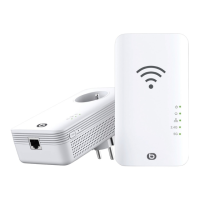
Visual guide to the powerline adapter's components and indicators.
Explains the meaning of different indicator lights on the adapter.
Details the usage of the reset and pair buttons for network setup.
Describes how to connect devices using the Ethernet ports.
Explains the status indicated by the LEDs on the adapter.
Illustrates setup for solo and duo WiFi powerline adapters.
Guides on pairing powerline adapters automatically or manually.
Steps to connect the WiFi powerline adapter to a computer.
Displays the current connection status and network information.
Shows connected devices, their IP, and MAC addresses.
Configures basic WiFi settings like network name and security.
Sets up WiFi band, network mode, SSID, channel, and bandwidth.
Configure WPA2-Personal security mode and set a password.
Manage wireless access by allowing or blocking specific MAC addresses.
Enables temporary connection without a password using WPS.
Manually assign an IP address to the adapter.
Save current settings or restore from a configuration file.
Select the time zone for accurate system time.
Restart the powerline adapter to apply settings or fix issues.
Steps to update the adapter's firmware for improved performance.
View system logs for troubleshooting and monitoring.
Set up a private 128-bit AES encrypted network.
Restores the adapter to its default factory settings.
Addresses issues with suboptimal WiFi 1200 powerline adapter speed.
Discusses adapter compatibility with other brands and disruptive equipment.
Provides solutions for common problems like no power or network detection.