 Need help?
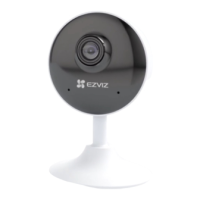
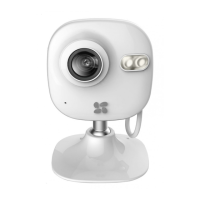
Do you have a question about the Ezviz C2 MINI and is the answer not in the manual?
 General
| Video Compression | H.264 |
|---|---|
| Audio | Built-in microphone |
| Wireless Standard | IEEE 802.11 b/g/n |
| Connectivity | Wi-Fi |
| Lens | 2.8mm |
| Resolution | 1920 × 1080 |
| Day & Night | Auto switch |
| Frequency Range | 2.4GHz |
| Channel Bandwidth | 20MHz |
| Security | WEP/WPA/WPA2 |
| Transmission Rate | Up to 150Mbps |
| Storage | MicroSD card (up to 128GB) |
| Power Supply | 5V DC |
| Operating Temperature | -10ºC to 45ºC (14ºF to 113ºF) |
Optional step to attach a metal plate to a wall for mounting.
Secures the camera magnetically to the installed metal plate or surface.
Adjusts the camera's angle after mounting for optimal viewing.
Insert microSD card for event recording and motion detection video.
Connect power adapter; indicator lights confirm proper connection.
Register account, add camera, and initialize microSD card for full functionality.

 To Next Page