Liquid Crystal Display (LCD) flip-down screen
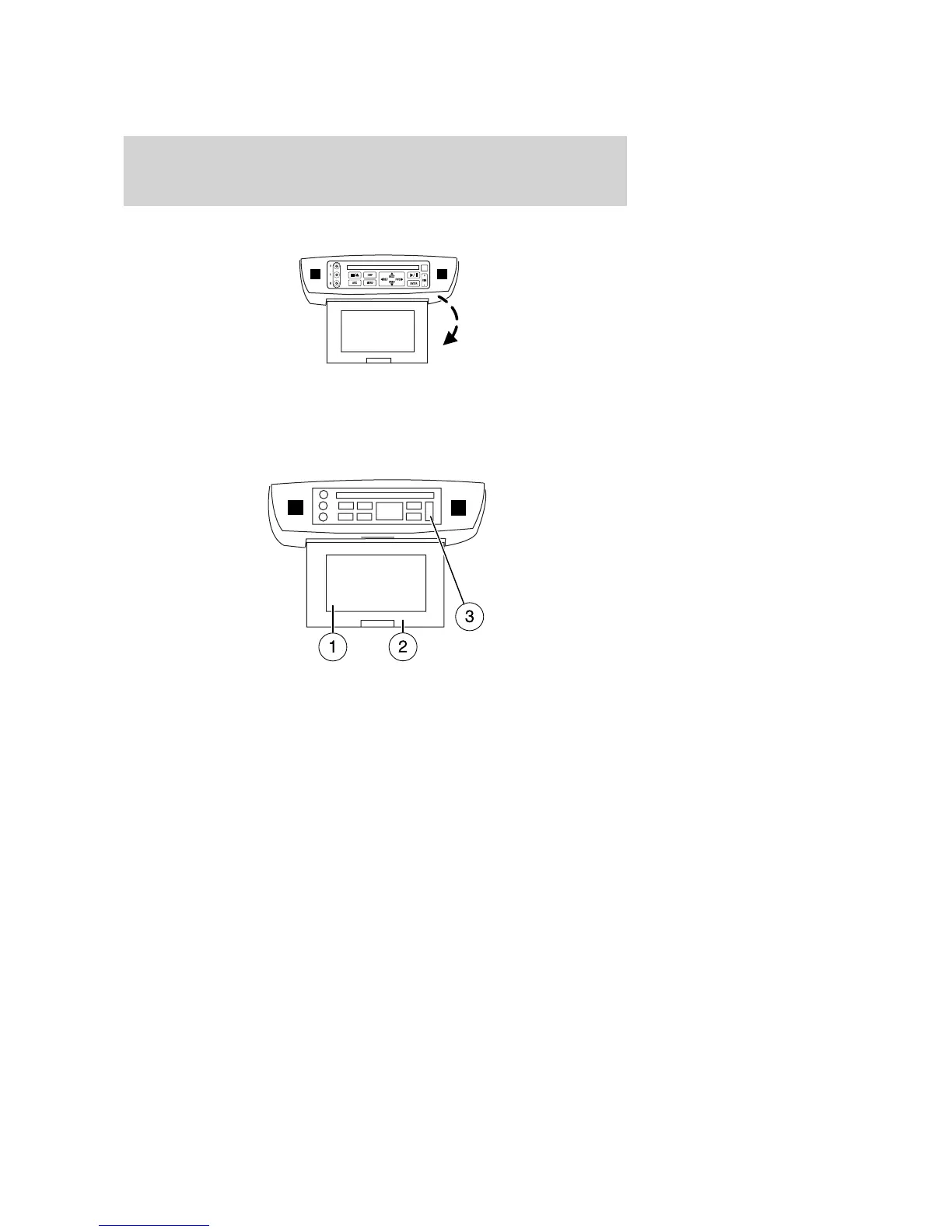
The LCD screen rotates down and can be adjusted to your desired
viewing angle. When not in use, rotate the screen up into the storage
housing.
Note: Ensure that the screen is securely latched into the housing when
stored.
1. 7.0” (diagonal) active matrix liquid crystal display (LCD).
2. Display housing.
3. Dimmer switch. Press +/- to increase/decrease the brightness of the
display.
Playback and format
• The DVD player of your Family Entertainment DVD System can only
be used in the “playback” mode. (The DVD player does not offer a
record feature.)
• The system plays standard CDs, DVDs and also plays most CD R/W,
DVD R/W, VCD and MP3 media.
Saving MP3 files
• Your Family Entertainment System supports discs containing up to
255 files. Discs containing more than 255 files will not play.
2007 Freestyle (219)
Owners Guide (post-2002-fmt)
USA (fus)
Entertainment Systems
39


 To Next Page
 Loading...