EasyManua.ls Logo

Galcon Dc-4 - User Manual

Galcon Dc-4
28 pages
Print Icon
To Next Page IconTo Next Page
Loading...
Computerized Control Systems
Main Features:
Independent programming of each
individual valve
Weekly or cyclical programming
Up to 4 operations per day in weekly
program mode
Irrigation duration one minute to
12 hours
Irrigation frequency once a day to once
every thirty days in a cyclical program
Waterproof when immersed in water
(IP68)
Rain off sensor option
Weather resistant
Irrigation duration modifiable as a
function of percentage entered
Operation of one to 4 valves and a
master valve
Computerized "manual" operation of
individual valves
Sequential “manual” operation - optional
Batteries: DC-1-4: two 9V alkaline
batteries
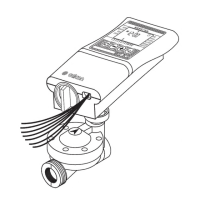
This handbook provides the installation and operating instructions for
the DC-1 and DC-4 controllers
and S series DC-1S, DC-4S, DC-6S
Battery Operated Advanced Computerized Irrigation
Controller Installation and Operating Instructions


Other manuals for Galcon Dc-4

Questions and Answers

Galcon Dc-4 Specifications

General IconGeneral
BrandGalcon
ModelDc-4
CategoryController
LanguageEnglish

Summary

Setting Up the Irrigation Controller

Battery Installation

Steps for correctly installing batteries into the irrigation controller unit.

Installing the Controller in the Irrigation System

Guidance on mounting the controller either directly onto the solenoid or onto a wall.

Wiring the Solenoids

Detailed instructions for connecting solenoid wires from the controller to the valves.

Programming the Irrigation Controller

Setting Current Time and Day

Procedure to set the accurate current time and day for the controller's operation.

Valve Selection for Programming

Guide on how to select individual valves for programming their irrigation schedules.

Setting Irrigation Duration

How to set the length of time each valve will remain open during irrigation.

Selecting Days of the Week for Irrigation

Procedure for choosing specific days of the week when a valve should operate.

Setting Irrigation Start Times

Steps to program up to four daily start times for valve operation.

Additional Functions

Additional Displays

Permanent Low Battery Warning

Interpreting the permanent battery icon for critical low power.

Additional Instructions for S Series Controllers

Maintenance, Troubleshooting and Repairs

Related product manuals