 Need help?
Do you have a question about the Gigabyte GS27F and is the answer not in the manual?
Lists items included in the product packaging.
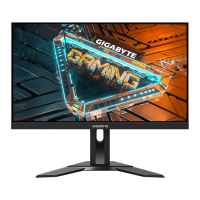
Details the front and rear views of the monitor, including ports and controls.
Provides step-by-step instructions for attaching the monitor stand.
Explains how to organize monitor cables using the provided clip.
Instructs on how to tilt the monitor screen for optimal viewing.
Details the process for mounting the monitor using a VESA compatible bracket.
Guides on how to power the monitor on and off using the control button.
Allows selection of the video source (HDMI, DisplayPort).
Accessing quick menus and selecting video input sources.
Adjusting image presets and enabling the on-screen crosshair.
Navigating the OSD menu and utilizing gaming assistance features.
Configuring game info, alignment lines, and general device settings.
Covers Aim Stabilizer, Black Equalizer, Super Resolution, Overdrive, and FreeSync Premium.
Describes various picture modes like Standard, Gaming, Movie, SRGB, ECO.
Covers input selection, overclocking, RGB range, and overscan adjustments.
Explains Picture-in-Picture and Picture-by-Picture modes for multi-image display.
Manages headphone audio settings and OSD display preferences.
Covers hotkey assignments and other system functions like auto power off.
Allows choosing OSD language and restoring factory default settings.
Lists detailed technical data for the monitor models.
Provides a table of compatible video timings for different inputs.
Offers guidance on basic maintenance and obtaining service information.
Lists essential safety guidelines for using the monitor.
Covers stability hazards, secure installation, and ergonomic viewing tips.
Outlines regulatory compliance statements for the USA and Canada.
Details European Union conformity directives and RoHS requirements.
Explains the WEEE directive and end-of-life recycling procedures.
Summarizes compliance statements for India (RoHS) and Japan (VCCI).
Provides China RoHS compliance information and eco-friendly use period.

 To Next Page
 General