17
User Manual V1.1-2022-11-15 06 Electrical Connection
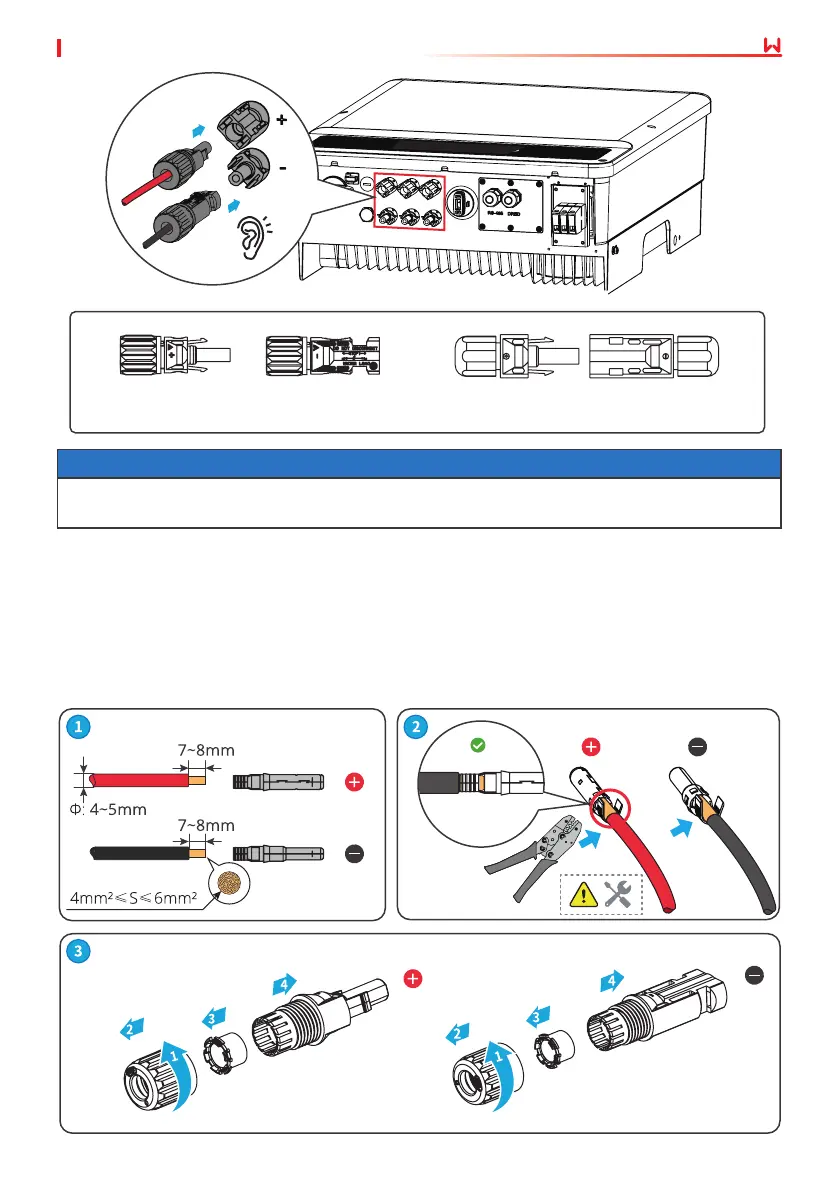
DEVALAN Series MC4 Series
NOTICE
Seal the PV input terminals using waterproof covers when they are not to be used. Otherwise,
the ingress protection rating will be inuenced.
Step 1 Prepare DC cables.
Step 2 Crimp the crimp contacts.
Step 3 Disassemble the PV connectors.
Step 4 Make the DC cable and detect the DC input voltage.
Step 5 Plug the PV connectors into the PV terminals.
Connecting the DC Input Cable
MC4 PV connector
Click



 To Next Page
 Loading...
