EasyManua.ls Logo

Google Nexus 7 - User Manual

Google Nexus 7
2 pages
Print Icon
To Next Page IconTo Next Page
Loading...
O v e r D r i v e , I n c . v . 0 1 2 0 2 0 1 2
The OverDrive Test Drive program and resources are subject to change.
© 2012 OverDrive, Inc. All trademarks herein not owned by OverDrive, Inc. are the property of their respective
owners. OverDrive is not a reseller of Test Drive-approved devices and does not receive payment from
manufacturers for its recommendations. Listing a device as Test-Drive approved does not constitute an
endorsement by the device manufacturer.
Quick Start: Google Nexus 7
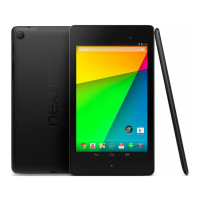
This Nexus 7 has been set up to provide easy access to eBooks and audiobooks from your library. You
can browse, check out, and download titles, plus try the Nexus 7 outside of a store.
To get started, power on the Nexus 7, then unlock the screen by swiping the lock icon left or right to
break the circle. If the screen goes to sleep, press the power button to wake it.
To navigate the Nexus 7, use the touchscreen along with these common Android OS buttons.

Other manuals for Google Nexus 7

Question and Answer IconNeed help?

Do you have a question about the Google Nexus 7 and is the answer not in the manual?

Summary

Quick Start: Google Nexus 7

How to Borrow an eBook or Audiobook

Browse for a book

Guide to browsing for books within the OverDrive app collection and selecting titles.

Check out

Instructions for checking out selected titles, adding to wish list, or joining a wait list.

Download

Process for downloading borrowed eBooks or audiobooks to the device.

Summary

Quick Start: Google Nexus 7

How to Borrow an eBook or Audiobook

Browse for a book

Guide to browsing for books within the OverDrive app collection and selecting titles.

Check out

Instructions for checking out selected titles, adding to wish list, or joining a wait list.

Download

Process for downloading borrowed eBooks or audiobooks to the device.

Google Nexus 7 Specifications

General IconGeneral
Resolution1280 x 800 pixels
Display Size7.0 inches
RAM1 GB
Storage Options8, 16, or 32 GB
Operating SystemAndroid 4.1 (Jelly Bean), upgradable to 4.3 (Jelly Bean)
Battery Capacity4325 mAh
Weight340 g
Release Year2012
Wireless ConnectivityWi-Fi 802.11 b/g/n, Bluetooth
Battery4325 mAh
Dimensions198.5 x 120 x 10.5 mm

Videos

How to Replace Your Google Nexus 7 2013 Battery

How To Hard Reset Google Nexus 7

How to reorganize and remove apps and widgets on ASUS Google Nexus 7 2013

How to set the date and time on ASUS Google Nexus 7

How to set the alarm and enter night mode on ASUS Google Nexus 7

How to change the wallpaper on ASUS Google Nexus 7

Related product manuals