EasyManua.ls Logo

Graco GLC 4400 - User Manual

Graco GLC 4400
44 pages
Print Icon
To Next Page IconTo Next Page
Loading...
Instructions
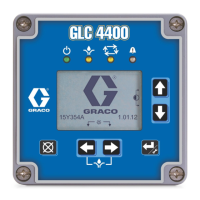
GLC 4400
Lubrication Controller
313855K
For controlling and monitoring single-line resistive, parallel, series progressive and dual
line, automatic lubrication systems. Not for use in explosive atmospheres!
Part No.: 24B591, Series E: DC Power
Part No.: 24B596, Series E: AC Power
Important Safety Instructions
Read all warnings and instructions in this
manual. Save these instructions.
ti14059
EN

Table of Contents

Question and Answer IconNeed help?

Do you have a question about the Graco GLC 4400 and is the answer not in the manual?

Graco GLC 4400 Specifications

General IconGeneral
BrandGraco
ModelGLC 4400
CategoryController
LanguageEnglish

Summary

Instructions

Important Safety Instructions

Crucial safety advice to be followed.

Warnings and Hazards

Electric Shock Hazard

Details electrical safety precautions and requirements.

Equipment Misuse Hazard

Covers risks and warnings associated with improper equipment use.

Component Identification

Icon Definitions

Explains the meaning of various icons displayed on the controller screen.

Installation

Installing the Lubrication Controller

Provides instructions for mounting and installing the controller unit.

Grounding Requirements

Details essential grounding procedures to ensure safety and prevent shock.

System Configuration and Wiring

System Configuration

Divider Valve System

Diagram illustrating a typical divider valve lubrication system setup.

Dual Line System

Diagram illustrating a typical dual line lubrication system setup.

Injector System

Diagram illustrating a typical injector lubrication system setup.

System Wiring

Input Sensor Wiring

Diagrams for connecting dry contact, source, and sink sensor types.

System Wiring Options

Application Programming Instructions

Single Line Parallel Programming

Guide for programming single-line parallel lubrication systems.

Series Progressive Programming

Guide for programming progressive lubrication systems.

Time-Based Programming

Guide for programming time-based lubrication cycles.

Setup

PIN Mode Enabled

Instructions for enabling and using the PIN code for setup protection.

Quick System Setup - PUMP ON Mode

Configuration of the Pump ON mode within the Quick System Setup.

Quick System Setup - PUMP OFF and Low Level

Configuration of Pump OFF mode and Low Level settings in Quick System Setup.

Advanced System Setup

TIMER Setup

Configuration of the timer for the Pump ON duration.

PRESSURE Setup

Configuration of Pump ON termination based on pressure.

PUMP ON Setup Details

Detailed instructions for setting the Pump ON time parameters.

CYCLE END Setup

Configuration of Pump ON termination based on cycle count.

Cycle Mode Selection and PUMP OFF Setup

Cycle Mode Selection

Procedure for setting the desired number of lubrication cycles.

PUMP OFF Setup Details

POWER UP Setup

POWER UP Setup Options

PULSED Setup

PULSED Pump Screen and PIN Setup

PIN Code Entry and DISPLAY Setup

DISPLAY and QUICK CYCLE Setup

QUICK CYCLE and LOW LEVEL FILTERING Setup

LOW LEVEL FILTERING and Sensor Field Setup

Run Mode

Run Mode Operations

Run Mode - Alarms

Alarms Screen Overview

Display of the controller's alarm screen when an event occurs.

Troubleshooting and Program Settings

Troubleshooting Guide

Provides a guide for diagnosing and resolving common equipment problems.

Technical Data

Related product manuals