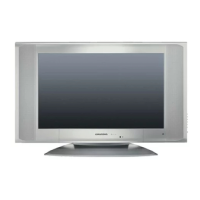
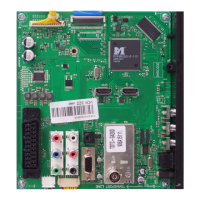
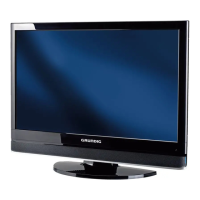
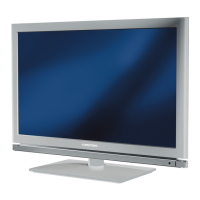
This document provides comprehensive instructions for the setup, operation, and maintenance of your television set. It covers everything from initial connection and channel setup to advanced features and troubleshooting.
Function Description
The television is designed to receive and display video and audio signals from various sources. It supports both standard and high-definition (HDTV) signals, making it versatile for different content types. The device includes an automatic channel search system, allowing for easy setup of television channels from antenna or cable connections. You can store up to 99 preset positions and organize them according to your preferences, including renaming, deleting, and skipping channels.
For picture quality, the television offers several adjustable settings such as brightness, contrast, colour, sharpness, vibrant colour, noise reduction, colour temperature, active contrast, and backlight. These settings allow you to customize the display to your viewing environment and personal taste. The "Active Contrast" function automatically adjusts backlighting based on picture content for optimal contrast, and the backlight for the LCD screen can be adjusted manually when "Active Contrast" is off.
Audio settings are equally comprehensive, providing controls for volume, balance, sound type (stereo/mono), sound mode, automatic volume limiting (AVL), and an equalizer. The equalizer offers four preset sound settings (Music, Sport, Cinema, Speech) and a customizable "User" setting, allowing you to fine-tune the audio output for different types of content. The "Stereo width" function enhances the audio output for stereo programmes and improves sound quality for mono reception. The "Automatic volume" (AVL) function ensures consistent volume levels when switching between channels, preventing sudden changes in loudness.
The television also supports various picture formats, including "AUTOMATIC," "FORMAT 16:9," "FORMAT 14:9," "FORMAT 4:3," "CINEMA," "SKY TOP," and "PANORAMA." The "AUTOMATIC" format intelligently switches to 16:9 for compatible programmes and fills the screen for 4:3 content. "FORMAT 16:9" and "FORMAT 14:9" stretch 4:3 content horizontally, while "CINEMA" eliminates black borders for 16:9 programmes by slightly cropping the top and bottom. "SKY TOP" is useful for viewing subtitles at the bottom of the screen, and "PANORAMA" is suited for films with a large width/height ratio. The "Zoom function" allows you to enlarge the picture on the television.
Teletext mode offers several features, including "FLOF text" and "normal text" modes for navigating pages, direct sub-page access, and a "Reveal answer" function for hidden information. The "Split screen" function allows simultaneous viewing of the television channel and teletext page.
Usage Features
The remote control is central to operating the television, offering dedicated buttons for power, channel selection (1-0), mute, volume adjustment, picture format (16:9), zapping, menu navigation (OK, M, EXIT), and teletext functions. Colour-coded buttons (red, green, yellow, blue) are available for specific teletext features and picture/sound settings.
Basic functions include switching the television on and off, selecting channels directly or by stepping up/down, and accessing the channel list. The "Zap function" allows you to save a currently watched channel and quickly switch between it and other channels. The "Freeze-frame" function lets you pause a particular scene for longer viewing.
Convenience functions are accessible through the "Features" menu, which includes options for changing the menu language, setting timers for automatic switch-on and switch-off, and activating parental lock to block unsuitable programmes. The timer function allows you to specify a channel for the television to switch to at a set time.
The television supports external devices through various connection options. It features an HDMI socket for high-definition audio/video signals from devices like DVD players, DVD recorders, set-top boxes, and game consoles. A Euro/AV socket is available for standard audio/video signals from devices such as satellite receivers, video recorders, and decoders. For analogue video signals with progressive scan, the AV socket can be used with a SCART-YPBPR adapter cable.
Maintenance Features
The manual emphasizes several maintenance and safety guidelines. For cleaning, it recommends using a soft, damp cloth with plain water for the screen. It advises against using chemical additives on furniture surfaces near the device to prevent corrosion.
Regarding safety, the manual stresses the importance of proper ventilation, ensuring enough space around the television in a wall unit. It should be used in dry rooms and protected from moisture. Placing vessels with liquids on the television is discouraged to prevent spills and safety risks. The device should be placed on a solid, level surface, and objects like newspapers or cloth should not be placed beneath it to avoid heat build-up.
Heat build-up is highlighted as a potential danger that shortens the operating life of the television. Regular removal of dirt deposits by a specialist is recommended. The television should not be placed near heating units or in direct sunlight to maintain proper cooling. Opening the television under any circumstances is prohibited, as it voids warranty claims.
The power cord and supply unit must not be damaged, and only the supplied mains cable/adapter should be used. During thunderstorms, it is crucial to disconnect both the mains and antenna plugs to protect the device from lightning strikes.
The manual also addresses pixel faults, stating that while manufacturing care is taken, some faulty pixels are technologically unavoidable. These are not considered defects under warranty if they fall within DIN norm thresholds.
For environmental considerations, the manual states that batteries, especially those containing heavy metals, should not be disposed of with household waste. Instead, they should be disposed of in an environmentally sound manner, following local legal regulations. The product itself is made from high-quality, recyclable parts and materials, and users are encouraged to take it to a collection point for recycling electrical and electronic devices at the end of its life.
Troubleshooting tips are provided for common issues such as a lit screen with no station, poor picture contrast, interference, ghosting/reflection, no colour, picture but no sound, teletext problems, and remote control malfunction. These tips guide users through basic checks and remedies before consulting a specialist dealer. For example, if the screen is lit but no station is found, checking the antenna cable and starting a station search are suggested. If the remote control doesn't work, checking batteries and ensuring an optical connection are recommended.


 To Next Page

 General