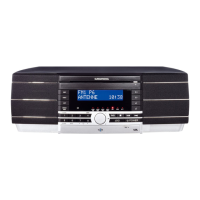
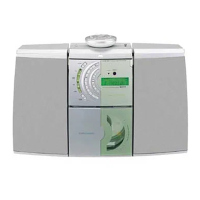
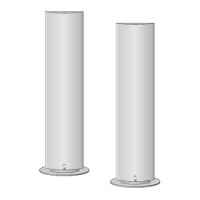
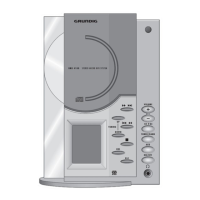
This document is a user manual for the Grundig Ovation CDS 6380 S HiFi Stereo Micro System, featuring "Magic Fidelity" sound technology.
General Device Description
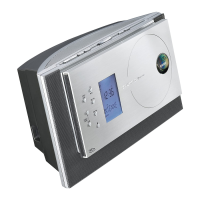
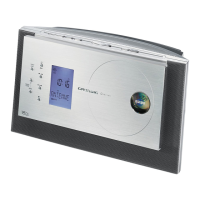
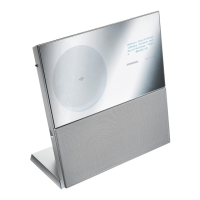
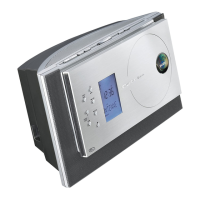
The Grundig Ovation CDS 6380 S is a compact HiFi stereo micro system designed for playing audio signals. It incorporates "Magic Fidelity," a patented three-channel active loudspeaker system by Grundig, which aims to deliver powerful and brilliant sound through a bass speaker and two medium and treble speakers, each in its own casing. The device is intended for use in dry rooms and should be protected from moisture. Proper ventilation is crucial if placed on shelves or in cupboards, requiring at least 10 cm of space on the sides, above, and behind. The device operates on a 240V ac, 50Hz mains supply in the UK and is equipped with a 5A rated fuse.
Function Description
Basic Operation:
The system can be switched on and off from standby mode using the ON/OFF button on the device or remote control. It automatically selects the last used input source. Other buttons like TUNER/BAND, CD ►II, and AUX can also switch on the system directly to their respective modes. To switch off, press ON/OFF; the display will briefly show "GOOD BYE" before showing the current time. Unplugging the device is the only way to completely disconnect it from the mains.
Display and Lighting:
The display shows various information depending on the mode, such as time, frequency, station name, track number, and playing time. The display backlight brightness can be adjusted in three levels using the BRIGHTNESS button on the remote control. An AUTO DIMMER sensor automatically adjusts the backlight based on room brightness. The display lighting color can also be changed using the COLOR button on the remote control, offering 8 different colors.
Volume and Sound Settings:
Volume is adjusted using the - VOLUME + buttons. The device can be muted using the MUTE button on the remote control, indicated by "MUTE" on the display. The system offers five sound settings: USER, CLASSIC, POP, JAZZ, and ROCK, selectable via the DSC button. The USER setting allows for personal equalizer adjustments (BASS, MID, TREBLE) by pressing and holding DSC, then using - VOLUME + to set values from -6 to +5. The Ultra Bass System (UBS) can be switched on or off to boost bass.
Tuner Mode:
The device features an FM/MW tuner. It can automatically search and store up to 40 stations on the FM band, prioritizing RDS stations. After initial connection, it performs an automatic search, and a demo program runs through device functions and display colors. Stations can also be searched manually by stepping through frequencies. Favorite stations can be stored on preset positions. The system supports RDS (Radio Data System), displaying station names and providing time synchronization. If an FM stereo signal is weak, the reception can be switched to mono to improve sound quality.
CD Mode:
The CD player is compatible with music CDs, CD-Rs, and CD-RWs with audio data. To insert a CD, lift the front panel, place the CD with the printed side outwards, and close the compartment. The device will read the CD, displaying the number of tracks and total playing time. Playback starts automatically upon CD insertion or by pressing CD ►II. Playback can be paused, resumed, or stopped. Tracks can be selected individually, and specific passages within a track can be searched by holding the track selection buttons. The system offers functions to repeat the current track or all tracks, play short introductions of all tracks (INTRO), and play tracks in random order (RANDOM).
Track Memory (Program Playback):
Users can create a track memory of up to 20 tracks from a CD in any desired order, even storing the same track multiple times. This function is accessed via PROG./RAND./TIME in STOP mode. Once programmed, the track memory can be played back. Tracks can be added, replaced, or the entire memory can be deleted.
Timer Mode:
The device includes three timer functions:
- Switch-on Timer: Wakes the user with an alarm tone, radio station, or CD at a set time. The alarm duration is 90 minutes, and the volume gradually increases. This timer can be deactivated for the weekend.
- Reminder Timer: Sounds an alarm at a set time to remind the user of something. The reminder time is set in 10-minute intervals from 10 to 120 minutes.
- Sleep Timer: Switches the device off automatically after a set period (10 to 90 minutes in 10-minute intervals).
Usage Features
Remote Control:
The device comes with a remote control for convenient operation of all functions, including power, input source selection, volume, sound settings, tuner controls, CD playback, and timer settings. Batteries (2 x 1.5 V, R 6/UM 3/AA) need to be inserted into the remote control, observing polarity.
Connectivity:
- External Device Input (AUX): A 3.5 mm stereo jack allows connecting external audio sources like PCs or MP3 players. The device should be switched off before connecting an external system.
- Headphone Output: A 3.5 mm headphone jack is located on the right side of the device. Plugging in headphones automatically switches off the loudspeakers.
- FM Antenna: A wire antenna is provided for FM reception.
Reset Function:
A RESET button on the bottom of the device allows resetting it to its original state, deleting all stored radio stations, set time, and alarm clock settings. This requires an implement like a paper clip.
Maintenance Features
Cleaning:
To maintain optimal CD playback, the CD compartment should be kept closed to prevent dust from collecting on the laser optics. CDs should be kept clean, and adhesive labels should not be attached to them. For cleaning CDs, use a lint-free cloth and wipe from the center outwards. Avoid using cleaning fluid for vinyl records or other solvents/scouring agents. If the device struggles to read CDs, a standard commercially available cleaning CD can be used to clean the laser optics.
Troubleshooting:
The manual provides a troubleshooting guide for common issues like no sound, unresponsive buttons, remote control malfunction, poor radio reception, no playback through headphones/AUX, and skipped CD tracks. Solutions include checking volume, headphone connections, power cord, mute status, remote control batteries, antenna signal, and CD condition. For problems related to CD-R/CD-RW playback, it suggests checking burning software/hardware or changing the CD. For persistent problems not resolved by these measures, consulting an authorized dealer is recommended.
Battery Replacement:
If the remote control becomes unresponsive, the batteries may be flat and should be replaced. Used batteries must be disposed of in an environmentally sound manner, not with household waste.
Laser Safety:
The device contains a Class 1 laser, designed to ensure safe emission levels. However, opening the CD compartment or shorting the safety mechanism can expose users to invisible laser radiation, which should be avoided.



 To Next Page

 General