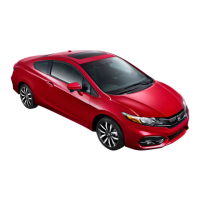
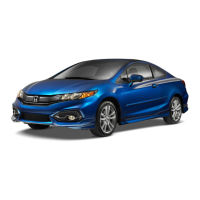
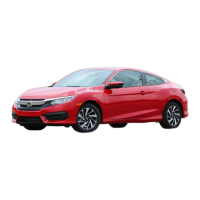
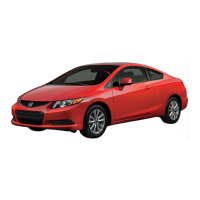
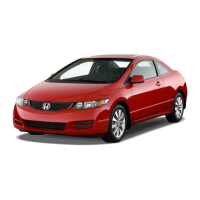
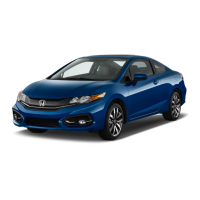
This document serves as a Technology Reference Guide for the 2014 Honda Civic Coupe EX, EX-L, and Si models, providing basic instructions on various technology and convenience features. It is not a substitute for the Owner's Manual, which should be consulted for more detailed information.
Device Function Description:
The 2014 Honda Civic Coupe EX, EX-L, and Si are vehicles equipped with a range of integrated technologies designed to enhance driving experience, safety, and connectivity. Key functions include:
- Smart Entry with Push Button Start: Allows for keyless entry and ignition, simplifying vehicle access and startup.
- Intelligent Multi-Information Display (i-MID): A central display providing the driver with useful information, including outside temperature, odometer, trip data, clock, and various warning/indicator messages. It also shows audio and phone displays during calls.
- ECO Assist™: A system designed to maximize fuel efficiency by adjusting the engine, transmission, cruise control, and air conditioning performance. It includes an ambient meter that indicates real-time fuel efficiency using color-coded bars.
- Tire Pressure Monitoring System (TPMS): Monitors tire pressures and alerts the driver if pressure drops significantly below recommended levels. It requires recalibration after tire inflation, changes, or rotations.
- Auto Door Locks: Customizable settings for how and when vehicle doors automatically lock and unlock, enhancing security.
- One-Touch Turn Signal: Provides a convenient method for signaling lane changes with a three-blink sequence.
- Auto Headlights with Wiper Integration: Automatically turns on headlights when windshield wipers operate, improving visibility in inclement weather.
- Rearview Camera: Displays a real-time image of the area behind the vehicle when in Reverse, with optional parking guidelines (fixed or dynamic) to aid in navigation.
- LaneWatch™: Helps check the right blind spot during lane changes by displaying the right rear area outside the vehicle on the display via a camera in the passenger-side door mirror. It can also be activated manually.
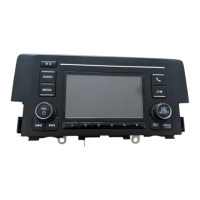
- Display Audio: A touchscreen interface similar to a smartphone, controlling various vehicle features, including audio, phone, and apps. It supports gestures like swiping and tapping.
- Bluetooth® HandsFreeLink® (HFL): Enables hands-free phone calls through the vehicle's audio system, supporting pairing, dialing, phonebook access, and call management.
- SMS Text Messaging and E-Mail: Allows receiving and sending text messages or emails from a paired and linked compatible phone, with the system capable of reading messages aloud.
- Siri Eyes Free Mode: Activates Siri through the vehicle when an iPhone® is paired, allowing voice commands for various functions without visual interaction with the phone.
- HondaLink Assist: Automatically connects to an operator to request emergency help in the event of a collision, transmitting vehicle information and location.
- Basic Audio Operation: Controls the audio system through steering wheel buttons and the touchscreen, supporting various sources like FM, AM, CD, iPod®, USB, and Bluetooth® Audio.
- iPod® or USB Flash Drive Playback: Plays audio files from compatible iPods or USB flash drives connected to the vehicle's USB ports.
- Bluetooth® Audio Playback: Streams stored or streaming audio from a compatible phone through the vehicle's audio system.
- Pandora® Integration: Plays and operates Pandora from a compatible phone through the vehicle's audio system, supporting "like/dislike" functions and track changes.
- HDMI Video Playback: Plays video from a compatible device through the vehicle's display when the vehicle is stopped.
- Vehicle Settings: Customizable settings for various features, accessible through the i-MID and Display Audio system.
Important Technical Specifications (as inferred from the manual):
- Fuel Type (Civic Coupe): Unleaded gasoline of 87 octane or higher is recommended.
- Fuel Type (Civic Coupe Si): Unleaded gasoline of 91 octane or higher is required.
- Ethanol Content: Do NOT use gasoline containing more than 15% ethanol.
- Methanol Content: Do NOT use gasoline containing methanol.
- MMT Content: Do NOT use gasoline containing MMT (manganese-based fuel additive). Prolonged use of MMT-containing gasoline can deteriorate vehicle performance, fuel economy, and the emission control system.
- Recommended Gasoline: Honda recommends TOP TIER Detergent Gasoline, which is MMT-free and contains detergent additives.
- HDMI Video Resolution: Device or video resolution must be 720p or lower for display in the vehicle.
- Bluetooth® Compatibility: Requires a compatible phone; users should check handsfreelink.honda.com for compatibility.
- Smartphone Connectivity: Supports compatible smartphones for HondaLink apps and other integrations.
Usage Features:
- Steering Wheel Controls: Many functions, including i-MID navigation, audio control, and phone calls, can be operated via buttons on the steering wheel to minimize driver distraction.
- Touchscreen Interface: The Display Audio system uses a touchscreen for intuitive control, similar to a smartphone.
- Voice Commands: Siri Eyes Free Mode allows for hands-free operation using voice commands.
- Customizable Settings: Drivers can personalize various vehicle settings through the i-MID and Display Audio system, including door lock behavior, display setup, and audio preferences.
- Safety Reminders: The vehicle is equipped with airbags, but seat belts are always required. Proper child seat usage in the rear seat is emphasized, and infant seats should never be placed in the front passenger's seat.
- Limited Functionality While Driving: To reduce driver distraction, certain functions (e.g., dialing a number, phonebook access, SMS text messaging, HDMI video playback, Pandora operation) are inoperable or grayed out when the vehicle is moving. Users are advised to stop or pull over to perform these functions.
Maintenance Features:
- TPMS Recalibration: After inflating, changing, or rotating tires, the TPMS system needs to be recalibrated through the Vehicle Menu. This process takes about 30 minutes of driving at 30-60 mph.
- Fuel Information: Guidelines on recommended fuel types and additives are provided to ensure optimal vehicle performance and longevity. Using non-recommended fuels (e.g., those with high ethanol, methanol, or MMT) can lead to damage not covered by warranty.
- Owner Resources: Honda Owners website (owners.honda.com) provides resources for vehicle features, maintenance records, financial services, and mobile access.
- Dealer Consultation: For persistent malfunction indicators or system problems, drivers are advised to consult their dealer.


 To Next Page
 Need help?
 General