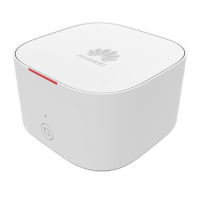
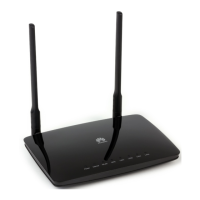
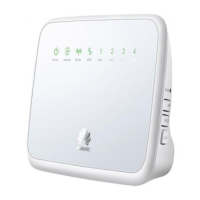
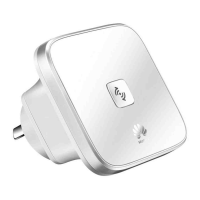
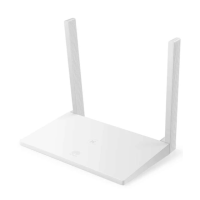
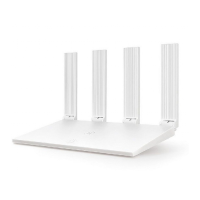
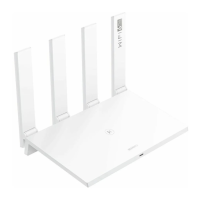
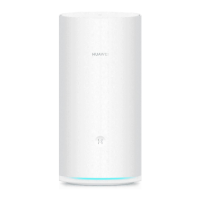
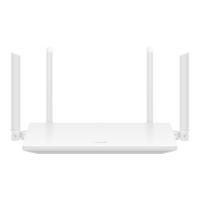
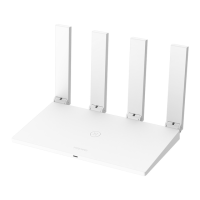
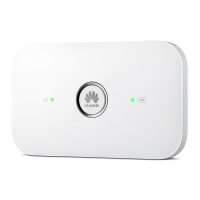
The Huawei WA8011V is a wireless network extender designed to expand your home Wi-Fi coverage. It functions as a Wi-Fi signal booster, connecting to an existing wireless network and extending its range. The device is primarily intended for indoor use.
Function Description:
The core function of the WA8011V is to extend an existing wireless network. It can achieve this in two main ways:
- Wireless Network Extension (WPS Pairing): This is the recommended mode if your router supports WPS. You insert the WA8011V into a power socket near the router, press and hold its WPS button for 3-10 seconds, and then, within 2 minutes, press the WPS button on your router. Once pairing is successful (indicated by the segment-1 indicator turning from red to steady green), the WA8011V can be freely moved and reinstalled without further pairing.
- Wireless Network Extension (Manual Configuration via Smartphone): If your router does not support WPS, you can manually connect the WA8011V to your wireless network using a smartphone. First, check the Wi-Fi name and password on the WA8011V's nameplate. Insert the WA8011V into a power socket near the router, and connect your smartphone to the WA8011V's Wi-Fi. Then, access the WA8011V's web page by entering its IP address (found on the nameplate) in your smartphone's browser. Log in using the username and password from the nameplate. On the "Fast Setting" page, "Bridge" is automatically selected; click "Skip." On the Wi-Fi network scanning page, select your existing Wi-Fi network, enter its password, and click "Next." You will then be prompted to change the web page login password; you can choose to do so or click "Skip." The configuration is complete when the segment-1 indicator turns green.
The WA8011V also supports Wired Network Extension. If your router does not support Wi-Fi or you require a wired connection for the extension, you can connect the WA8011V's WAN port to your router's LAN port using a network cable. For Wi-Fi name and password in this mode, refer to the WA8011V's nameplate. It's important not to connect the WA8011V's LAN port to a router's LAN port to ensure proper network extension.
Important Technical Specifications:
- System Power Supply: 100–240 V AC, 50/60 Hz
- Typical Power Consumption: ≤ 6.5 W
- Ambient Temperature: 0°C to 40°C (32°F to 104°F)
- Ambient Humidity: 5%–95% (non-condensing)
- Dimensions (H x W x D): 130 mm x 65 mm x 45 mm (without external antennas)
- Weight: < 400 g
- Antenna: 2.4G/5G antenna, used to generate Wi-Fi signals.
- Ports: WAN port (connected to a router), LAN port (connected to a terminal).
- Buttons: Reset button (restores to factory defaults when pressed for over 10s), WPS button (used for Wi-Fi pairing).
- Indicators: 3-segment indicators provide visual feedback on the device's status and signal strength.
Usage Features:
- Easy Setup: The device offers a quick setup process, especially with WPS-enabled routers, allowing for rapid network extension.
- Flexible Placement: After initial setup, the WA8011V can be moved to an optimal location within the Wi-Fi coverage area. The 3-segment indicators help determine the best placement for good signal strength.
- Good Signal (suitable for installation): Segment-1/2/3 indicators are steady green.
- Normal Signal (fine if no better location): Segment-1/2 indicators are steady green.
- Poor Signal (too far, adjust location): Segment-1 indicator is steady green.
- Dual-band Wi-Fi: Equipped with 2.4G/5G antennas, suggesting support for both frequency bands for improved performance and compatibility.
- Automatic Synchronization: If used with a Huawei wireless router running the latest software, the WA8011V can automatically synchronize the router's Wi-Fi name and password.
- Web-based Management: The device can be configured and managed through a web interface, accessible via its IP address. This allows for advanced settings like changing the Wi-Fi password.
Maintenance Features:
- Reset Functionality: A dedicated Reset button allows users to restart the device (press for >1s) or restore it to factory default settings (press for >10s). Caution is advised when restoring to factory settings as personal data will be lost.
- Indicator-based Troubleshooting: The 3-segment indicators provide clear status updates, aiding in basic troubleshooting.
- Yellow (steady on): Device is starting.
- Red (steady on): Not connected to Wi-Fi network (upstream Wi-Fi transmission) or not connected to upper-level device/IP address cannot be obtained (Ethernet upstream transmission).
- Red (blinking quickly, twice per second): Performing WPS pairing.
- Yellow (blinking slowly, on for 3s, off for 1s repeatedly): Connected or connecting to Wi-Fi, or cannot match a Wi-Fi network.
- Green (steady on, Segment 1): Extends signal coverage through Wi-Fi, upstream Wi-Fi signals are poor.
- Green (steady on, Segments 1 & 2): Extends signal coverage through Wi-Fi, upstream Wi-Fi signals are general.
- Green (steady on, Segments 1 & 2 & 3): Extends signal coverage through Wi-Fi, upstream Wi-Fi signals are good.
- Green (steady on, Segments 1 & 2 & 3): In Ethernet upstream transmission, connected to LAN port of primary gateway and obtains IP address.
- Green (blinking quickly, twice per second): After successful connection to Ethernet or Wi-Fi upstream, serves as an AP and is performing WPS pairing.
- Password Management: Users can change the Wi-Fi password through the web management interface under "Advanced Configuration > WLAN > 2.4G Basic Network Settings (or 5G Basic Network Settings)."
- Nameplate Information: The device's name, model, default network address, username, and password are conveniently located on a pull-out nameplate at the bottom of the device.
Safety Precautions:
- Operating Environment: Store devices and accessories in temperatures -10°C to +35°C and relative humidity 30%-85% RH for at most 9 months. Use only indoors.
- Physical Safety: Do not look directly into the optical port. Keep out of reach of children. Reserve at least 10 cm space around the device for heat dissipation. Keep away from strong magnetic/electric fields.
- Power Adapter: Use only power adapters delivered with the device. Ensure input voltage complies with local power grid (e.g., 200–240 V AC for EU, 100–140 V AC for America). Do not touch exposed circuits of a damaged adapter.
- Cabling: Dry hands before connecting/disconnecting cables. Stop the device and switch off power before handling cables. Do not lead metallic cables outdoors. Do not install telephone lines, network cables, power adapters, or power adapter cables outdoors, especially during thunderstorms.
- Device Integrity: Do not place objects on the device. Do not disassemble without permission. Do not change structure, safety, or performance design without authorization.
- Emergency: If abnormalities occur (liquid entry, smoke, unusual sound/smell), immediately stop the device, switch off power, disconnect all cables, and contact the authorized service center.
- Disposal: Dispose of packing materials, expired batteries, and old/abandoned devices according to local laws (recycling recommended).
- Fire Safety: Keep away from large heat sources, bare flames, and high-power devices. Replace aged cables or power socket facilities on the power supply line to or near the device if present.
- Radiation: The device should be installed and operated with a minimum distance of 20 cm between the radiator and your body.

 Need help?
 General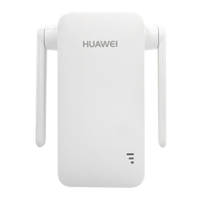

 To Next Page