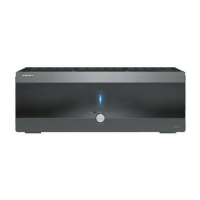
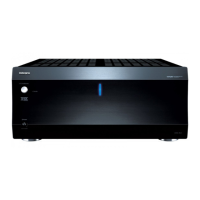
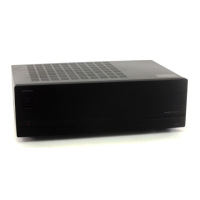
To Next PageTo Next Page
 Need help?
Do you have a question about the Integra DTR-8.2 and is the answer not in the manual?
 General
| Weight | 17.8 kg |
|---|---|
| Power Output | 130 W/Ch (8 Ohms, 20 Hz–20 kHz, 0.08%, 2 Channels Driven, FTC) |
| Audio Formats Supported | Dolby Digital, DTS |
| Input Sensitivity | 200 mV/47 kΩ (Line) |
| Total Harmonic Distortion | 0.08% (20 Hz - 20 kHz, half power) |
| Digital Inputs | 2 (Coaxial) |
| Digital Outputs | 1 Optical |
| Video Inputs | 3 Component |
| Video Outputs | 1 Component |
| Audio Inputs/Outputs (Optical) | 2/1 |
| Audio Inputs/Outputs (Coaxial) | 2/0 |
| Audio Inputs/Outputs (Phono) | 1 in |
Detailed specifications of the amplifier section.
Features related to audio and video processing and connectivity.
Identification and explanation of front panel physical controls.
Connections for front, surround, and back speakers, supporting banana plugs.
Connecting a DVD player via S-video, composite, or component video.
Connecting a DVD recorder using various video and digital methods.
Connecting a VCR using composite, S-video, or component video.
Connecting tuners, TVs, and set-top boxes via various video inputs.
Recommended placement and types of speakers for optimal sound.
General advice on speaker placement for best sound quality.
Connecting Zone 2 speakers to dedicated terminals.
Connecting Zone 2 speakers via amplifier using ZONE 2 OUT.
Connecting Zone 2 speakers via amplifier using PRE OUT terminals.
Step-by-step guide to power on and off the DTR-8.2.
Overview of the simplified setup menu for basic configuration.
Overview of the comprehensive setup menu for detailed customization.
Setting speaker impedance to match connected speakers for optimal performance.
Defining connected speakers and their sizes (Large/Small).
Adjusting speaker output levels for balanced sound using test tones.
Setting bass peak level to protect subwoofer and front speakers from damage.
Setting speaker distances for accurate sound staging and timing.
Configuring digital input sources and formats for optimal signal transfer.
Assigning digital inputs and selecting digital signal formats (All, DTS, PCM).
Matching audio and video sources, and configuring component video inputs.
Setting preferred listening modes for different input signal types.
Enabling or disabling multichannel audio input for surround sound.
Setting up for 5.1/6.1/7.1 channel audio sources from compatible components.
Setting consistent volume levels across different input sources automatically.
Adjusting bass and treble levels for front speakers via setup menu.
Adjusting audio timing for A/V sync and speaker positioning.
Adjusting surround modes and parameters like listening angle and center width.
Configuring THX listening modes and related sound processing settings.
Selecting speakers for surround sound playback (Surround L/R, Back).
Setting Low Frequency Effect (subwoofer) levels for Dolby Digital and DTS sources.
Settings for Mono Movie, Enhanced 7, Orchestra, Unplugged, Studio-Mix, TV Logic modes.
Enabling/disabling sound effects like Re-EQ, Upsampling, Subwoofer, and Late Night.
Configuring volume display, muting, maximum, and power-on volume settings.
Selecting different sound modes (Direct, Stereo, Surround, THX, DSP) for playback.
How to play multichannel audio sources connected to the unit.
Temporarily adjusting individual speaker volumes for balance.
Setting up the remote to control specific device brands.
How to program buttons for device control and custom functions.
Steps to learn commands for control panel buttons from original remotes.
Programming global or per-device functions for special buttons.
Common issues like blank display, no response, and battery problems with their fixes.
Issues with buttons, macros, and input source changes, and their resolutions.
Technical details on the remote's physical and display components.
Diagnosing and resolving power-related problems like shutoff or no sound.
Resolving problems with picture display and sound output from sources.
Diagnosing problems with center speakers, subwoofers, and sound quality.
Addressing late night function, Re-EQ, multichannel, Zone 2, and error messages.
Troubleshooting reception problems for AM and FM radio stations.