Need help?
Do you have a question about the ION Boombox Deluxe and is the answer not in the manual?
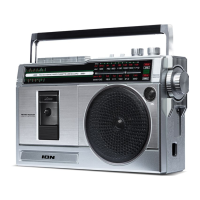
Welcome and product philosophy for the Boombox Deluxe.
Lists all items included in the product package.
Provides website links for product documentation and support.
Illustrates connection diagram for external audio devices.
Details and labels for the front panel buttons, displays, and indicators.
Details and labels for the top panel controls including volume, bass, treble, and playback buttons.
Details and labels for the side panel input/output ports like USB, SD, Aux, and Headphone.
Details and labels for the rear panel battery compartment and charging switch.
Comprehensive guide to recording audio from various sources to tape or USB/SD media.
Instructions for playing audio from cassette tapes, Aux input, USB drives, and Micro SD cards.
How to listen to AM/FM radio and tips for optimal reception.
Guidelines for cassette tape handling and cleaning the tape deck's components.
Step-by-step guide for connecting a Bluetooth device to the Boombox Deluxe.
Solutions for common problems like charging, sound distortion, and connection errors.
Detailed technical data, dimensions, and power requirements for the Boombox Deluxe.
Information on product trademarks and licensing agreements.
Welcome and product philosophy for the Boombox Deluxe.
Lists all items included in the product package.
Provides website links for product documentation and support.
Illustrates connection diagram for external audio devices.
Details and labels for the front panel buttons, displays, and indicators.
Details and labels for the top panel controls including volume, bass, treble, and playback buttons.
Details and labels for the side panel input/output ports like USB, SD, Aux, and Headphone.
Details and labels for the rear panel battery compartment and charging switch.
Comprehensive guide to recording audio from various sources to tape or USB/SD media.
Instructions for playing audio from cassette tapes, Aux input, USB drives, and Micro SD cards.
How to listen to AM/FM radio and tips for optimal reception.
Guidelines for cassette tape handling and cleaning the tape deck's components.
Step-by-step guide for connecting a Bluetooth device to the Boombox Deluxe.
Solutions for common problems like charging, sound distortion, and connection errors.
Detailed technical data, dimensions, and power requirements for the Boombox Deluxe.
Information on product trademarks and licensing agreements.
 General
| Type | Portable Stereo System |
|---|---|
| Battery Type | Rechargeable Lithium-ion |
| FM Radio | Yes |
| Bluetooth Range | 100 feet |
| Connectivity | Bluetooth |
| Power Source | Battery or AC adapter |
| Features | USB charging port |
| Water Resistance | IPX4 splash resistant |
| Inputs | 3.5mm AUX input |


 To Next Page