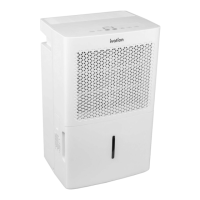
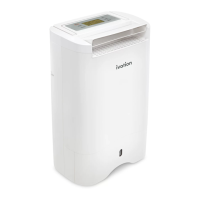
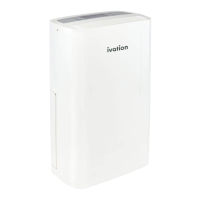
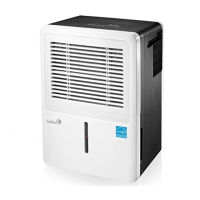
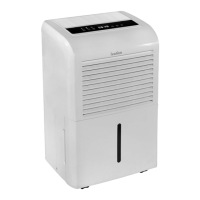
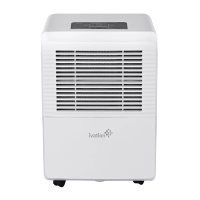
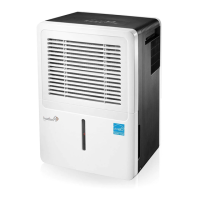
This document is a user guide for the Ivation Energy Star Dehumidifier, available in models IVAMDH35, IVAMDH50, and IVAMDH50P. It provides essential information for safe operation, usage, maintenance, and troubleshooting of the device.
Function Description:
The Ivation Energy Star Dehumidifier is designed for indoor residential use to reduce humidity levels in a given space. It operates by drawing in moist air, passing it over evaporator coils to condense the moisture, and then releasing drier air back into the room. The collected water is stored in a removable bucket or can be continuously drained. The pump model (IVAMDH50P) offers an additional feature for automatic water removal through a pump hose, allowing for drainage to a higher or more distant location. The device is Energy Star rated, ensuring quality assurance and energy efficiency.
Important Technical Specifications:
- Product Type: Dehumidifier
- Dimensions (Product):
- Length: 15.4"
- Width: 11.1"
- Height: 24.3"
- Dimensions (Packaging):
- Length: 16.9"
- Width: 13"
- Height: 25.9"
- Electrical Requirements:
- Rated Voltage: 115 V
- Rated Frequency: 60 Hz
- Compressor Type: Rotary
- Refrigerant: R410A
- Operating Humidity Range: 35% - 85% RH
- Operating Environment Temperature: 41 °F – 96 °F (5 °C - 36 °C)
- Location: Indoor use only
- Installation/Assembly: No installation or adult assembly required. No additional tools required.
- Country of Origin: China
- Warranty: 1 year limited warranty
Model-Specific Specifications:
-
IVAMDH35:
- Net Weight: 40.6 lbs.
- Gross Weight: 43.6 lbs.
- Rated Current: 3.25 A
- Power Input: 360 W
- Noise Level: 48 - 54 dB
- Airflow Rate: 164.71 - 188.24 cfm
- Dehumidifying Capacity: 35 pints/day (Previously classified as 50-pint)
- Fan Speed: 2-Speed Fan
-
IVAMDH50:
- Net Weight: 42.1 lbs.
- Gross Weight: 45.2 lbs.
- Rated Current: 4.8 A
- Power Input: 515 W
- Noise Level: 49 - 54 dB
- Airflow Rate: 188.24 - 217.65 cfm
- Dehumidifying Capacity: 50 pints/day (Previously classified as 70-pint)
- Fan Speed: 2-Speed Fan
-
IVAMDH50P:
- Net Weight: 42.8 lbs.
- Gross Weight: 45.9 lbs.
- Rated Current: 4.8 A
- Power Input: 515 W
- Noise Level: 49 - 54 dB
- Airflow Rate: 188.24 - 217.65 cfm
- Dehumidifying Capacity: 50 pints/day (Previously classified as 70-pint)
- Fan Speed: 2-Speed Fan
- Pump Included: Yes
Usage Features:
The dehumidifier is designed for user-friendly operation with several automatic and alert functions:
- Control Panel: Features buttons for Power, Filter, Comfort, Continuous Operation (CONT.), Turbo (fan speed adjustment), Timer, Left/Right Arrows (for timer adjustment), and Pump (for pump models only).
- Power Button (A): Turns the dehumidifier on and off.
- Filter Button (B): Resets the filter LED indicator after cleaning. The indicator automatically turns on after 250 hours of operation.
- Comfort Mode (C): Runs the dehumidifier on a preset humidity level.
- Continuous Operation (D): Activates continuous dehumidification.
- Turbo Mode (E): Adjusts fan speed between normal and high.
- Timer Function (F): Allows users to set a specific time (0-24 hours) for the device to turn off ("Timer Off") or turn on ("Timer On"). Settings are saved after a 5-second delay.
- Left/Right Arrows (G): Used to adjust timer settings.
- Pump Button (H): Activates pump operation for continuous drainage (available only on pump models).
- Auto Start & Auto Stop: The device automatically starts and stops based on the "Timer On" and "Timer Off" settings.
- Water Bucket Alert (P2/Eb Error Codes): An indicator light illuminates when the water bucket is full or incorrectly placed, prompting the user to empty or reposition it. The unit will shut off automatically in this state.
- Auto Defrost: If frost builds up on the evaporator coils, the auto defrost light will come on, the compressor will cycle off, and the fan will continue to run until the frost evaporates.
- Auto Shutoff: The dehumidifier will shut off if the water bucket is full, removed, or not locked correctly. Operation resumes after one minute.
- Auto Restart: In case of a power outage, the unit will automatically restart with the last saved settings once power is restored.
- Continuous Draining: Allows for direct drainage of collected water using a drain hose (not included) connected to the continuous drain hose outlet. This bypasses the need to manually empty the water bucket.
- Pump Draining (Pump Model Only): For IVAMDH50P models, a pump hose (included) can be connected to the pump drain hose outlet. The pump activates when the bucket is 90% full and drains water until it reaches 75% full, allowing for vertical or horizontal drainage up to 16 ft (5 m). The unit must be in PUMP mode for this function to work.
- Memory Function: The dehumidifier retains programmed settings even when unplugged.
- Placement: Should be placed on a smooth, level surface with at least 8" of air space on all sides for optimal performance. Avoid placing near radiators, in direct sunlight, or in bathrooms.
Maintenance Features:
Regular maintenance is crucial for the longevity and efficient operation of the dehumidifier.
- Cleaning the Unit:
- Turn off and unplug the unit.
- Wipe the surface with a soft, damp cloth. Avoid abrasive chemicals or cleaners.
- Dry with a towel.
- Do not pour water or cleaning solution directly onto the unit.
- Use a vacuum or brush to clean the air outlet grill.
- Cleaning the Filter: Recommended every two weeks.
- Turn off the unit and unlatch the filter from the back.
- Wash the filter with clean water and gently wipe it dry.
- Return the filter to its original position. The "Check Filter Alert" light will turn off after pressing the Filter button.
- Cleaning the Water Bucket:
- Fill the bucket with clean water and a small amount of detergent.
- Mix and swirl the solution.
- Empty the solution, rinse the bucket, and dry it.
- Ensure the float mechanism inside the bucket is not removed or damaged.
- Long-Term Storage:
- Turn off and unplug the unit.
- Clean and dry the water bucket thoroughly (do not use hot water to avoid warping).
- Allow the unit to dry out for at least one day.
- Clean the filter and the unit as described above.
- Wrap the power cord around its holder.
- Cover the unit with a plastic bag to prevent dust accumulation.
- Store upright in a cool, dry place away from direct sunlight.
Troubleshooting:
The user guide includes a troubleshooting section for common issues and their solutions:
- Unit not turning on: Check power, plug, and ensure the bucket is not full or improperly placed.
- Unit not drying air properly: Ensure no blockages, adjust humidity control, and check room temperature.
- Loud noise: Ensure the unit is upright and the filter is not clogged.
- Frost on coils: This is normal; the unit has an auto defrost feature.
- Water on floor: Check continuous drain hose connection, ensure the drain knob is in place if not using continuous draining, and verify the water bucket is properly placed.
- Error Codes (AS, ES, P2, Eb): Refer to the Control Panel section for specific meanings and solutions (e.g., unplugging/replugging for sensor errors, emptying/repositioning bucket for bucket errors).
- Poor performance: Check for airflow blockages, clean the air filter, seal the room, and ensure the room temperature is above 41 °F (5°C).
Safety Precautions:
The manual emphasizes reading all instructions carefully to prevent fire, explosion, electric shock, or damage. Key precautions include proper disposal of packaging, checking power cord and outlet compatibility, unplugging before cleaning, avoiding damage to the power cord, not moving the unit by pulling the cord, avoiding heating devices near the dehumidifier, not handling electrical parts with wet hands, ensuring a grounded and secure power connection, avoiding placement under dripping objects, disconnecting for long-term storage, emptying the bucket before storage, not unplugging before turning off, and never attempting self-repair. It also warns against using the product for commercial or industrial purposes and stresses adult supervision for children around the appliance. An extension cord is not recommended. If the power cord is damaged, it must be replaced by Ivation or an authorized serviceperson.


 To Next Page
 General