To Next PageTo Next Page
 Need help?
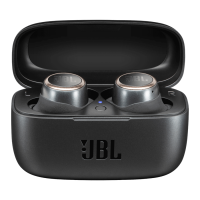
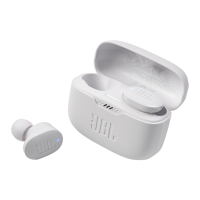
Do you have a question about the JBL Harman Vibe 200TWS and is the answer not in the manual?
Select the correct eartip size for optimal comfort and sound isolation.
Properly insert the earbuds into your ears for secure wear and best audio performance.
Activate your JBL Vibe200TWS earbuds by opening the charging case or pressing the power button.
Pair your earbuds with a Bluetooth-enabled device by selecting 'JBL VIBE200TWS' in device settings.
Use both earbuds simultaneously for an immersive stereo listening experience.
Utilize a single earbud for calls or listening, allowing for awareness of your surroundings.
Control music playback, calls, and voice assistant using button taps and holds in stereo mode.
Manage playback and calls with button controls when using a single earbud.
Initiate pairing with a new device by following the Bluetooth connection procedure.
Restore the connection between the left and right earbuds if they become unpaired.
Restore default settings by performing a factory reset on your JBL Vibe200TWS earbuds.
Select the correct eartip size for optimal comfort and sound isolation.
Properly insert the earbuds into your ears for secure wear and best audio performance.
Activate your JBL Vibe200TWS earbuds by opening the charging case or pressing the power button.
Pair your earbuds with a Bluetooth-enabled device by selecting 'JBL VIBE200TWS' in device settings.
Use both earbuds simultaneously for an immersive stereo listening experience.
Utilize a single earbud for calls or listening, allowing for awareness of your surroundings.
Control music playback, calls, and voice assistant using button taps and holds in stereo mode.
Manage playback and calls with button controls when using a single earbud.
Initiate pairing with a new device by following the Bluetooth connection procedure.
Restore the connection between the left and right earbuds if they become unpaired.
Restore default settings by performing a factory reset on your JBL Vibe200TWS earbuds.
 General
| Frequency Response | 20 Hz - 20 kHz |
|---|---|
| Bluetooth Version | 5.0 |
| Charging Time | 2 hours |
| Water Resistance | IPX2 |
| Type | True Wireless |
| Impedance | 16 ohms |
| Microphone Sensitivity | -38 dBV/Pa @ 1 kHz |
| Bluetooth Profiles | A2DP 1.3, AVRCP 1.6, HFP 1.7 |
| Bluetooth Transmitted Power | < 10 dBm |
| Bluetooth Modulation | GFSK, π/4 DQPSK, 8DPSK |
| Wireless Range | 10 m |
| Bluetooth Frequency | 2.402 GHz – 2.480 GHz |
| Earbud Battery | 48 mAh |
| Driver Size | 8 mm |
| Sensitivity | 108 dB SPL@1 kHz/1mW |