EasyManua.ls Logo

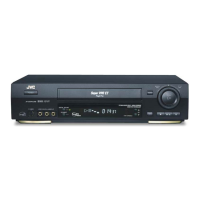
JVC HR-S7700EU - User Manual

JVC HR-S7700EU
68 pages
Print Icon
To Next Page IconTo Next Page
Loading...
EN
LPT0326-001A
ENGLISH
CONTENTS
Filename [Cov1.fm]
VIDEO CASSETTE RECORDER
SAFETY FIRST 2
Safety Precautions ......................................... 2
INDEX 4
INSTALLING YOUR NEW RECORDER 8
Basic Connections ........................................ 8
S-VIDEO Connection .................................... 9
INITIAL SETTINGS 10
Auto Set Up ................................................ 10
Preset Download ........................................ 12
Language .................................................... 14
SAT CONTROL SET 15
Satellite Receiver Control Setting ................ 15
T-V LINK 17
T-V Link Functions ...................................... 17
PLAYBACK 18
Basic Playback ............................................ 18
Playback Features ....................................... 19
RECORDING 23
Basic Recording .......................................... 23
Recording Features ..................................... 24
B.E.S.T. Picture System ............................... 27
TIMER RECORDING 28
S
HOW
V
IEW
®
Timer Programming ................ 28
Express Timer Programming ........................ 30
Automatic Satellite Programme
Recording ................................................... 34
EDITING 35
Edit From A Camcorder ..............................35
Output/Input Set ......................................... 36
Edit To Or From Another Video
Recorder ..................................................... 38
Audio Dubbing ........................................... 40
Insert Editing ............................................... 42
SYSTEM CONNECTIONS 44
Connecting To A Satellite Receiver ............. 44
Connecting/Using A Decoder ..................... 46
Connecting/Using A Stereo System ............. 47
SUBSIDIARY SETTINGS 48
Mode Set .................................................... 48
Tuner Set ....................................................52
Video Channel Set ...................................... 58
S
HOW
V
IEW
®
Setup ......................................59
Clock Set ....................................................60
TROUBLESHOOTING 62
QUESTIONS AND ANSWERS 65
SPECIFICATIONS 66
LIST OF TERMS 67
Cov1.fm Page 1 Thursday, March 9, 2000 3:40 PM

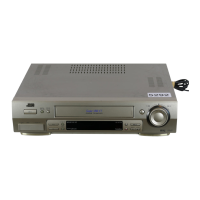
Table of Contents

Questions and Answers

Summary

Safety First

Safety Precautions

General warnings and precautions to prevent hazards, including electrical shock and fire.

Installing Your New Recorder

Basic Connections

Step-by-step guide for connecting the recorder to a TV via RF or AV cable.

S-VIDEO Connection

Detailed instructions for connecting via S-VIDEO for higher quality picture.

Initial Settings

Auto Set Up

Automatic setup for tuner channels, clock, and program numbers.

Preset Download

Downloading channel and program data via T-V Link for automatic setup.

Playback

Basic Playback

Loading a cassette and starting playback operations.

Recording

Basic Recording

Steps for loading a cassette and starting a basic recording.

Timer Recording

SHOWVIEW Timer Programming

Simplified timer programming using program codes.

Express Timer Programming

Manual timer programming for start time, stop time, and date.

Automatic Satellite Programme Recording

Automatically recording satellite broadcasts using timer programming.

Editing

SHOWVIEW Setup

Guide Program Number Set

Manually assigning Guide Program numbers for SHOWVIEW timer recording.

Clock Set

Troubleshooting

POWER

Solutions for power-related issues like no power or remote control problems.

TAPE TRANSPORT

Troubleshooting for tape loading, rewind, and fast-forward issues.

PLAYBACK

Solutions for playback problems like no picture, noise, or blurred images.

RECORDING

Troubleshooting for recording start, broadcast reception, and tape editing issues.

TIMER RECORDING

Solutions for timer recording failures, programming errors, and tape ejection.

Summary

Safety First

Safety Precautions

General warnings and precautions to prevent hazards, including electrical shock and fire.

Installing Your New Recorder

Basic Connections

Step-by-step guide for connecting the recorder to a TV via RF or AV cable.

S-VIDEO Connection

Detailed instructions for connecting via S-VIDEO for higher quality picture.

Initial Settings

Auto Set Up

Automatic setup for tuner channels, clock, and program numbers.

Preset Download

Downloading channel and program data via T-V Link for automatic setup.

Playback

Basic Playback

Loading a cassette and starting playback operations.

Recording

Basic Recording

Steps for loading a cassette and starting a basic recording.

Timer Recording

SHOWVIEW Timer Programming

Simplified timer programming using program codes.

Express Timer Programming

Manual timer programming for start time, stop time, and date.

Automatic Satellite Programme Recording

Automatically recording satellite broadcasts using timer programming.

Editing

SHOWVIEW Setup

Guide Program Number Set

Manually assigning Guide Program numbers for SHOWVIEW timer recording.

Clock Set

Troubleshooting

POWER

Solutions for power-related issues like no power or remote control problems.

TAPE TRANSPORT

Troubleshooting for tape loading, rewind, and fast-forward issues.

PLAYBACK

Solutions for playback problems like no picture, noise, or blurred images.

RECORDING

Troubleshooting for recording start, broadcast reception, and tape editing issues.

TIMER RECORDING

Solutions for timer recording failures, programming errors, and tape ejection.

JVC HR-S7700EU Specifications

General IconGeneral
Video FormatS-VHS, VHS
Recording SpeedSP, LP
Playback SpeedSP, LP, EP
Audio OutputStereo
Hi-Fi AudioYes
Number of Heads4
Remote ControlYes
ShowViewYes
TunerYes
TimerYes
InputsComposite, S-Video
OutputsComposite, S-Video
Signal-to-Noise Ratio47dB (S-VHS), 45dB (VHS)

Related product manuals