EasyManua.ls Logo

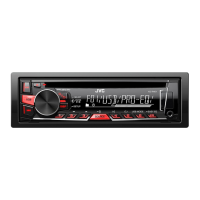
JVC KD-R462 - User Manual

JVC KD-R462
36 pages
Print Icon
To Next Page IconTo Next Page
Loading...
Data Size: B6L (182 mm x 128 mm)
Book Size: B6L (182 mm x 128 mm)
ENGLISH
FRANÇAIS
B5A-0107-10 [E/EN]
KD-R761 / KD-R661 / KD-R567 / KD-R561 /
KD-R469 / KD-R467 / KD-R464 / KD-R462 / KD-R461
CD RECEIVER
INSTRUCTION MANUAL
RÉCEPTEUR CD
MANUEL D’INSTRUCTIONS
Please read all instructions carefully before
operation to obtain the best possible performance
from the unit.
Veuillez lires les instructions attentivement avant
d’utiliser l’appareil afin d’obtenir les meilleures
performances possibles de l’appareil.
JS_JVC_KD_R761_E_EE_C_00.indd 1JS_JVC_KD_R761_E_EE_C_00.indd 1 17/10/2014 11:15:47 AM17/10/2014 11:15:47 AM
Question and Answer IconNeed help?

Do you have a question about the JVC KD-R462 and is the answer not in the manual?

JVC KD-R462 Specifications

General IconGeneral
BrandJVC
ModelKD-R462
CategoryCar Receiver
LanguageEnglish

Summary

Environmental Disposal Guidelines

Regulatory Compliance and Safety Markings

Declarations of Conformity

Statements regarding EMC and RoHS directives compliance.

Laser Product Safety

Explanation of the Class 1 laser product marking.

Understanding Your JVC Receiver

Faceplate and Controls Overview

Identification of the unit's physical buttons and features.

Remote Control Operation

How to use the optional remote control for basic functions.

Basic Operation Guide

Instructions for powering on/off, volume, and source selection.

Initial Setup and Configuration

Disabling Demonstration Mode

Steps to turn off the unit's demonstration mode.

Setting the Clock and Date

Guide to configuring the clock and time format.

System Settings and Preferences

Configuring basic settings like BEEP, language, and firmware.

Media Playback: CD, USB, iPod, Android

Connecting and Playing Media

Instructions for connecting and playing from various media sources.

Managing Playback Options

Selecting files, folders, control modes, and playback speed.

Radio Tuning and Reception

Finding and Selecting Stations

How to search for and tune into radio stations.

Station Memory and Presets

Storing and recalling favorite radio stations.

Advanced Radio Features

Using timer, SSM, seek, and PTY search for radio.

Audio Input and Sound Customization

Connecting Audio Sources

Instructions for connecting portable audio players and Bluetooth devices.

Equalizer and Sound Settings

Adjusting preset and custom equalizers, bass, treble, and loudness.

Speaker Output and Level Adjustments

Configuring speaker outputs, subwoofer levels, and pre-out signals.

Display and Illumination Customization

Display Brightness and Dimming

Setting screen brightness for day, night, and dimming times.

Color and Zone Illumination

Customizing button and display colors for different zones.

Additional Information and Compatibility

Media Format and Device Support

Details on supported media files, USB, iPod, iPhone, and Android devices.

Software and Display Information

Information on JVC software and display information sequence.

Troubleshooting Common Issues

Solving Playback and Connection Problems

Solutions for audio, media, and device connection errors.

Radio and System Troubleshooting

Addressing issues with radio reception and general system errors.

Technical Specifications

Tuner, CD, and USB Specifications

Technical details for tuner, CD player, and USB interface.

Audio and General Unit Specifications

Specifications for audio output, power, and physical dimensions.

Installation and Wiring Guide

Safety and Mounting Procedures

Warnings, cautions, and steps for installing the unit.

Wiring Connections and Diagrams

Detailed wiring instructions and vehicle-specific modifications.

Related product manuals