4
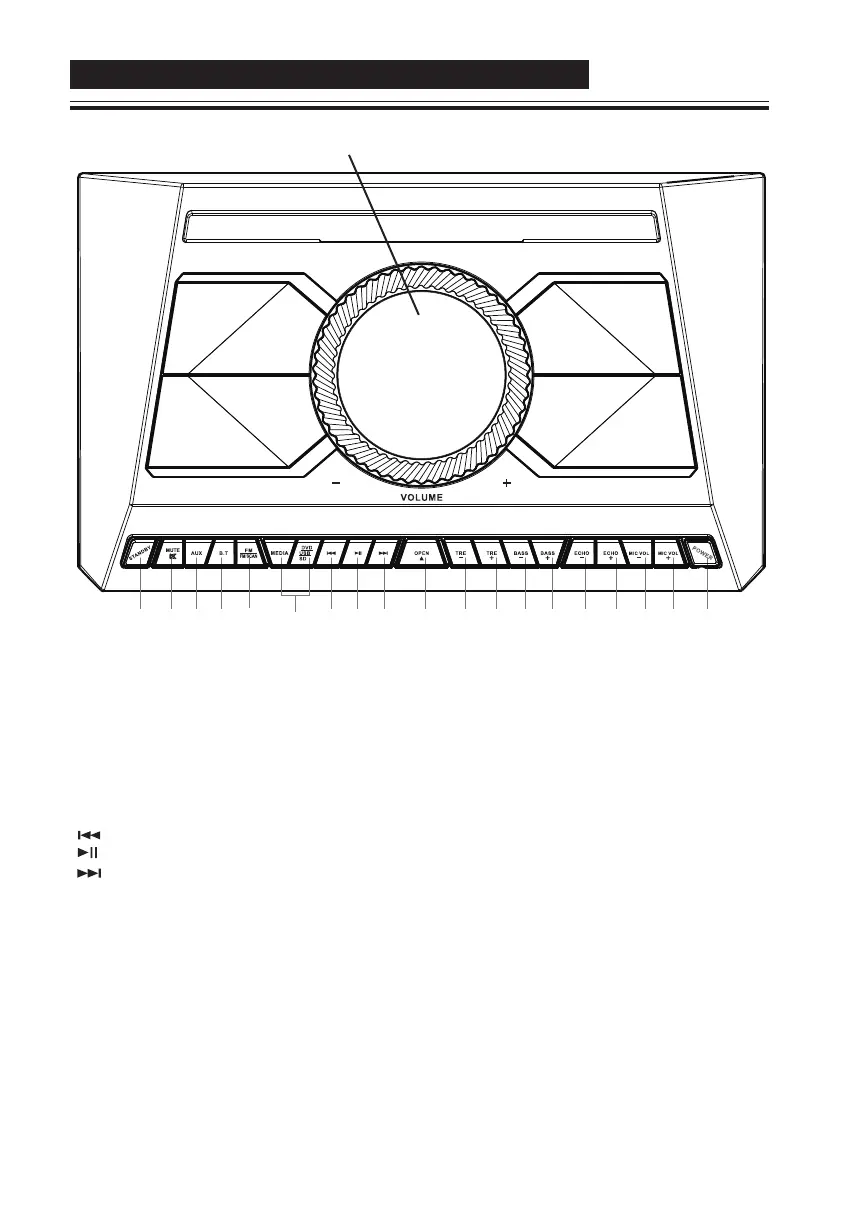
1.STANDBY:Standby key, Press this key to turn on the unit or set it to standby.
2.MUTE: Press once for mute mode and then again to cancel mute mode
3.AUX: Set the input source to AUX.
4.B.T: Set the input source to Bluetooth.
5.FM /FM SCAN: Press once to switch to FM mode. Press and hold to start auto-scanning channels.
6.MEDIA, DVD/USB/SD: First press the MEDIA key to switch to DVD/USB/SD mode. Then press the
DVD/USB/SD key to switch between DVD, USB and SD inputs.
7. : Previous key
8. : Play/ Pause key
9. : Next key
10.OPEN: DVD open and close door
11.TRE-: Treble decrease key
12.TRE+: Treble increase key
13.BASS-:Bass decrease key
14.BASS+:Bass increase key
15.ECHO-:Echo decrease key
16.ECHO+: Echo increase key
17.MIC VOL-:Volume decrease key for connected microphones.
18.MIC VOL+: Volume increase key for connected microphones.
19.POWER: Press this button to set the device to standby mode (device starts receiving power).
The other keys on the unit and remote control are active only when this button is pressed.
1 2 3 4 5 6 7 8 9 10 1112 13 14 15 16 17 18 19
VOLUME CONTROL
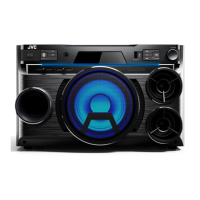
FRONT PANEL-CONTROLS AND FUNCTIONS
IMPORTANT: First press the POWER button to set the unit to Standby mode. After that, you can use
the other buttons on the unit or remote control.



 To Next Page
 Loading...