EasyManua.ls Logo

Lennox MS8 User Manual

Lennox MS8
12 pages
To Previous Page IconTo Previous Page
Page #12 background imageLoading...
Page #12 background image
12
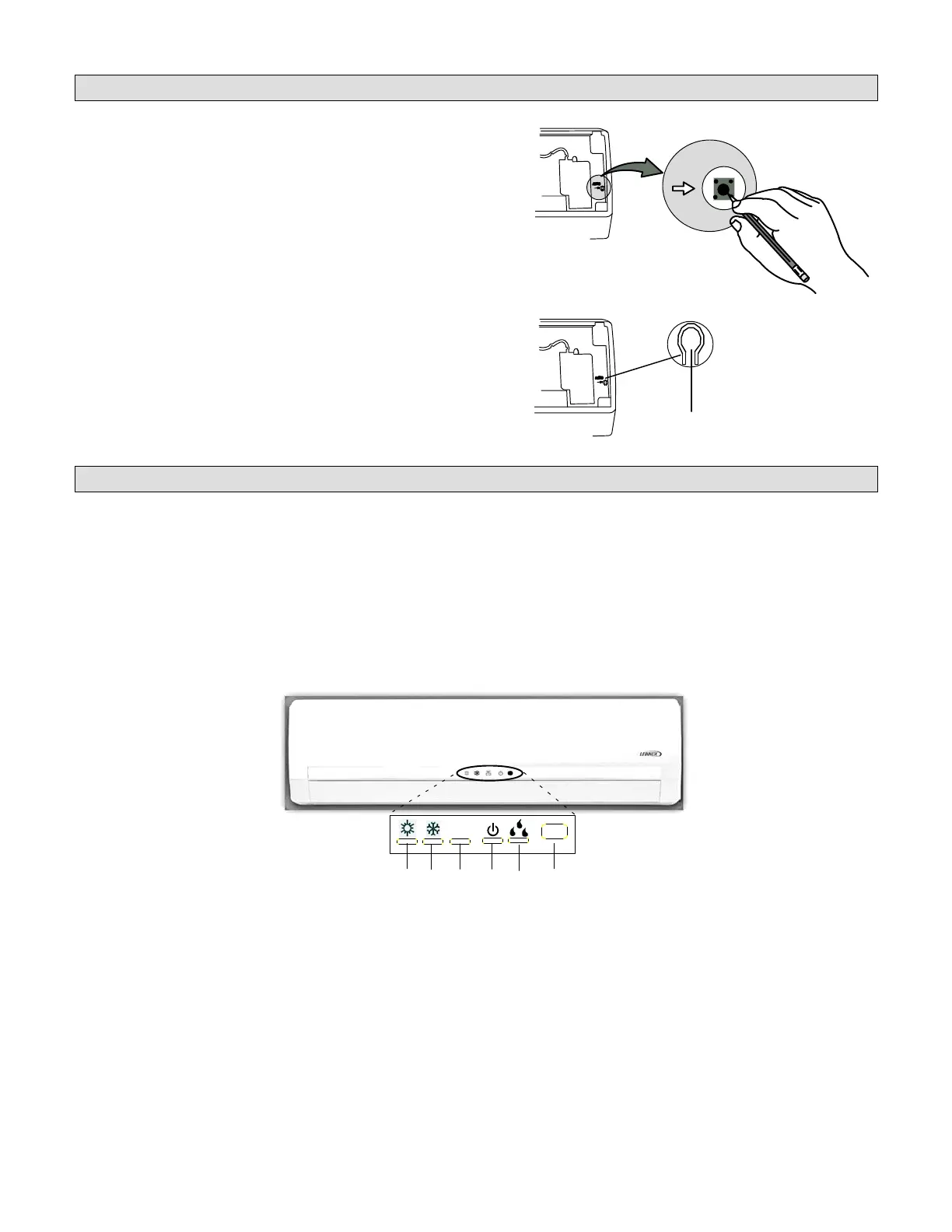
Auto ON Switch
If the remote control is lost or damaged, or if
charged AAA, 1.5V batteries are not avail
able, the Auto ON switch can be used to turn
the system on or off.
The Auto ON switch is located behind the
cover panel on the indoor unit. Lift the front
panel and press the ON button once briefly to
start the system. To stop emergency opera
tion, push the ON button again.
IMPORTANT !
The Auto ON button initiates operation in
the AUTO mode. The temperature and fan
speed are not adjustable in the AUTO
mode.
AUTO
PENCIL OR OTHER
NON-METALLIC OBJECT
AUTO BUTTON
PRESS
WITH
FINGER
AUTO Switch
(Recessed)
AUTO Switch
(Not Recessed)
Error Codes
If a problem occurs with the system, an error code will replace the temperature setting displayed on
the front cover of the indoor unit. If more than one error has occurred, the codes will alternate so
that all codes are shown. Make note of the code (E4, F6, H4, etc.), then reset the display by pressing
the ON/OFF button on the wireless remote. Press the ON/OFF button a second time to reapply pow
er to system. If code is still displayed, disconnect and restore power at the unit disconnect switch
or circuit breaker. If the problem was temporary, the code will not reappear. If the error code re-ap
pears after power has been broken and restored at the disconnect switch or circuit breaker, call a
licensed professional service technician.
HEAT INDICATOR
COOL INDICATOR
TEMPERATURE*
RUN
DEHUMIDIFY MODE
INFRARED
SIGNAL
RECEPTOR
* The temperature readout will be replaced
by an error code if there is a malfunction.
88
Question and Answer IconNeed help?

Do you have a question about the Lennox MS8 and is the answer not in the manual?

Lennox MS8 Specifications

General IconGeneral
StagesSingle-Stage
RefrigerantR-410A
Cooling Capacity (BTU/h)18, 000-60, 000
Heating Capacity (BTU/h)18, 000-60, 000
EfficiencyUp to 10 HSPF

Summary

Safety Warnings

General Safety Precautions

Critical safety warnings for operating and maintaining the mini-split system to prevent injury or damage.

Parts Arrangement Overview

Indoor Unit Components

Details the parts of the indoor unit, including filter, louvers, and display.

Outdoor Unit Components

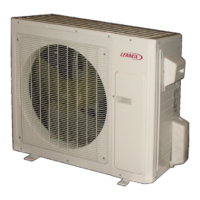
Details the parts of the outdoor unit, including air intake and outlet.

Operating Modes and Instructions

System Operation Details

Explains the operational parameters and ranges for Cooling, Heating, and AUTO modes.

Wireless Remote Control Functions

Core Remote Button Operations

Explanation of POWER, MODE, +/- buttons, FAN speed, and I FEEL functions.

Wireless Remote Control Settings

Temperature Unit and Timer Settings

Covers temperature unit conversion, clock, timer functions, and light control.

Advanced Fan and Timer Operations

Details on BLOW, TURBO, and SLEEP fan operations for enhanced comfort.

Remote Control Louver and Display

Louver Position Control

How to adjust the indoor unit's directional louver using the remote control.

Temperature Display Features

Using the TEMP button to view current, set, or outdoor temperatures.

System Start Up and Special Functions

General Start Up Procedure

Step-by-step guide for starting the system and setting basic parameters via remote.

Activating Special Functions

How to use SLEEP, TIMER, LIGHT, BLOW, TURBO, and I FEEL functions.

Remote Control Maintenance

Battery Replacement and Usage

Instructions for replacing batteries and important usage guidelines for the remote.

Maintenance Procedures

Indoor Unit Filter Cleaning

Detailed steps for cleaning the indoor unit's air filters for optimal performance.

Unit Surface Cleaning

Cleaning instructions for indoor and outdoor unit surfaces, with important cautions.

Troubleshooting Common Issues

Operational Problems and Solutions

Addresses common issues like unit not operating, noises, mist, and inefficient performance.

Remote and Water Leakage Troubleshooting

Troubleshooting for wireless remote malfunctions and water leakage.

System Start-Up and Error Codes

Auto ON Switch Usage

Using the Auto ON switch on the indoor unit for system operation.

Understanding Error Codes

Guide to interpreting and resolving system error codes displayed on the indoor unit.

Related product manuals