39
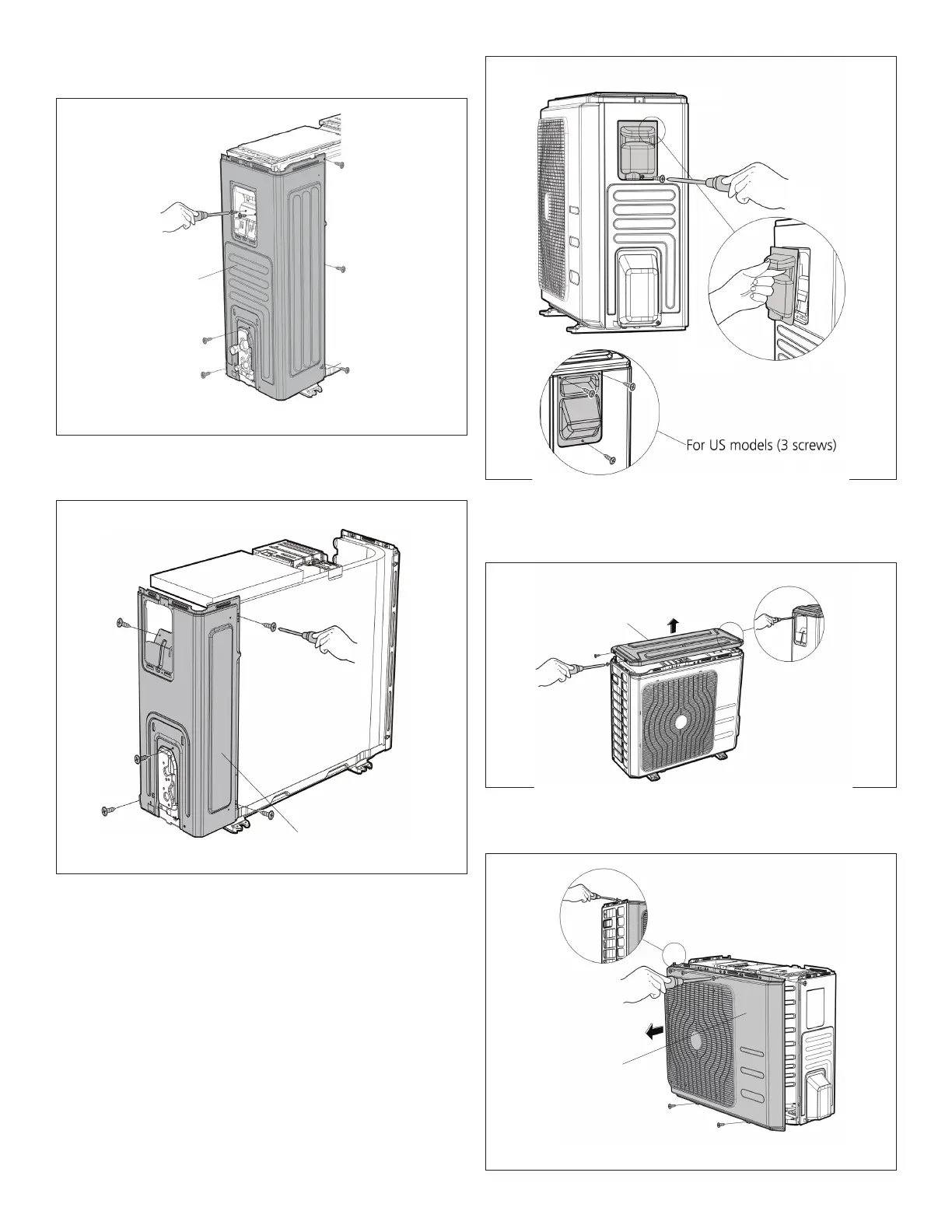
Step 6. Removethescrewsontherearcoilguardand
thenremovethecoilguard.
Step 7. Removethescrewsfromtherightpanelandthen
removepanel.
18.2.2. Panel Plate (MWCA024S4)
Step 1. Turnofftheairconditionerandthepower
breaker.
Step 2. Removethescrewsthatsecurethehandleand
thenremovethehandle.
Step 3. Removethescrewsfromthetopcoverandthen
remove.Oneofthescrewsislocatedunderneath
thehandle.
Step 4. Removethescrewsfromthefrontpanelandthen
removepanel.


 To Next Page
 Loading...