
 Need help?
Do you have a question about the Lenovo LOQ Series and is the answer not in the manual?
Details the components located on the front of the computer.
Details battery charging, power button behavior, power plans, and system operation modes.
Covers changing UEFI/BIOS settings, enabling/disabling features, and setting passwords for security.
Addresses common user queries on storage, responsiveness, spills, drivers, and auto-start.
Guides on accessing troubleshooting, documentation, and online support channels.
Provides information on preparing for support calls, available services, and excluded services.
Details the components located on the front of the computer.
Details battery charging, power button behavior, power plans, and system operation modes.
Covers changing UEFI/BIOS settings, enabling/disabling features, and setting passwords for security.
Addresses common user queries on storage, responsiveness, spills, drivers, and auto-start.
Guides on accessing troubleshooting, documentation, and online support channels.
Provides information on preparing for support calls, available services, and excluded services.
 General
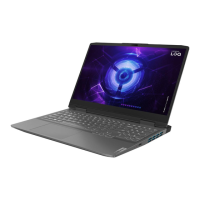
| Series | LOQ |
|---|---|
| Category | Laptop |
| Display Refresh Rate | Up to 165 Hz |
| RAM | Up to 32GB DDR5 |
| Operating System | Windows 11 Home |
| Battery | Up to 80Wh |
| Weight | Starting at 2.4 kg (5.29 lbs) |
| Processor | Up to AMD Ryzen 7 7000 Series or Intel Core i7-13700H |
| Graphics | Up to NVIDIA GeForce RTX 4060 or AMD Radeon RX 7600S |
| Display Size | 15.6" / 16" |
| Storage | Up to 1TB PCIe SSD |
| Ports | USB-A, USB-C, HDMI, Ethernet, Headphone/Mic combo |


 To Next Page