

 Need help?
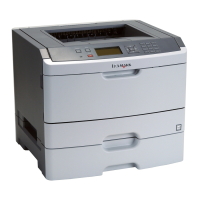
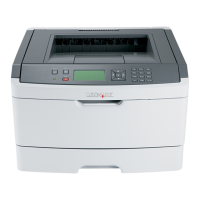
Do you have a question about the Lexmark E450DN - E 450dn B/W Laser Printer and is the answer not in the manual?
 General
| Print Technology | Laser |
|---|---|
| Print Resolution | 1200 x 1200 dpi |
| Standard Paper Capacity | 250 sheets |
| Processor Speed | 400 MHz |
| Connectivity | USB, Ethernet |
| Operating Systems Supported | Windows, Mac, Linux |
| First Page Out Time (Black) | 6.5 seconds |
| Paper Output | 150 sheets |
| Duplex Printing | Yes |
| Warranty | 1-year limited |
Describes the method for diagnosing and repairing printers using error codes and symptom tables.
Describes the printer's control panel components, including the LCD and buttons.
Details the printer's memory capacity and print quality resolutions.
Describes data stream emulations, connections, and compatibility with various systems.
Provides guidance on avoiding paper jams, including paper path details.
Lists user attendance messages and their corresponding actions.
Lists service error codes (9xx) and their descriptions.
Lists symptoms and corresponding actions for POST issues.
Maps printer symptoms to troubleshooting steps.
Introduces service checks for electrical components.
Checks for power issues and fuses.
Checks LVPS/HVPS board voltages.
Checks the operator panel and its components.
Guides on using print quality test pages for diagnosis.
General guide for resolving print quality issues.
Guides users to find symptoms and take appropriate corrective actions.
Details error codes for paper jams.
Provides steps to check the controller card.
Checks fuser temperature and components.
Checks main motor voltages and connections.
Provides steps to check the printhead.
Provides steps to check the transfer roll.
Details entering and the available tests in Diagnostics Mode.
Details the print registration range and adjustment process.
Final steps for printhead alignment.
Continues mechanical printhead alignment.
Explains the Quick Test function and how to print the page.
Introduces tests for verifying printer output on different media.
Introduces tests for hardware components.
Explains tests for parallel port hardware using a wrap plug.
Introduces tests specific to the duplexing function.
Introduces tests for input tray feeding.
Introduces tests for output bin functionality.
Explains testing base sensors like exit, front door, and input.
Covers printer configuration settings.
Explains setting and resetting configuration IDs.
Covers Electro-Photographic setup adjustments.
Explains the event log for tracking printer errors.
Explains entering and using the configuration menu.
Explains how to enter and use Diagnostic Mode.
Explains how to enter and use the Configuration Menu.
Explains printing quality test pages from CONFIG MENU.
Explains the test for DRAM memory.
Provides critical safety guidelines for handling ESD-sensitive components.
Continues the front access cover removal steps.
Step-by-step guide to remove the left side cover.
Step-by-step guide to remove the right side cover.
Step-by-step guide to remove the rear cover.
Continues the top cover removal steps.
Continues the controller card removal steps.
Continues the duplex unit removal steps.
Continues the fuser removal steps.
Continues the LVPS/HVPS card assembly removal steps.
Continues the main motor drive removal steps.
Step-by-step guide to remove the operator panel.
Step-by-step guide to remove the printhead.
Step-by-step guide to remove the transfer roll.
Lists general notes and steps for part removal.
Continues pinout information for controller card connectors.
Lists specific electronic parts with part numbers.
Lists specific frame parts with part numbers.






 To Next Page