EasyManua.ls Logo

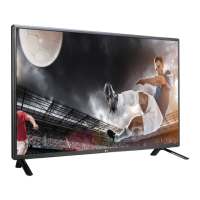
LG 42LS33A - User Manual

LG 42LS33A
76 pages
Print Icon
To Next Page IconTo Next Page
Loading...
www.lg.com
OWNER’S MANUAL
MONITOR SIGNAGE
32LS33A
42LS33A
47LS33A
55LS33A
65LS33A
42LS35A
47LS35A
55LS35A
Please read this manual carefully before operating the your set and
retain it for future reference.
MONITOR SIGNAGE MODELS

Questions and Answers

LG 42LS33A Specifications

General IconGeneral
BrandLG
Model42LS33A
CategoryDigital Signage
LanguageEnglish

Summary

Owners Manual

Supported Monitor Models

Lists the available monitor signage models.

Assembling and Preparing

Safe Wall Mounting Procedures

Guidelines for safely mounting the monitor onto a wall.

Remote Control Usage

Remote Control Button Descriptions

Explains the function of each button on the remote control.

Advanced Remote Control Features

Details specific functions and buttons on the remote control.

Connecting External Devices

Connecting Various Devices

Illustrates how to connect various external devices to the monitor.

HDMI Digital Audio;Video Connection

Guide for connecting devices via HDMI for digital video and audio.

Using the Monitor Features

Monitor Entertainment Features

Setting Up Wired Network Connection

Guides on setting up a wired network connection for internet access.

Accessing Media via My Media

How to connect USB storage devices and access media files.

Playing Movie Files from USB

Instructions on how to play movie files from a USB device.

Viewing Image Files from USB

Instructions on how to view image files from a USB device.

Playing Music Files from USB

Steps to play music files from a USB storage device.

Customizing Monitor Settings

Navigating Main Settings Menus

How to navigate and access the main setting menus.

Picture Quality Adjustment

Adjusts image quality, brightness, contrast, and color settings.

Basic Image Settings Adjustment

Adjusts fundamental image parameters like backlight, brightness, and sharpness.

Advanced Picture Mode Adjustments

Fine-tuning picture settings for different modes like Standard, Eco, Sport, Game.

Audio Settings and Configuration

Adjusts sound quality, effects, and volume balance.

Time and Power Management Settings

Configures clock, on/off times, and automatic standby features.

Network Configuration and Status

Configuration and status check for network connections.

Troubleshooting Monitor Issues

Troubleshooting No Image Display

Solutions for issues where no image appears on the screen.

Troubleshooting Screen Image Anomalies

Addresses problems like incorrect screen position or noise.

Troubleshooting Display and Audio Problems

Covers after-images, audio problems, color issues, and operational failures.

Remote Control of Multiple Products

RS-232 C Connection and Setup

Details on connecting and configuring RS-232C for multi-product control.

Related product manuals