To Next PageTo Next Page
 Need help?
Do you have a question about the LG 47LB5900 and is the answer not in the manual?
Guidance on how to avoid permanent image retention or burn-in on the TV screen by managing static images.
Details FCC regulations, cable installer grounding requirements, and LG's recycling policy.
Information regarding licenses for Dolby, HDMI, DivX technologies and open source software used in the product.
Information on obtaining source code for open source licenses used in the product.
Lists all items included in the product box and guides users on checking for completeness.
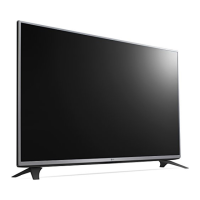
Overview of the TV's physical parts, including the screen, speakers, and joystick button functions.
Guidelines for safely lifting and transporting the TV to prevent scratches, damage, or injury.
Step-by-step instructions for securely attaching the TV stand to the base.
Guidance on placing the TV on a table or mounting it securely to a wall.
Details VESA standards and screw specifications required for wall mounting the TV.
How to connect an antenna, cable, or cable box to receive TV signals.
Guide for connecting external devices like Blu-ray players, PCs, and audio systems via HDMI and AV inputs.
Instructions for connecting USB storage devices and mobile phones using MHL and USB ports.
Explanation of each button on the remote control and its function for operating the TV.
Instructions for automatically tuning and memorizing broadcast channels.
Calibrating picture quality using the Picture Wizard function.
Selecting optimized picture modes for different viewing environments or programs.
Detailed adjustments for contrast, color, sharpness, and other picture parameters.
Fine-tuning picture settings like noise reduction, motion smoothing, and energy saving.
Setting up audio output to TV speakers or external devices via optical and digital ports.
Synchronizing video and audio, controlling multimedia devices with SIMPLINK.
Setting TV passwords, safely removing USB devices, and understanding USB usage warnings.
Lists supported video, audio, and photo file formats for playback on the TV.
Details on power requirements, operating environment, and television system coverage.
Provides physical dimensions for models and lists supported PC and TV input resolutions.
Guidelines for safely cleaning the screen, frame, cabinet, stand, and power cord.
Steps to troubleshoot issues when the TV cannot be controlled by the remote.
Solutions for problems related to no image display or no sound output from the TV.
Troubleshooting tips for when the TV turns off unexpectedly or due to inactivity timers.
Information on setting up and connecting external control devices to the TV.
General safety recommendations for TV placement, installation, and preventing tip-overs.
Advice on safe wall mounting procedures and precautions when moving older televisions.
Guidance on how to avoid permanent image retention or burn-in on the TV screen by managing static images.
Details FCC regulations, cable installer grounding requirements, and LG's recycling policy.
Information regarding licenses for Dolby, HDMI, DivX technologies and open source software used in the product.
Information on obtaining source code for open source licenses used in the product.
Lists all items included in the product box and guides users on checking for completeness.
Overview of the TV's physical parts, including the screen, speakers, and joystick button functions.
Guidelines for safely lifting and transporting the TV to prevent scratches, damage, or injury.
Step-by-step instructions for securely attaching the TV stand to the base.
Guidance on placing the TV on a table or mounting it securely to a wall.
Details VESA standards and screw specifications required for wall mounting the TV.
How to connect an antenna, cable, or cable box to receive TV signals.
Guide for connecting external devices like Blu-ray players, PCs, and audio systems via HDMI and AV inputs.
Instructions for connecting USB storage devices and mobile phones using MHL and USB ports.
Explanation of each button on the remote control and its function for operating the TV.
Instructions for automatically tuning and memorizing broadcast channels.
Calibrating picture quality using the Picture Wizard function.
Selecting optimized picture modes for different viewing environments or programs.
Detailed adjustments for contrast, color, sharpness, and other picture parameters.
Fine-tuning picture settings like noise reduction, motion smoothing, and energy saving.
Setting up audio output to TV speakers or external devices via optical and digital ports.
Synchronizing video and audio, controlling multimedia devices with SIMPLINK.
Setting TV passwords, safely removing USB devices, and understanding USB usage warnings.
Lists supported video, audio, and photo file formats for playback on the TV.
Details on power requirements, operating environment, and television system coverage.
Provides physical dimensions for models and lists supported PC and TV input resolutions.
Guidelines for safely cleaning the screen, frame, cabinet, stand, and power cord.
Steps to troubleshoot issues when the TV cannot be controlled by the remote.
Solutions for problems related to no image display or no sound output from the TV.
Troubleshooting tips for when the TV turns off unexpectedly or due to inactivity timers.
Information on setting up and connecting external control devices to the TV.
General safety recommendations for TV placement, installation, and preventing tip-overs.
Advice on safe wall mounting procedures and precautions when moving older televisions.
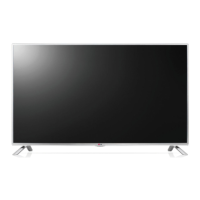
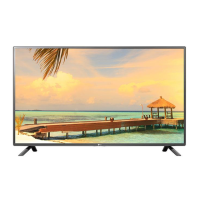
This document is an owner's manual for an LG LED TV, specifically models 47LB5900, 50LB5900, 55LB5900, 60LB5900, 47LB6000, 50LB6000, 55LB6000, and 60LB6000. It provides essential information for safe operation, setup, and maintenance of the television.
The LG LED TV serves as a display for various external devices such as HD receivers, DVD players, VCRs, audio systems, USB storage devices, PCs, and gaming devices. It utilizes an LCD screen with LED backlights to produce images. The TV can be connected to an antenna or cable for watching broadcast television channels. It supports HDMI connections for high-definition audio and video, as well as component and AV inputs for other external devices. The TV also features a USB port for playing multimedia files from storage devices. An optical digital audio output allows connection to external audio systems, including LG audio devices with LG Sound Sync (Optical) for enhanced sound. The TV includes various picture and sound modes, along with advanced control options for calibration and personalization. It also has an Energy Saving feature to reduce power consumption.
The TV can be operated using a remote control or a joystick button located below the screen. The joystick button allows for basic functions such as power on/off, volume control, channel scrolling, and accessing the main menu. The remote control provides a comprehensive set of buttons for navigating menus, adjusting settings, changing input sources, and controlling playback of multimedia content.
Regular cleaning and proper handling are crucial for maintaining the TV's peak performance and extending its lifespan.
 General
| Screen Size | 47 inches |
|---|---|
| Display Type | LED |
| Refresh Rate | 60Hz |
| Smart TV | Yes |
| Operating System | WebOS |
| HDMI Ports | 3 |
| Wi-Fi | Yes |
| Ethernet | Yes |
| Bluetooth | No |
| Audio Output | 20W |
| Resolution | 1920 x 1080 (Full HD) |
| Backlight Type | Direct LED |