G920 Driving Force Racing Wheel FAQs 23
Create new profiles
If the Scan For New Games list does not contain the game you want, LGS offers the ability to
create your own profile. Here’s how:
TIP: LGS can store profiles for any program executable (.exe) file. Use this to customize
commands assignments for productivity programs.
1. Open Logitech Gaming Software (LGS).
2. Navigate to the Home window for your mouse, keyboard or headset.
3. Select Customize buttons, Customize Function keys or Customize G-keys depending
on the device.
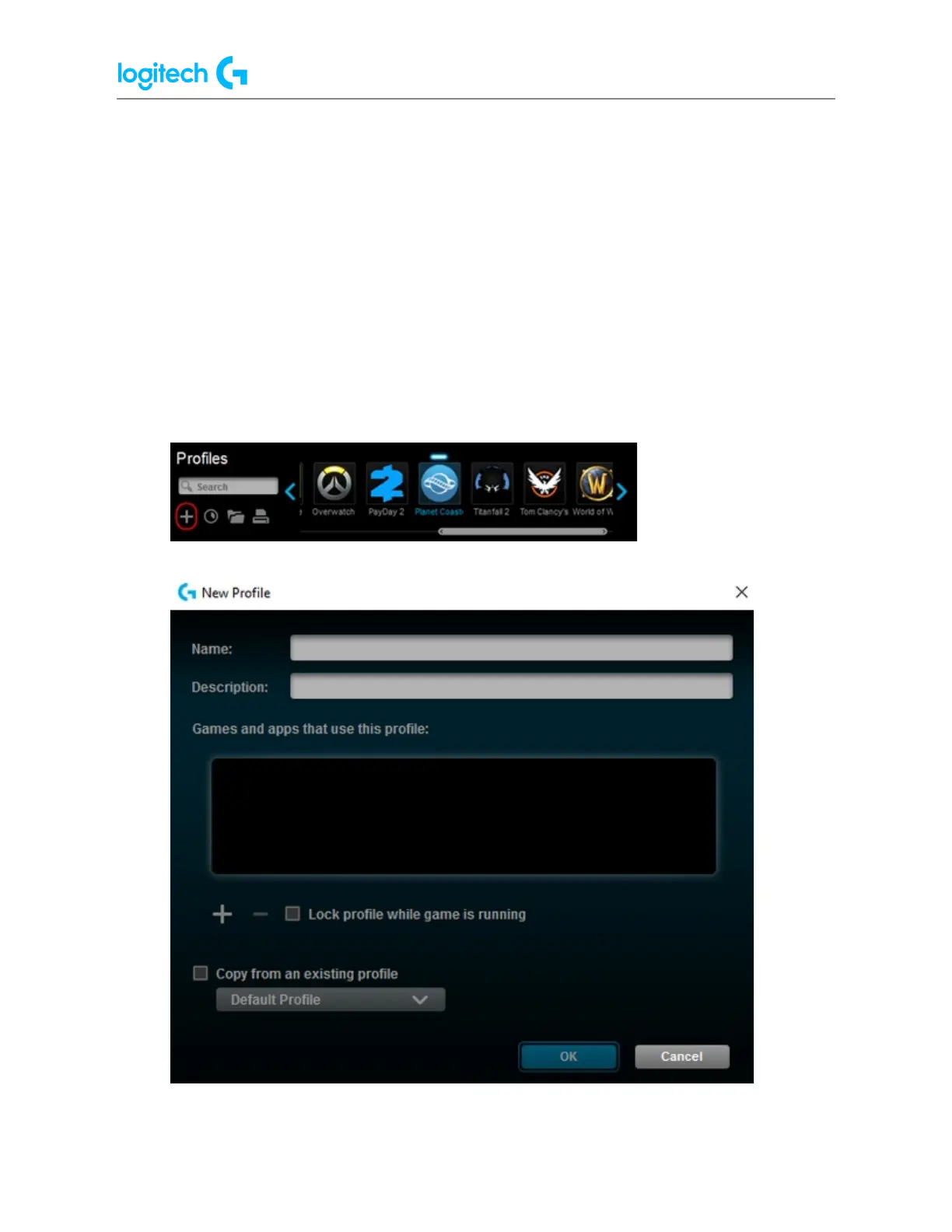
4. In the Profiles pane, click Create new profile ("+").
The New Profile window appears:


 To Next Page
 Loading...