05
CARD INSTALLATION
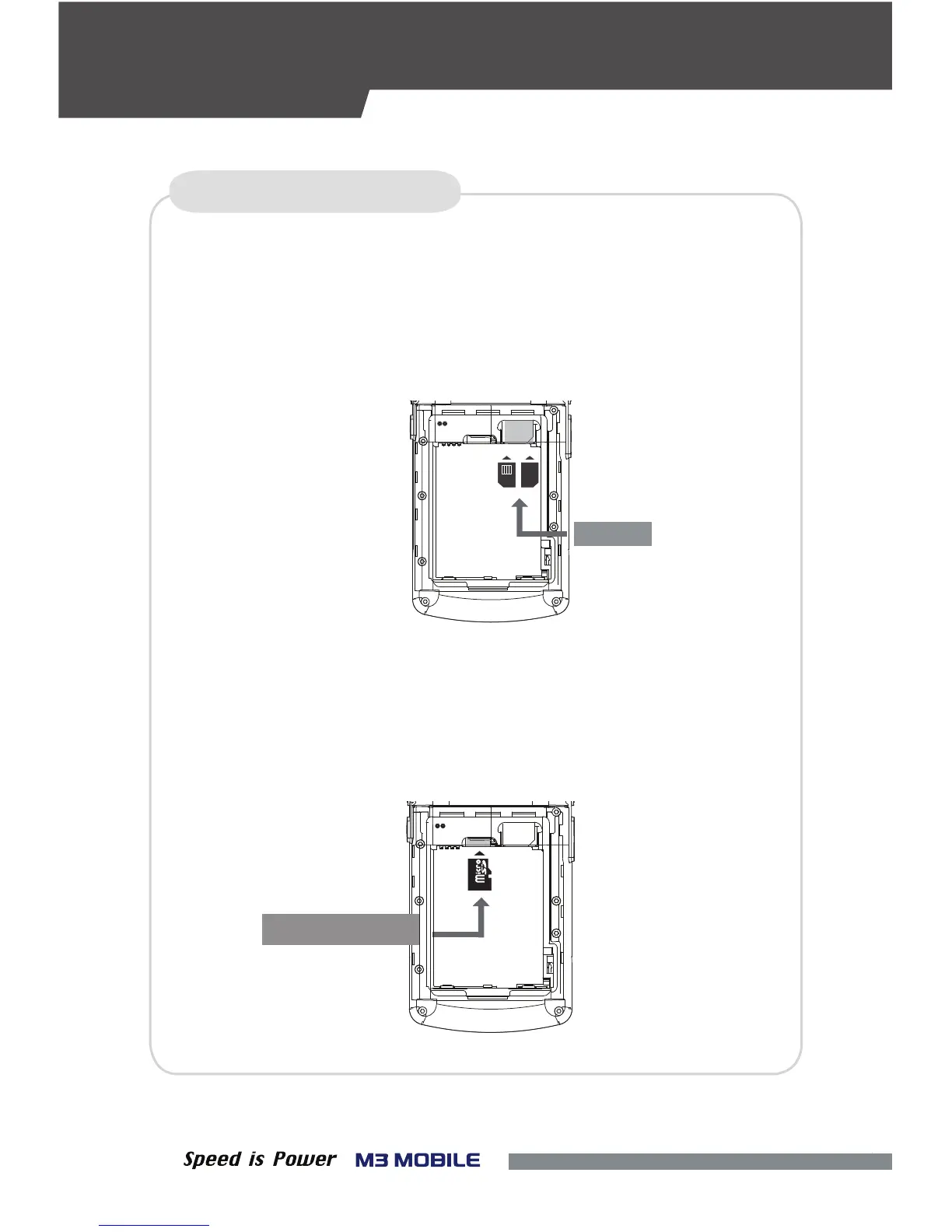
Inserting the SIM Card
• To insert the SIM card, remove the battery cover on the rear of the device
• Either the front or back of the SIM card can be connected to the dual slot.
Inserting an External Memory Card
•
The Micro-SD card is used as an external memory of M3 SM10.
After removing the battery, insert the SD memory card into the
Micro-SD card slot.
Micro-SD Card
SIM Card
SIM
ONLY
SAM
SIM
아래 위
DEVICE SETUP
and pull out the battery.


 To Next Page
 Loading...