Need help?
Do you have a question about the Makita XST01Z and is the answer not in the manual?
Hold tool correctly, ensure stable footing, be aware of surroundings, hold firmly, wear ear protection, avoid hot parts.
Read instructions, do not disassemble, stop if overheating, handle electrolyte, avoid shorting, and store properly.
Operate the tool by pulling the switch trigger; speed increases with pressure. Tool stops automatically after 360 seconds.
Details impact force grades (Hard, Medium, Soft, T mode), maximum blows, applications, and work types.
Disconnect power before maintenance, avoid solvents, and use authorized service centers for repairs.
Hold tool correctly, ensure stable footing, be aware of surroundings, hold firmly, wear ear protection, avoid hot parts.
Read instructions, do not disassemble, stop if overheating, handle electrolyte, avoid shorting, and store properly.
Operate the tool by pulling the switch trigger; speed increases with pressure. Tool stops automatically after 360 seconds.
Details impact force grades (Hard, Medium, Soft, T mode), maximum blows, applications, and work types.
Disconnect power before maintenance, avoid solvents, and use authorized service centers for repairs.
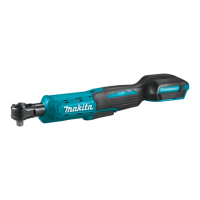
The Makita XST01 Cordless Oil-Pulse Driver is a hydraulically operated impact tool designed for fastening screws and bolts. Its primary function is to provide controlled impact for various tightening tasks, offering different impact force grades to suit specific applications.
The core function of the XST01 is to drive fasteners using an oil-pulse mechanism, which generates impacts based on oil viscosity. This design aims to provide efficient fastening while potentially reducing noise and vibration compared to traditional impact drivers.
The tool is activated by a switch trigger, and the speed of operation increases with greater pressure on the trigger. Releasing the trigger stops the tool. For safety, the tool is equipped with an electric brake that quickly stops rotation when the trigger is released. If the brake consistently fails to stop the tool quickly, it indicates a need for service.
A key feature of this driver is its ability to change impact force grades. Users can select from four different modes: Hard, Medium, Soft, and T mode. These modes allow for precise control over the tightening process, making the tool adaptable to various materials and fastener types.
The impact force grade can be changed using a dedicated button on the tool. This setting remains adjustable for approximately one minute after the switch trigger is released. If all lamps on the switch panel go out, the tool is turned off to save battery power, but the impact force grade can still be checked by lightly pulling the switch trigger without operating the tool. During operation, the impact force grade cannot be changed. The tool also features an automatic stop function in Hard or Medium impact force grades during heavy load operations to prevent damage to parts; in such cases, switching to Soft or T mode is recommended.
The tool also includes a front lamp to illuminate the workpiece. The lamp status (ON/OFF) can be toggled by pressing a button for a few seconds. When the lamp status is ON, pulling the switch trigger activates the lamp, which then turns off approximately 10 seconds after the trigger is released. If the lamp status is OFF, the lamp will not activate even if the trigger is pulled.
The XST01 is designed for cordless operation, powered by a Makita battery cartridge. Proper installation and removal of the battery cartridge are crucial for safe and effective use. The battery cartridge slides into the tool housing and locks into place with a click; a red indicator on the button signals if it is not fully locked. Users are cautioned to always ensure the battery is fully inserted to prevent accidental dislodging and potential injury.
The tool features a reversing switch to change the direction of rotation between clockwise (A side) and counterclockwise (B side). For safety and to prevent damage, the reversing switch should only be operated when the tool has come to a complete stop. When the tool is not in use, the reversing switch lever should be set to the neutral position, which also prevents the switch trigger from being pulled.
A hook is provided for temporarily hanging the tool, which can be installed on either side of the tool housing using a screw. This adds convenience for users working at height or needing to keep the tool within easy reach.
The tool is equipped with a battery protection system that automatically cuts off power to the motor under certain conditions to extend tool and battery life. This includes overload protection, where the tool stops if it draws abnormally high current. In such cases, the user should turn the tool off, address the cause of the overload, and then restart.
The remaining battery capacity is indicated by an LED display when the switch trigger is pulled. This allows users to monitor battery levels and plan for recharging. The indicators go off after about one minute of motor inactivity to conserve battery power.
When installing driver or socket bits, only bits with the specified inserting portion should be used. Bits are inserted into the sleeve until they go in completely. To remove a bit, the sleeve is pulled in the direction of the arrow, and the bit is pulled out. If a bit is not inserted deep enough, the sleeve may not return to its original position, and the bit will not be secured, requiring re-insertion.
For optimal fastening, users should select the proper bit for the screw/bolt head and adjust the impact force grade accordingly. Applying forward pressure to the tool and holding it straight at the screw are important for preventing the bit from slipping. Over-tightening can damage screws or bits, so performing a test operation to determine the proper fastening time for specific screws is recommended.
Regular maintenance is essential for ensuring the safety, reliability, and longevity of the XST01. Before performing any inspection or maintenance, the tool must be switched off, and the battery cartridge removed.
Users are advised against using gasoline, benzine, thinner, alcohol, or similar substances for cleaning, as these can cause discoloration, deformation, or cracks in the tool.
To maintain product safety and reliability, all repairs, maintenance, and adjustments should be performed by Makita Authorized Service Centers, using only genuine Makita replacement parts.
The tool's design includes air vents on the side for cooling the oil unit and motor during operation. It is crucial not to obstruct these vents, as doing so can lead to excessive heat and damage to the tool.
For battery maintenance, it is important to charge the battery cartridge before it is completely discharged, stopping operation when tool power decreases. Overcharging a fully charged battery cartridge should be avoided, as it shortens battery service life. Charging should ideally occur at room temperature (10°C - 40°C / 50°F - 104°F), and a hot battery cartridge should be allowed to cool before charging. If the battery is not used for a long period, it should be charged once every six months.
The battery cartridge should not be disassembled, short-circuited (by touching terminals with conductive materials, storing with other metal objects, or exposing to water/rain), or incinerated, as these actions can lead to overheating, burns, explosions, or breakdown. If electrolyte from the battery gets into the eyes, immediate rinsing with clear water and medical attention are necessary to prevent eyesight loss. The tool and battery cartridge should not be stored in locations where temperatures may exceed 50°C (122°F).
The manual also highlights factors affecting fastening torque, such as battery discharge, incorrect bit size, bolt diameter and class, the material of the workpiece, and operating speed. Users are advised to always check the torque with a torque wrench after fastening.
 General
| Voltage | 18V |
|---|---|
| Battery Type | Lithium-Ion |
| Power Type | Cordless |
| Blade Stroke | Not applicable |
| Length | 12-1/2" |


 To Next Page