
 Need help?
Do you have a question about the Mitsubishi Electric E1032 and is the answer not in the manual?
Safety requirements for UL and cUL certified installations.
General safety rules for operator panel use, handling, and installation.
Safety procedures for operation, maintenance, and dismantling.
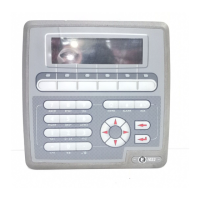
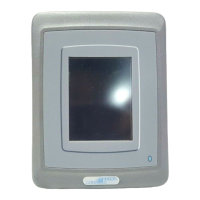
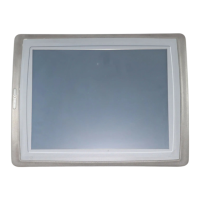
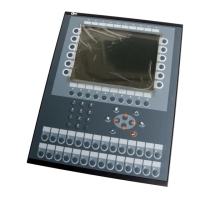
Lists various E1000 operator panel models and their specifications.
Overview of maintenance, service, and repair procedures.
Overview of hardware approvals, testing, and quality policies.
Detailed technical specifications for operator panels.
Information on product certifications and enclosure ratings.
Overview of the functional capabilities of the operator panels.
Details on optional hardware like memory cards.
Procedures for replacing key hardware components.
Procedures for touch screen calibration and display self-test.
Catalog of replacement parts for operator panels.
How to access and utilize the operator panel's service menu.
Procedure for running the built-in hardware self-test.
Tips for optimal installation, grounding, and EMC.
General information about panel software and products.
Information on E-Designer 7 for project creation and updates.
Details on software for remote access and control.
Using Image Loader for firmware and system program upgrades.
How to update and manage the operator panel's system program.
Manufacturer's adherence to environmental standards and policies.
Environmental assessment of mechanical parts.
Environmental impact of electronic components and displays.
Guidelines for recycling operator panel components.
Tips for minimizing environmental impact during panel operation.
Safety requirements for UL and cUL certified installations.
General safety rules for operator panel use, handling, and installation.
Safety procedures for operation, maintenance, and dismantling.
Lists various E1000 operator panel models and their specifications.
Overview of maintenance, service, and repair procedures.
Overview of hardware approvals, testing, and quality policies.
Detailed technical specifications for operator panels.
Information on product certifications and enclosure ratings.
Overview of the functional capabilities of the operator panels.
Details on optional hardware like memory cards.
Procedures for replacing key hardware components.
Procedures for touch screen calibration and display self-test.
Catalog of replacement parts for operator panels.
How to access and utilize the operator panel's service menu.
Procedure for running the built-in hardware self-test.
Tips for optimal installation, grounding, and EMC.
General information about panel software and products.
Information on E-Designer 7 for project creation and updates.
Details on software for remote access and control.
Using Image Loader for firmware and system program upgrades.
How to update and manage the operator panel's system program.
Manufacturer's adherence to environmental standards and policies.
Environmental assessment of mechanical parts.
Environmental impact of electronic components and displays.
Guidelines for recycling operator panel components.
Tips for minimizing environmental impact during panel operation.
 General
| Brand | Mitsubishi Electric |
|---|---|
| Model | E1032 |
| Category | Control Panel |
| Language | English |


 To Next Page
