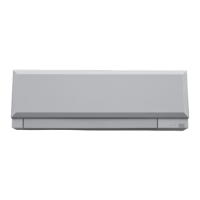
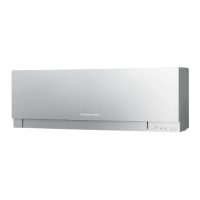
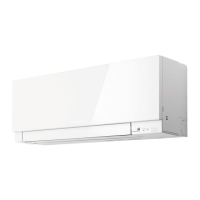
This document describes the MITSUBISHI ELECTRIC Split-Type Air Conditioners, specifically the MSZ-EF22VEW, MSZ-EF25VEW, MSZ-EF35VEW, MSZ-EF42VEW, MSZ-EF50VEW, MSZ-EF22VEB, MSZ-EF25VEB, MSZ-EF35VEB, MSZ-EF42VEB, MSZ-EF50VEB, MSZ-EF22VES, MSZ-EF25VES, MSZ-EF35VES, MSZ-EF42VES, and MSZ-EF50VES indoor units. It provides comprehensive operating instructions, safety precautions, and maintenance guidelines to ensure correct and safe usage.
Function Description
The MITSUBISHI ELECTRIC Split-Type Air Conditioner is designed to provide comfortable indoor climate control through various operating modes: AUTO, COOL, DRY, HEAT, and FAN.
- AUTO mode (Auto change over): In this mode, the unit automatically selects the appropriate operation mode (COOL or HEAT) based on the difference between the room temperature and the set temperature. The unit will switch modes if the room temperature deviates by 2°C or more from the set temperature for over 15 minutes. This mode is not recommended for multi-system operations where multiple indoor units are connected to a single outdoor unit, as mode switching may be hindered.
- COOL mode: This mode provides cool air to achieve the desired room temperature. It is advised not to operate in COOL mode at very low outside temperatures (below -10°C) to prevent water condensation and potential damage.
- DRY mode: This mode dehumidifies the room, which may result in a slight cooling effect. Temperature settings cannot be adjusted in DRY mode.
- HEAT mode: This mode provides warm air to heat the room to the desired temperature.
- FAN mode: This mode circulates air within the room without heating or cooling, providing ventilation.
The unit features an "Auto restart function" which automatically resumes operation in the last set mode after a power failure or main power interruption. If a timer was set, it will be cancelled, and the unit will start operation when power is restored.
Usage Features
The air conditioner is operated primarily via a remote controller, which features an operation display section, temperature buttons, operation select button, fan speed control button, vane control button, i-save button, ECONO COOL button, TIME/TIMER set buttons, WEEKLY TIMER set buttons, RESET button, and CLOCK button. The remote controller should be placed where its signal can be received by the indoor unit, typically within 6 meters.
- Starting and Stopping Operation: The unit is started and stopped using the ON/OFF button on the remote controller.
- Mode Selection: Operation modes are selected by pressing the MODE button, cycling through AUTO, COOL, DRY, HEAT, and FAN.
- Temperature Adjustment: The temperature can be adjusted in 1°C increments using the TEMP buttons (Δ for increase, V for decrease).
- Fan Speed Adjustment: The fan speed can be selected from AUTO, Silent, Low, Med, High, and Super High using the FAN button. In AUTO mode, two short beeps are heard from the indoor unit. Higher fan speeds are recommended for quicker cooling/heating, while lower speeds are for quiet operation. In multi-system heating operations, setting the fan speed to AUTO is recommended if the airflow temperature is low.
- Airflow Direction Adjustment: The horizontal vane direction can be adjusted using the VANE button, cycling through AUTO, fixed positions (1-5), and SWING. In AUTO mode, the vane is set to the most efficient direction (horizontal for COOL/DRY/FAN, position 4 for HEAT). In SWING mode, the vane moves up and down intermittently. For efficient air conditioning, upper positions are recommended for COOL/DRY and lower positions for HEAT. If a lower position is selected during COOL/DRY, the vane automatically moves to a horizontal position after 0.5 to 1 hour to prevent condensation. The vertical vanes can be manually adjusted.
- i-save Operation: This feature allows users to save two preferred settings (one for COOL/ECONO COOL and one for HEAT) and recall them with a single press of the i-save button. This is useful for low energy modes or frequently used settings. The minimum temperature setting in HEAT mode can be lowered to 10°C in i-save mode, compared to the normal 16°C.
- ECONO COOL Operation: Activated in COOL mode, ECONO COOL performs swing operation vertically in various cycles according to the temperature airflow. This makes users feel cooler than stationary airflow, allowing the set temperature to be automatically raised by 2°C while maintaining comfort, thus saving energy.
- Timer Operation (ON/OFF Timer): Users can set the unit to turn ON or OFF at a specific time. The ON or OFF indicator will blink during setting. The time can be adjusted in 10-minute increments. Both ON and OFF timers can be set simultaneously.
- Weekly Timer Operation: Up to 4 ON or OFF timers can be set for individual days of the week, allowing for a maximum of 28 timers per week. This enables customized operation schedules, such as different settings for weekdays and weekends. The current time and day must be set correctly for the weekly timer to function. The simple ON/OFF timer takes priority over the weekly timer if both are set.
Emergency Operation: If the remote controller cannot be used, emergency operation can be activated by pressing the emergency operation switch (E.O.SW) on the indoor unit. Each press cycles through Emergency COOL, Emergency HEAT, and Stop. During emergency operation, the set temperature is 24°C, fan speed is Medium, and the horizontal vane is set to Auto. The first 30 minutes are a test run, with no temperature control and high fan speed.
Multi System Operation: When two or more indoor units are connected to one outdoor unit, simultaneous cooling/fan and heating operations are not possible. If conflicting modes are selected, the unit selected last will enter standby mode.
Maintenance Features
Regular cleaning and maintenance are crucial for optimal performance, energy efficiency, and prevention of mold growth.
- Safety Precautions for Cleaning: Before cleaning, always switch off the power supply or turn off the breaker. Avoid touching metal parts with bare hands. Do not use harsh chemicals like benzine, thinner, polishing powder, or insecticide. Use only diluted mild detergents and water not hotter than 50°C. Do not expose parts to direct sunlight, heat, or fire to dry.
- Air Filter (Nano Platinum Filter) Cleaning: The air filters should be cleaned every 2 weeks. Dirt can be removed with a vacuum cleaner or by rinsing with water. After washing, ensure the filter is thoroughly dried in the shade before reinstallation. The Nano platinum filter incorporates ceramic particles with platinum nanoparticles, providing semi-permanent antibacterial and deodorizing characteristics, which remain effective even after washing.
- Air Cleaning Filter (Electrostatic Anti-Allergy Enzyme Filter, option) Cleaning: This filter should be cleaned every 3 months using a vacuum cleaner. If dirt cannot be removed by vacuuming, soak the filter and its frame in lukewarm water before rinsing and drying it well in the shade. It is recommended to replace this filter annually for best performance.
- Front Panel Cleaning: The front panel can be cleaned without detaching it from the unit by wiping it with a soft dry cloth. For MSZ-EF**VEB type units, a dedicated SOFT DRY CLOTH (Parts Number MAC-1001CL-E) is provided. Avoid soaking the front panel in water. The front panel is delicate and can be easily scratched, so handle with care during installation, removal, and cleaning. Avoid abrasive cleaners. Fingerprints on the surface should be gently wiped off with a soft dry cloth. Do not leave the front panel open for prolonged periods.
- General Filter Maintenance: Dirty filters can cause condensation in the air conditioner, contributing to mold growth. Therefore, regular cleaning of air filters every 2 weeks is highly recommended to maintain performance and reduce power consumption.
- Periodic Inspection: After several seasons of use, in addition to normal cleaning, it is recommended to perform inspection and maintenance. Accumulated dirt or dust can cause unpleasant odors, mold growth, or clog the drain passage, leading to water leakage. Consult your dealer for specialized inspection and maintenance services.
Installation and Electrical Work: The air conditioner should be installed by a qualified dealer due to specialized knowledge and skills required to prevent water leakage, fire, or electric shock. A dedicated power supply with appropriate breaker capacity must be provided. The unit should not be installed where flammable gas could leak. Proper earthing is essential to prevent electric shock, and an earth leakage breaker may be necessary in humid areas. Ensure proper drainage of water from the unit. The outdoor unit should be placed at least 3 meters away from TV/radio antennas to prevent interference. Avoid installing the unit in areas with excessive machine oil, salty air, sulfide gas, oily smoke, high-frequency equipment, or where the outdoor unit's airflow is blocked.
Troubleshooting: The manual provides a comprehensive troubleshooting guide for common issues related to the indoor unit, remote controller, cooling/heating performance, airflow, sound, and timer operation. It advises users to stop operation and consult their dealer if abnormal conditions persist, such as water leakage, blinking operation indicator lamps, frequent breaker trips, or abnormal sounds.


 To Next Page
 Need help?
 General