EasyManua.ls Logo

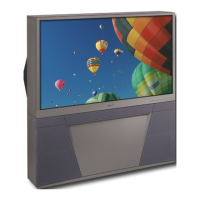
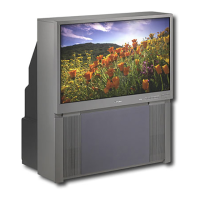
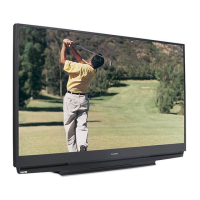
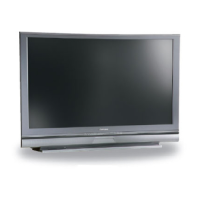
Mitsubishi WS-65315A - User Manual

Mitsubishi WS-65315A
76 pages
Print Icon
To Next Page IconTo Next Page
Loading...
POWER
PAUSE
REC
FF/FWDREW/REV PLAY
STOP
3
6
9
QV
VOLUME
1
7
SQV
4
INPUT
SLEEP
VIDEO
AUDIO
MUTE
2
5
8
0
CHANNEL
TV
AUDIO
CABLE/DBS DVD
VCR
INFO
GUIDE
CANCEL
MENU
V-CHIP
FORMAT
EXCH
ENTER
ADJUST
PIP CH
PIPINPUT
PIP/POP
HOME
Owners Guide
Owners Guide
Projection Television Models
WT-42315, WS-48315, WS-55315,
WS-65315 and WS-65315A
visit our website at
www.mitsubishi-tv.com

Table of Contents

Questions and Answers

Mitsubishi WS-65315A Specifications

General IconGeneral
BrandMitsubishi
ModelWS-65315A
CategoryProjection TV
LanguageEnglish

Summary

Important Safeguards

Cleaning and Maintenance Precautions

Guidelines for safely cleaning the TV and its components, including specific warnings about cleaners.

Ventilation and Placement Guidelines

Ensuring proper airflow around the TV to prevent overheating and stable placement.

Power and Grounding Safety

Instructions on safe power source usage, polarization, and cord protection.

Lightning Protection Measures

Advice on protecting the TV during lightning storms by unplugging it.

Object and Liquid Entry Prevention

Warning against inserting objects or spilling liquids into the TV to prevent hazards.

Outdoor Antenna Grounding

Information on grounding outdoor antennas for protection against voltage surges.

Servicing and Damage Requiring Service

Guidance on when to seek professional service and conditions requiring it.

Replacement Parts and Safety Checks

Ensuring correct replacement parts are used and performing safety checks after service.

Important Notes on Picture Tube Care

Stationary Image Warning

Warning against displaying static images for extended periods to prevent screen aging and ghosting.

Chapter 1 Television Overview

Thank You and Product Overview

Welcome message and introduction to Mitsubishi's HD-upgradeable television technology.

Unpacking and Special Features

List of items included with the TV and highlights of its special features.

Front Control Panel Layout

Description of buttons and functions available on the TV's front panel.

Back Panel Input;Output Ports

Details on the various input and output terminals located on the TV's back panel.

Chapter 2 Connections

Connecting Antennas and Cables

Instructions for connecting antennas (UHF/VHF, twin lead, coaxial) and wall outlet cables.

Connecting Audio;Video Devices

Guidance on connecting VCRs, cable boxes, and audio receivers via A/V or S-Video.

Connecting Digital Video Sources

Instructions for connecting DTV receivers and DVD players using component or RGB signals.

Connecting MonitorLink;DVI

Details on connecting Mitsubishi's proprietary digital interface for high-quality video signals.

PIP;POP Connection Impact

Table showing input compatibility for Picture-in-Picture (PIP) and Picture-Outside-Picture (POP).

Chapter 3 Remote Control Functions

Remote Control Button Overview

Explanation of the functions for each button on the TV's remote control.

Remote Control Care and Operation

Guidelines for installing batteries and operating the remote control effectively.

Using Remote with Other A;V Products

Instructions for programming the remote control to operate other brands of audio/video equipment.

Chapter 4 Menu Screen Operations

The ViewPoint Menu System Navigation

Overview of Mitsubishi's exclusive on-screen operating system for menu choices.

SETUP Menu Options

Initial setup instructions including channel memorization, input assignment, clock, and language.

CAPTIONS Menu Settings

Configuration options for closed captions, including display type and background color.

CHANNEL EDIT Menu Functions

Customizing channel information, adding/deleting channels, and managing SQV lists.

V-Chip Lock Menu Configuration

Setting up V-Chip to block programs based on ratings, time, or front button lock.

ADVANCED FEATURES Menu Adjustments

Adjusting color balance, auto color correction, convergence, video mute, and black enhancement.

AUDIO;VIDEO SETTINGS Menu

Adjusting audio and video settings for each input, including A/V memory reset.

Chapter 5 PIP;POP Operations

Available On-Screen Format Sizes

Table detailing aspect ratio support for various inputs and signal types.

PIP and POP Viewing Modes

Instructions on how to activate, change, and exchange PIP/POP images and channels.

Appendix A: Bypassing the V-Chip Lock

Appendix B: High Definition Input Connection Compatibility

Appendix C: Remote Control Programming Codes

Appendix D: Cleaning and Service

Appendix E: Diamond Shield Installation and Removal

Troubleshooting Common Issues

Mitsubishi Projection Television Limited Warranty

Related product manuals