Need help?
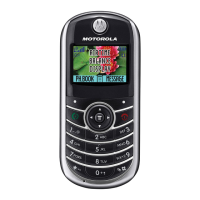
Do you have a question about the Motorola C350 Series and is the answer not in the manual?
 General
| Brand | Motorola |
|---|---|
| Model | C350 Series |
| Category | Cell Phone |
| Language | English |
Quick access to frequently used phone features and settings.
Configure your message inbox for receiving and sending texts.
Instructions for sending multimedia messages and text.
Learn to send prewritten text messages quickly.
Check the delivery status of your sent text messages.
How to receive, read, and be alerted to new messages.
Save received pictures, animations, and ring tones.
Read, lock, or delete text messages from your inbox.
Handling broadcast messages like news or stock updates.
Configure your inbox for information service messages.
Engage in real-time text conversations with other users.
Initiate a real-time text conversation with a contact.
Access chat options and respond to incoming requests.
Conclude an active text chat session properly.
Reorder items within your phone's messages menu.
View detailed information of stored contacts.
Add new names and numbers to your phonebook.
Fields for entering contact details and preferences.
Store PIN codes for specific calls or services.
Record voice names for easier voice dialing.
Make calls using numbers stored in your phonebook.
Call contacts using their recorded voice names.
Modify details of existing contacts.
Remove unwanted contacts from your phonebook.
Classify contacts into custom categories for organization.
Create, edit, and add/remove contacts from categories.
Remove unused categories from your phonebook.
Change the display order of contact categories.
Display only contacts belonging to a specific category.
Arrange contacts by name, speed dial, or other criteria.
Duplicate contacts to or from the SIM card.
Copy individual or ranges of contacts.
View available memory for phonebook entries.
Configure 1-touch dial for faster calling.
Change alert styles for calls, messages, and events.
Create and save custom alert tones for notifications.
Steps to create a new custom alert tone.
Assign unique ringers to specific contacts.
Adjust the volume for ringers and keypad sounds.
Set audible or vibrate alerts for events.
Add descriptive notes when creating alert tones.
Remove custom alert tones you have created.
Get new ring tones and share them with others.
Change the display language for menus and options.
Customize how menus scroll and highlight items.
Adjust menu scrolling animation for battery saving.
Restore phone settings to factory defaults.
Erase user data like phonebook and downloaded content.
Create custom shortcuts for frequently used features.
Overview of built-in and user-created MyMenu shortcuts.
Link multiple calls for a conference conversation.
Redirect incoming calls to another phone number.
Configure call forwarding for different scenarios.
Verify the current status of call forwarding.
Restrict outgoing or incoming calls for security.
Use TTY devices for text communication during calls.
Activate TTY mode during an active voice call.
Restrict outgoing calls to a predefined list of numbers.
Send DTMF tones for automated system interaction.
Track call duration and costs for usage monitoring.
View and reset call duration timers.
Monitor and reset call cost tracking information.
Utilize optional hands-free kits for car or headset.
Transfer data or send/receive faxes using the phone.
Connect the phone to a computer via cable for data transfer.
Connect the phone using serial or USB cables.
Initiate data or fax transfers to external devices.
Answer incoming data or fax calls on a connected device.
Combine voice calls with fax transmission.
Configure network search preferences and alerts.
View the phone's current battery level.
Access detailed information about the phone's features.
Schedule events and set reminders for appointments.
View calendar events by week, day, or specific event.
Create new events with titles, times, and reminders.
Modify details of existing calendar events.
Duplicate existing calendar events to new dates.
Remove events from the datebook calendar.
View and acknowledge event reminders.
Adjust datebook settings like daily start time.
Perform calculations and currency conversions.
Use the phone as a basic calculator.
Convert monetary amounts using exchange rates.
Protect your SIM card with a Personal Identification Number (PIN).
Restore access if your SIM card PIN is blocked.
Understand the "Line Not Secure" message.
Secure specific phone applications with an unlock code.
Resolve problems with battery, display, or SIM card.
Troubleshoot network connectivity, signal strength, and audio issues.
Address issues related to physical damage, accessories, or security codes.
Solve problems with unresponsive keys, display, or phone behavior.
Resolve conflicts between alert profiles and ring tones.
Troubleshoot call connection failures and poor reception.
Address SIM card errors and call barring problems.
Resolve problems accessing message inboxes or call history.
Troubleshoot DTMF tone sending and display brightness.
Resolve issues with data cable connections and applications.
Understand and troubleshoot data connection rates.
Address issues ending calls or network service availability.
Resolve data server errors or memory limitations.


 To Next Page