
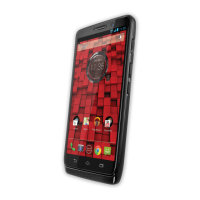
 Need help?
Do you have a question about the Motorola Droid Mini and is the answer not in the manual?
 General
| Brand | Motorola |
|---|---|
| Model | Droid Mini |
| Category | Cell Phone |
| Language | English |
Overview of the DROID MINI's sleek, compact design and durable Kevlar shell.
Instructions for assembling and charging the smartphone, including SIM card insertion.
Navigating the home screen, accessing apps, and managing widgets.
Making calls, accessing recent calls, and managing contacts from one app.
Combining Google contacts and social networks for easy access.
Sending and receiving text messages and pictures.
Using the touchscreen keyboard for text entry, including gestures.
Connecting on Google+ and sharing thoughts, links, and photos.
Navigating websites using the Chrome browser.
Taking photos and videos using the camera and Quick Capture.
Streaming, buying, and playing music using Google Play Music.
Reading books, magazines, and newspapers with Google Play Books.
Finding locations, getting directions, and step-by-step navigation.
Connecting accessories, computers, and networks to the smartphone.
Using Wi-Fi for internet access and enhanced connectivity.
Securing your smartphone with screen lock options like PIN or pattern.
Recovering from a frozen or unresponsive smartphone by rebooting.
Guidelines for safe battery usage and avoiding damage.
Safety recommendations for using the device while driving.
Precautions to reduce eyestrain and avoid potential health issues.









 To Next Page