
 Need help?
Do you have a question about the Motorola moto g24 POWER and is the answer not in the manual?
Downloading, installing, updating, and managing applications on your phone.
Sending and receiving SMS and MMS messages, group messaging, and managing conversations.
Adding, editing, merging, deleting, sorting, and sharing contacts.
Answering, making, and managing phone calls, including Wi-Fi calling and blocking.
Managing Wi-Fi, Airplane mode, data usage, hotspots, VPNs, and DNS.
Connecting via Bluetooth, NFC, Wi-Fi Direct, and USB, plus casting media.
Adjusting brightness, dark theme, text size, rotation, and color modes.
Customizing lock screen notifications, clock, messages, and smart device controls.
Adjusting volumes, ringtones, notification sounds, and vibration settings.
Managing app notifications, bubbles, snoozing, and notification lights.
Charging the phone, extending battery life, and using Battery Saver mode.
Managing internal storage, SD cards, cloud storage, and downloaded files.
Visual assistance, color correction, magnification, TalkBack, and captioning options.
Adding, removing, and managing Google and other accounts, and syncing data.
Setting screen locks, fingerprint sensor, face unlock, and managing app permissions.
Managing languages, keyboard settings, performance, backups, and users.
Troubleshooting common hardware problems like slow performance, heat, and screen issues.
Resolving problems with calls, signal, SIM recognition, and phone ringing.
Troubleshooting charging problems, overheating, and rapid battery drain.
Resolving issues with Bluetooth pairing, Wi-Fi connectivity, and USB transfers.
Troubleshooting problems with unlock codes, Google sign-in, and account syncing.
Resolving problems with apps crashing, not opening, or missing from the home screen.
 General
| CPU | Octa-core (2x2.0 GHz Cortex-A75 & 6x1.8 GHz Cortex-A55) |
|---|---|
| GPU | Mali-G52 MC2 |
| Operating System | Android 14 |
| RAM | 4GB, 8GB |
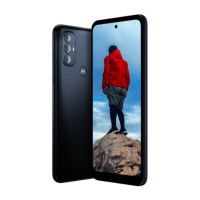
| Weight | 197 g (6.95 oz) |
| Dimensions | 163.5 x 74.5 x 9 mm (6.44 x 2.93 x 0.35 in) |
| Network | GSM / HSPA / LTE |
| Display | 6.56 inches, IPS LCD, 90Hz |
| Resolution | 1612 x 720 pixels |
| Chipset | MediaTek Helio G85 |
| Main Camera | 50 MP, f/1.8, (wide), PDAF |
| Battery | 6000 mAh |
| Storage | 128GB |
| Colors | Blue |
| SIM | Dual SIM (Nano-SIM, dual stand-by) |











 To Next Page