I N P T
Input ( J / K / Pt.1 / Pt100 )
Relay Mode
R M O D
ON-OFF
Control Action
C T R L
TP
P A S S
Password Message
Press key to Save & Exit
Press key
Press key
0 0 7 3
J
t p
O N O F
H E A T
C O O L
P T
P T 1.
K
SET
SET
Set Point Low Limit
Set Point High Limit
S L L
S H L
0 0 0 0
0 6 0 0
OFF-SET
O F S T
0 0 0 0
TO ENTER BASIC
CONFIGURATION
SETTING, ENTER “73”
ENT
1) Press key to go parameter setting.
Press key to go next parameter.
3) Press key to save changes in setting.
4) Press + key for 3 sec to go to factory setting mode.
SET
SET
ENT
2) Press or key to change value or to select option.
Key Operation
SET VALUE
SET POINT
S E T
P A S S
Password Message
0 0 5 0
01 0 0
01 0 0
Press key for 3 sec to enter Password
SET
0 0 0 0
PROCESS VALUE
Press key
ENT
Set Point Setting
Basic Configuration
www.multispanindia.com
Page - 2
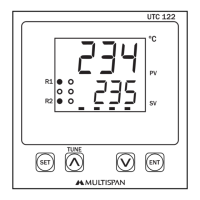
UTC-121,221,421


 To Next Page
 Loading...