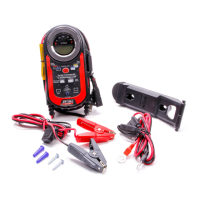
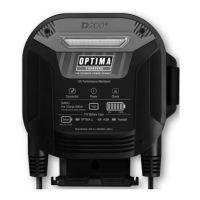
Digital 12 0 0
12V Performance Charger
and Battery Maintainer
User Guide
Certificado a cumplir con:
Certifié conforme à :
UL 1236
CSA C22.2 No. 107.2
FCC Class B
Your Satisfaction is Important to Us!
Please do not return this product to the retailer or dealer for any service or warranty requirements.
For technical or warranty support please call OPTIMA
®
customer service at 1-888-867-8462 (888-8OPTIMA)
between 9am-5pm (CST) Monday through Friday, or via email at info@optimabatteries.com
Thank you. OPTIMA
®
Customer Service.
WARNING - Failure to follow instructions may cause explosion, blindness or other serious injury.
Always shield eyes. Safety glasses should be worn when working with or near a battery.
IMPORTANT SAFETY INSTRUCTIONS
PLEASE READ & SAVE THESE INSTRUCTIONS
The Digital 1200 user guide contains important safety and operating instructions. In addition, important
safety warnings are often found on batteries and in vehicle owner’s manuals. Please read and follow all
of the warnings, the battery and vehicle manufacturer’s instructions and cautionary markings for the battery
you are charging before applying AC power and operating the Digital 1200 Charger.
Specifications subject to change without notice
02/12 A
OPTIMA
5757 N. Green Bay Ave.
Milwaukee, WI 53209
888.8OPTIMA (888.867.8462)
www.optimabatteries.com
Certified to:
UL 1236
CSA C22.2 No. 107.2
FCC Class B
Technical Specifications:
AC Input: 100 to 120 VAC, 60 Hz, 3.5 Amps
DC Output: Up to 14.9 VDC Digitally & Temperature Controlled
Charge Mode: Up to 12 Amps (Clamps), Up to 4 Amps (Aux.)
Maintain Mode: Up to 4 Amp (Clamps & Aux.)
DC USB Output: 5.0 VDC, Up to 1 Amp
Battery Types: AGM and Flooded (Lead Acid) Batteries
- 12V Auto / Marine
- 12V Motorcycle / Power Sports
12V OPTIMA and High Performance AGM Batteries
- Starting AGMs include OPTIMA RedTop & BlueTop
- Dual Purpose AGMs include OPTIMA YellowTop & BlueTop
Cables: 6’ AC and DC Cable, 6’ Maintainer Cable
Size: 10” x 7.5” x 6.5”
Weight: 4.8 lbs.
Especificaciones técnicas:
Entrada de CA: 100 a 120 V CA 60 Hz, 3.5 amperios
Salida de CC: Hasta 14.9 V CC (abrazaderas y aux.) control digital y de temperatura
Régimen de carga: Hasta 12 amperios (abrazaderas), hasta 4 amperios (aux.)
Modo de mantenimiento: Hasta 4 amperios (abrazaderas y aux.)
Entrada de USB CC: 5,0 V CC, hasta 1 amperio
Tipos de baterías: Baterías AGM e inundadas (plomo-ácido)
- 12 V para automóviles / uso marítimo
- 12 V para motocicletas / equipo deportivo
Baterías OPTIMA y AGM de alto rendimiento de 12V
- Las baterías de arranque AGM incluyen OPTIMA RedTop y BlueTop
- Las baterías AGM de doble propósito incluyen OPTIMA YellowTop y BlueTop
Cables: Cable de CA y CC de 6 pies, cable de mantenedor de 6 pies
Size: 25,4 x 19,1 x 16.5 cm
Weight: 2,18 kg
Caractéristiques techniques :
Entrée CA : 100 à 120 V c.a. 60 Hz, 3.5 ampères
Sortie CC : Jusqu’à 14,9 V c.c. (pinces et aux.) contrôle numérique et de température
Intensité de charge : Jusqu’à 12 ampères (pinces), jusqu’à 3 ampères (aux.)
Mode maintien : Jusqu’à 4 A (pinces et aux.)
Sortie USB c.c. : 5,0 V c.c., jusqu’à 1 A
Types de batteries : Batteries AGM et noyées (accumulateur au plomb)
- 12 V applications automobiles / nautiques
- 12 V applications moto / véhicules ATV
Batteries OPTIMA et AGM haute performance 12 V
- Les batteries de démarrage AGM incluent OPTIMA RedTop et BlueTop
- Les batteries AGM à double système incluent OPTIMA YellowTop et BlueTop
Câbles : Câble CA et CC de 6 pi, câble de mainteneur de 6 pi
Size: 25,4 x 19,1 x 16.5 cm
Weight: 2,18 kg
Digital 12 00
For use with 110 Volt 60 Hz AC power consistent with U.S. and Canadian standards
Y ear
Y ear
3
Model Number: Digital1200 Serial Number: Date of Purchase:
PLEASE RECORD YOUR:

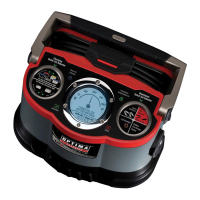

 To Next Page
 General