EasyManua.ls Logo

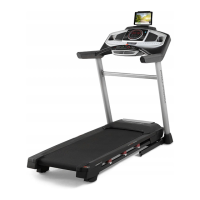
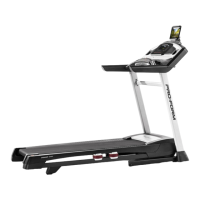
Pro-Form POWER 575i - User Manual

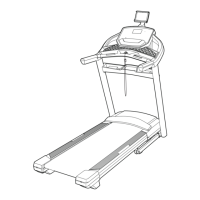
Pro-Form POWER 575i
40 pages
Print Icon
To Next Page IconTo Next Page
Loading...
USER’S MANUAL
Model No. PETL78718.1
Serial No.
Write the serial number in the space
above for reference.
CAUTION
Read all precautions and
instructions in this manual before
using this equipment. Save this
manual for future reference.
Serial Number
Decal
iconeurope.com
CUSTOMER SERVICE
UNITED KINGDOM
Call: 0330 123 1045
From Ireland: 053 92 36102
Website: iconsupport.eu
E-mail: csuk@iconeurope.com
Write:
ICON Health & Fitness, Ltd.
Unit 4, Westgate Court
Silkwood Park
OSSETT
WF5 9TT
UNITED KINGDOM
AUSTRALIA
Call: 1800 993 770
E-mail: australiacc@iconfitness.com
Write:
ICON Health & Fitness
PO Box 635
WINSTON HILLS NSW 2153
AUSTRALIA

Questions and Answers

Pro-Form POWER 575i Specifications

General IconGeneral
Motor2.5 HP
Running Area20" x 55"
DisplayLCD
Incline0-10%
Speed0-10 mph
User Weight Capacity300 lbs
iFit CompatibilityYes
Speed Range0-10 mph
Incline Range0-10%
Weight Capacity300 lbs
Weight203 lbs

Summary

CUSTOMER SERVICE

United Kingdom Contact Information

Phone number, website, and mailing address for UK customer support.

Australia Contact Information

Phone number and mailing address for Australia customer support.

WARNING DECAL PLACEMENT

Decal Locations and Safety Warnings

Shows where decals are located and lists critical safety warnings for operation.

IMPORTANT PRECAUTIONS

General Safety and User Responsibility

Outlines user duties and essential safety measures before and during treadmill use.

Usage Environment and Limitations

Details safe operating locations, weight limits, and user restrictions.

Safe Operating Procedures

Covers correct attire, speed control, and emergency stop procedures.

BEFORE YOU BEGIN

Product Overview and Key Parts

Introduces the treadmill and identifies its main components through a diagram.

PART IDENTIFICATION CHART

Assembly Hardware Identification

Visual guide to identify screws, washers, and other small parts used in assembly.

ASSEMBLY

Assembly Requirements and Registration

Lists necessary tools, assembly assistance, and the product registration process.

HOW TO USE THE TREADMILL

Plugging in the Power Cord

Instructions for safely connecting the treadmill power cord to an earthed outlet.

CONSOLE DIAGRAM AND FEATURES

Console Layout and Buttons

Diagram showing the treadmill console layout and the function of its buttons.

Console Functionality Overview

Describes console features like manual mode, onboard workouts, and connectivity options.

OPERATING THE TREADMILL

Turning On the Power

Steps to safely power on the treadmill and insert the safety key.

Using Manual Mode

Guide to operating the treadmill using manual speed and incline controls.

WORKOUT MODES

Using Onboard Workouts

Instructions for selecting and starting pre-programmed treadmill workouts.

CONNECTIVITY FEATURES

Connecting a Tablet

Steps to connect a tablet via Bluetooth for workout tracking with the iFit app.

Connecting a Heart Rate Monitor

Instructions for pairing a compatible Bluetooth heart rate monitor with the console.

SETTINGS AND SOUND SYSTEM

Console Settings Mode

Accessing and adjusting console settings like display units and calibration.

Using the Sound System

How to connect and play audio through the treadmill's console speakers.

ACCESSORIES AND MONITORS

Optional Chest Heart Rate Monitor

Information on using an optional chest strap for heart rate monitoring.

Using the Tablet Holder

Guide on how to insert and secure a tablet in the console's holder.

FOLDING AND MOVING THE TREADMILL

Folding the Treadmill

Step-by-step guide on how to safely fold the treadmill for storage.

Moving the Treadmill

Instructions for safely moving the folded treadmill using its wheels.

Lowering Treadmill for Use

Steps to unfold the treadmill from its storage position for use.

MAINTENANCE AND TROUBLESHOOTING

Routine Maintenance Procedures

Guidelines for cleaning and maintaining the treadmill for optimal performance.

Troubleshooting Power Issues

Solutions for common problems related to the treadmill not turning on or turning off.

Console Display Troubleshooting

Steps to diagnose and fix issues with the console's display functionality.

TROUBLESHOOTING BELT AND INCLINE

Adjusting Speed Sensor Calibration

Calibrating the speed sensor using the reed switch and magnet.

Incline System Calibration

Procedure to calibrate the treadmill's incline system for correct operation.

Walking Belt Performance Issues

Addressing issues like the walking belt slowing down or requiring lubrication.

TROUBLESHOOTING BELT ALIGNMENT

Centering the Walking Belt

How to adjust the walking belt to ensure it runs centrally between the foot rails.

Tablet Holder Stability

Tips for securing the tablet holder in place if it becomes loose.

Walking Belt Slippage

Steps to tighten the walking belt to prevent slippage during use.

EXERCISE GUIDELINES

Understanding Exercise Intensity

Guidance on using heart rate zones for fat burning and aerobic exercise.

Workout Routine Structure

Recommendations for warming up, training zone duration, and cooling down.

Exercise Frequency and Consistency

Advice on the optimal frequency of workouts for maintaining fitness.

SUGGESTED STRETCHES

Pre-Workout Stretches

Instructions and illustrations for basic stretches to prepare for exercise.

PART LIST

Component Identification Key

Comprehensive list of all parts with key numbers and quantities for reference.

ORDERING REPLACEMENT PARTS

How to Order Parts

Information required and steps to follow for ordering replacement treadmill parts.

RECYCLING INFORMATION

Proper Disposal of Electronics

Guidelines for environmentally responsible recycling of the electronic treadmill components.

Related product manuals