
EasyManua.ls Logo

Raymarine E55061 - User Manual

Raymarine E55061
13 pages
Print Icon
To Next Page IconTo Next Page
Loading...
D7679-1
Contents
Introduction
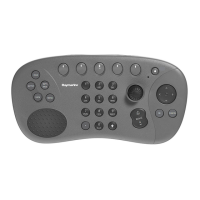
This handbook explains how to install, connect, operate and maintain your SeaTalk
2
Keyboard (E55061). This keyboard is also supplied with the Remote Station Kit (T82005) -
details of how to integrate these devices is given on Page 6.
Intended use
This keyboard is intended for use with Raymarine's E-Series display aboard leisure marine
boats and workboats not covered by IMO/SOLAS carriage requirements. It can be integrated
into an existing SeaTalk
2
system, if required.
Subject Page
Introduction 1
The controls 2
What's in the box? 3
Safety notices 3
Planning the installation 4
Integrating the Remote Station Kit 6
Installation 7
Accessories and spares 9
Removing/refitting 10
Maintenance 10
Important information 11
Technical support and contact details 12
www.raymarine.com
SeaTalk
2
Keyboard
Owner's Handbook
1
MENU
WPTS
MOB
DATA
ACTIVE
PAGE
OK CANCEL
IN
OUT
.
Question and Answer IconNeed help?

Do you have a question about the Raymarine E55061 and is the answer not in the manual?

Summary

Introduction

The Controls

Whats in the Box?

Safety Notices

Planning the Installation

Configuration 1

Cable length between E-Series Display and keyboard less than 4.5m and not linking into an existing SeaTalk² system.

Configuration 2

Cable length between E-Series Display and keyboard exceeds 4.5m and not linking into an existing SeaTalk² system.

Configuration 3

Integrating the keyboard into an existing SeaTalk² system.

Integrating the Remote Station Kit

Installation

Required Tools

Lists the necessary tools for installing the keyboard, including drill, drill bit, jigsaw, and file.

Installation Procedure

Step-by-step guide on how to cut and mount the keyboard, including template use and drilling.

Accessories and Spares

Removing;Refitting and Maintenance

Removing and Refitting Keyboard

Instructions on how to detach and reattach the keyboard from its cradle securely.

Routine Checks and Cleaning

Guidance on regular cable checks, servicing, and proper cleaning methods for the keyboard.
Important Information

Technical Support & Contact Information

Summary

Introduction

The Controls

Whats in the Box?

Safety Notices

Planning the Installation

Configuration 1

Cable length between E-Series Display and keyboard less than 4.5m and not linking into an existing SeaTalk² system.

Configuration 2

Cable length between E-Series Display and keyboard exceeds 4.5m and not linking into an existing SeaTalk² system.

Configuration 3

Integrating the keyboard into an existing SeaTalk² system.

Integrating the Remote Station Kit

Installation

Required Tools

Lists the necessary tools for installing the keyboard, including drill, drill bit, jigsaw, and file.

Installation Procedure

Step-by-step guide on how to cut and mount the keyboard, including template use and drilling.

Accessories and Spares

Removing;Refitting and Maintenance

Removing and Refitting Keyboard

Instructions on how to detach and reattach the keyboard from its cradle securely.

Routine Checks and Cleaning

Guidance on regular cable checks, servicing, and proper cleaning methods for the keyboard.

Important Information

Technical Support & Contact Information

Raymarine E55061 Specifications

General IconGeneral
BrandRaymarine
ModelE55061
CategoryKeyboard
LanguageEnglish