EasyManua.ls Logo

Ridetech RidePRO e3 - User Manual

Ridetech RidePRO e3
12 pages
Print Icon
To Next Page IconTo Next Page
Loading...
Installation Guide
& Operation Manual
Quick Start .................................................................... 2
Wiring Diagrams ...........................................back cover
AirPod™ Installation
Mounting the unit ................................................................3
Wiring ........................................................................................3
Component Installation
Mounting compressor ........................................................4
Mounting tank .......................................................................4
Mounting air valves .............................................................4
Routing air lines & ttings .................................................5
Mounting pressure sensors ...............................................5
Mounting the controls & ECU ...........................................5
Wiring ........................................................................................5
LevelPRO Installation
Installing external ride height sensors ..........................6
Installing internal ride height sensors ...........................6
Sensor Rod Assembly ..........................................................7
Example installations ..........................................................7
Operation & Controls
Button description ...............................................................8
Setting presets .......................................................................8
Selecting presets ...................................................................8
Tank button .............................................................................8
Menu
Activating / navigating menu ..........................................9
Menu structure ......................................................................9
Menu functions ............................................................10-11
Contents
Thank you for choosing a RideTech air suspension control
system. We are committed to providing the best experience
possible throughout the process of getting your car on air.
Our commitment doesn’t end with your purchase, in fact,
it has only begun. This guide should provide you with the
information you need to properly install and set-up your
suspension control system.
However, if you nd yourself having diculty or if you have
a question that isn’t covered in this book, please call our tech
department.
Tech Line: 812-481-4969
In addition to phone support, our web site also provides a
wealth of helpful product / install / set-up information.
Question and Answer IconNeed help?

Do you have a question about the Ridetech RidePRO e3 and is the answer not in the manual?

Summary

Quick Start Guide

Calibration Procedure

Details the automated calibration sequence for optimal system performance.

Skipping the Calibration

Explains how to defer calibration until the vehicle build is complete.

Installing an AirPod Unit

Mount the Main Unit

Instructions for securely mounting the central AirPod unit to the vehicle.

Connect Air Lines

Guidance on properly cutting and connecting air suspension lines.

Connect Power Harness

Details for connecting the unit's power and ground wires.

Connect LevelPro Sensors

Information on connecting external ride height sensors for LevelPro systems.

Connect Display; Controls

Instructions for connecting the user interface and control panel.

Installing a RidePRO e3 System

Mounting the Compressor

Guidelines for selecting an optimal location and mounting the air compressor.

Mounting the Air Tank

Instructions for securely mounting the air storage tank and pressure sensor.

Mounting the RidePro Air Valves

Guidance on mounting the air distribution block and valve assembly.

Routing the Airline and Fittings

Mounting Air Pressure & Level Sensors

How to install air pressure sensors and connect level sensors.

Mounting ECU and Control Panel

Instructions for mounting the main control unit and its panel.

LevelPRO Ride Height Sensors

External LevelPRO Sensor Installation

Steps for installing external ride height sensors on suspension components.

Internal LevelPRO Sensor Installation

Information on using integrated ride height sensors within ShockWave units.

LevelPRO Sensor Link Rod Assembly

Sensor Mounting Examples

Visual examples of sensor link rod assembly and mounting points.

RidePRO³ Basic Operation & Controls

Inflate & Deflate Buttons

Explains manual control of individual air springs using inflate/deflate buttons.

Preset Buttons Overview

Overview of the three preset buttons for saving and recalling ride heights.

Setting Presets

Procedure for adjusting vehicle height and saving it as a preset.

Selecting Presets

How to activate a saved preset height for the vehicle.

Tank Button Functionality

Functionality for viewing current air tank pressure.

RidePRO³ Menu Options

Menu Navigation and Structure

Overview of the menu navigation and hierarchy.

Auto Level Control

Configuration for automatic vehicle leveling upon ignition start.

Dynamic Leveling

Setting for automatic height adjustment when load changes.

Display and Keypad Settings

Controls screen brightness, timeout, and keypad intensity.

System Setup and Configuration

Adjustments for system accuracy, compressor pressure, and recalibration.

Wireless Remote Functions

Pairing remote key fobs and using the double preset feature.

Troubleshooting and Diagnostics

Accessing the system's error log for diagnostic assistance.

Advanced System Options

Access to system tools and utilities requiring a passcode.

Summary

Quick Start Guide

Calibration Procedure

Details the automated calibration sequence for optimal system performance.

Skipping the Calibration

Explains how to defer calibration until the vehicle build is complete.

Installing an AirPod Unit

Mount the Main Unit

Instructions for securely mounting the central AirPod unit to the vehicle.

Connect Air Lines

Guidance on properly cutting and connecting air suspension lines.

Connect Power Harness

Details for connecting the unit's power and ground wires.

Connect LevelPro Sensors

Information on connecting external ride height sensors for LevelPro systems.

Connect Display; Controls

Instructions for connecting the user interface and control panel.

Installing a RidePRO e3 System

Mounting the Compressor

Guidelines for selecting an optimal location and mounting the air compressor.

Mounting the Air Tank

Instructions for securely mounting the air storage tank and pressure sensor.

Mounting the RidePro Air Valves

Guidance on mounting the air distribution block and valve assembly.

Routing the Airline and Fittings

Mounting Air Pressure & Level Sensors

How to install air pressure sensors and connect level sensors.

Mounting ECU and Control Panel

Instructions for mounting the main control unit and its panel.

LevelPRO Ride Height Sensors

External LevelPRO Sensor Installation

Steps for installing external ride height sensors on suspension components.

Internal LevelPRO Sensor Installation

Information on using integrated ride height sensors within ShockWave units.

LevelPRO Sensor Link Rod Assembly

Sensor Mounting Examples

Visual examples of sensor link rod assembly and mounting points.

RidePRO³ Basic Operation & Controls

Inflate & Deflate Buttons

Explains manual control of individual air springs using inflate/deflate buttons.

Preset Buttons Overview

Overview of the three preset buttons for saving and recalling ride heights.

Setting Presets

Procedure for adjusting vehicle height and saving it as a preset.

Selecting Presets

How to activate a saved preset height for the vehicle.

Tank Button Functionality

Functionality for viewing current air tank pressure.

RidePRO³ Menu Options

Menu Navigation and Structure

Overview of the menu navigation and hierarchy.

Auto Level Control

Configuration for automatic vehicle leveling upon ignition start.

Dynamic Leveling

Setting for automatic height adjustment when load changes.

Display and Keypad Settings

Controls screen brightness, timeout, and keypad intensity.

System Setup and Configuration

Adjustments for system accuracy, compressor pressure, and recalibration.

Wireless Remote Functions

Pairing remote key fobs and using the double preset feature.

Troubleshooting and Diagnostics

Accessing the system's error log for diagnostic assistance.

Advanced System Options

Access to system tools and utilities requiring a passcode.

Overview

The document describes the RidePRO e3 Air Suspension Control System, including its installation, operation, and maintenance. This system is designed to provide precise control over a vehicle's air suspension, offering both manual and automated adjustments for ride height and comfort.

Function Description:

The RidePRO e3 is an advanced air suspension control system that allows users to manage their vehicle's ride height. It utilizes either air pressure sensors alone (RidePRO e3 systems) or a combination of air pressure and level sensors (LevelPRO systems) to achieve accurate and intelligent suspension control. The system's core function is to inflate and deflate air springs to reach desired preset heights, adapting to vehicle load changes and user preferences.

Key components include:

  • ECU (Electronic Control Unit): The brain of the system, processing sensor data and controlling compressors and air valves. It is waterproof and can be mounted in the engine bay or under the vehicle.
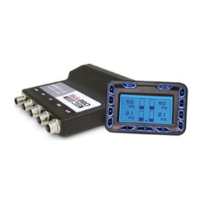
  • Control Panel/Display: A user interface for monitoring air spring pressures, level sensor positions (if equipped), tank pressure, and for activating manual controls or presets. It also provides access to system settings and diagnostic information.
  • AirPod™: An integrated unit combining the compressor(s), air tank, and air valves into a single, compact package, simplifying installation.
  • Compressor(s): Inflates the air tank to provide compressed air for the air springs. These are sealed for moisture and dust resistance, allowing flexible mounting.
  • Air Tank: Stores compressed air.
  • Air Valves: Control the flow of air to and from individual air springs, allowing for inflation and deflation.
  • Air Pressure Sensors: Monitor the pressure in each air spring and the air tank. These are voltage-based and do not require grounding.
  • Level Sensors (LevelPRO systems only): Provide real-time feedback on the vehicle's actual ride height. These can be external (mounted to the chassis/frame rail with a linkage) or internal (integrated into ShockWave® units).

The system performs a Calibration Sequence upon initial installation to learn vehicle-specific characteristics such as inflate/deflate speeds, compressor fill times, and front/rear weight distribution. This data allows the e3 to achieve preset heights efficiently and intelligently.

Important Technical Specifications:

  • Power Requirements:
    • Red wire: Constant 12V (connected directly to battery with an inline fuse).
    • Yellow wire: Switched 12V (ignition).
    • Black wire: Clean chassis ground.
    • Red power feed extension: Use 10 gauge wire or larger if needed.
  • Compressor Fuses:
    • Thomas Compressors (black): 20 amp fuse (each).
    • Viair Compressor (silver): 30 amp fuse (each).
  • Air Line Fittings: DOT approved, reusable, push-to-connect style. Air lines must be cut straight and clean for proper sealing.
  • Level Sensor Travel: External level sensors require the arm to remain within a 90-degree effective range throughout suspension travel for optimal performance. The sensor arm can rotate 180 degrees, but the middle 90 degrees are critical.
  • ECU Connectivity: Uses mini USB connectors for the control panel cable; extensions are available.
  • Compressor Control: The e3 system uses switched ground for compressors, meaning compressors are always provided power.

Usage Features:

  • Manual Control: Full manual control over each air spring (inflate/deflate) using "+" and "-" buttons on the display.
  • Presets: Three programmable preset buttons for storing and recalling desired ride heights (e.g., Deflated, Ride Height, Inflated). Presets are learned by holding the button for 5+ seconds and activated by holding for 0.5-5 seconds.
  • Calibration: An intelligent sequence that optimizes system performance based on vehicle characteristics. It can be postponed if the vehicle is still under construction.
  • Tank Pressure Display: View current air tank pressure by pressing the "TANK" button.
  • Menu Options: Access various system settings and information:
    • Auto Level: Automatically returns the vehicle to Preset #2 upon ignition turn-on.
    • Dynamic Leveling: Adjusts ride height to Preset #2 if load changes while parked (disables while driving for safety).
    • Display Options: Adjust screen and button backlight intensity (Auto, Low, Mid, Max) and screen timeout (Off, 30, 60, 120, 300 seconds).
    • System Setup:
      • Compressor On PSI: Configure compressor turn-on pressure (125-140 psi).
      • System Accuracy: Choose precision level for reaching presets (Standard, Medium, High).
      • Preset Settings: View saved values for all three presets (pressure and voltage if LevelPRO).
      • Rerun Setup: Recalibrate the system.
      • Backup/Restore ECU: Save and load calibration data to/from the display.
      • System Info: View software revisions (Display SWVER, ECU SW VER) and a digital voltmeter (VOLTS).
    • Wireless Remote Learn Keyfobs: Program up to 4 remote keyfobs.
    • Double Preset: Requires pressing the keyfob preset button twice to activate, preventing accidental triggers.
    • Troubleshooting: Access a log of error messages and guided resolution steps.
    • Advanced Options: Staff-only menu accessible with a passcode.

Maintenance Features:

  • Compressor: Dry compressor design, maintenance-free.
  • Air Lines: DOT approved, strong, but should be secured with zip ties and protected from sharp edges, intense heat (mufflers, exhaust manifolds), and frame holes (use grommets).
  • Fittings: Reusable push-to-connect fittings. Use thread sealant on pressure sensors in the valve block to prevent leaks.
  • Troubleshooting Log: The ECU keeps a log of error messages, aiding in diagnosis and resolution.
  • System Info (Voltmeter): Provides a digital voltmeter to assist in electrical troubleshooting.
  • Backup/Restore ECU: Allows saving and restoring calibration data, simplifying ECU replacement without re-calibration.

Ridetech RidePRO e3 Specifications

General IconGeneral
BrandRidetech
ModelRidePRO e3
CategoryControl Systems
LanguageEnglish

Related product manuals