To Next PageTo Next Page
 Need help?
Do you have a question about the Rockville RPA60BT V2 and is the answer not in the manual?
Controls for selecting input sources, playing music, and scanning stations.
Adjustments for microphone levels, master volume, and subwoofer output.
Vacuum Fluorescent Display, input toggling, menu settings, and LED dimming.
Coaxial, Optical, Pre Amp audio signals, and record outputs.
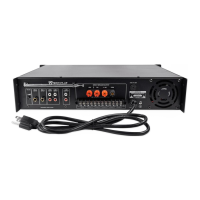
Subwoofer output, speaker terminals, fans, fuse, power cord, and antennas.
Diagram showing connections for TV, gaming console, DVD player, and cable/satellite.
Diagrams for connecting powered speakers, subwoofers, and power amps.
Guides for connecting two or four speakers with impedance considerations.
Detailed explanation of each button on the remote control unit.
Steps to connect and use Bluetooth devices with the amplifier.
How to connect a USB drive and play music files.
Step-by-step instructions for replacing the unit's fuse.
Solutions for problems like no power, no sound, and pairing failures.
Tips for mic feedback, poor mic sound, and no USB playback.
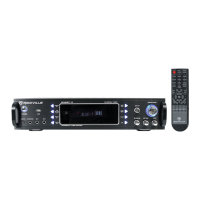
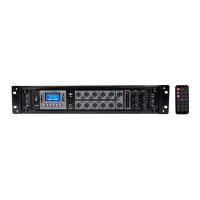
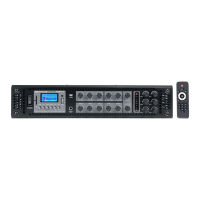
The Rockville RPA60BT V2 is a professional mixing karaoke amplifier designed for a variety of audio applications, including karaoke, music playback, and public address. This versatile unit integrates several key features, making it a comprehensive solution for both home and professional use.
At its core, the RPA60BT V2 functions as a professional mixing karaoke amplifier. It is equipped with an AM/FM digital tuner, allowing users to access radio stations. Bluetooth connectivity is a prominent feature, enabling wireless streaming of audio from compatible devices such as smartphones, tablets, and computers. The amplifier also includes a USB input, facilitating direct playback of music files from USB drives. For karaoke enthusiasts, the unit offers two 1/4" TS microphone inputs, complete with individual volume, tone, and echo controls, as well as a built-in mic mixer. This allows for precise vocal adjustments and effects, enhancing the karaoke experience.
The amplifier provides multiple input options for various audio sources. These include a 3.5mm TRS iPod/MP3 input for connecting portable media players, as well as DVD/CD RCA inputs for traditional audio components. Digital audio inputs are also available, with Coaxial and Optical inputs for high-quality digital audio sources. For output, the RPA60BT V2 supports up to four speakers, with binding post outputs designed for single banana plugs or raw wire connections. It also features RCA record line outputs, an RCA subwoofer output for external subwoofers, and RCA pre-amp outputs for connecting additional PA speakers or monitors. A 1/4" TRS headphone output is included for private listening.
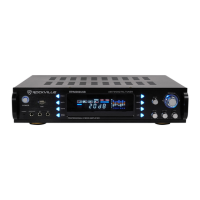
The unit's display is a vacuum fluorescent digital output, providing clear visual feedback on current settings and modes. An integrated spectrum analyzer equalizer display offers a visual representation of the audio frequencies. The amplifier is designed with a turbo cooling twin fan system to maintain optimal operating temperatures during extended use.
Operating the RPA60BT V2 is designed to be intuitive, with both front panel controls and a comprehensive remote control. The front panel features a power button, USB input, iPod/MP3 input, headphone output, and microphone inputs. A set of function buttons allows users to toggle between USB, Bluetooth, and FM inputs. In USB mode, these buttons control play/pause and track navigation (previous/next). In Tuner mode, they enable scanning for stations and navigating between presets. The unit can store up to 50 FM stations.
Additional front panel controls include buttons for selecting DVD/IPOD and COAX/OPT inputs. A "Menu" button allows access to settings such as Bass, Treble, and Balance, which can be adjusted using the Master Volume knob. An "LED" button dims the LED illumination. Dedicated knobs are provided for Microphone Volume, Microphone Tone, and Microphone Echo, allowing for real-time adjustments during karaoke sessions. The Master Volume knob controls the overall output volume and also serves to navigate preset stations in FM mode. A separate knob controls the subwoofer output volume.
The included remote control mirrors many of the front panel functions and adds further convenience. It includes an input button to switch sources, a power button, and a numeric keypad for direct track selection in USB mode or station selection in radio mode. Tuning buttons allow for fine-tuning FM stations, while a "Scan" button automatically searches and stores available FM stations. Other remote functions include mute, left and right audio balance, treble and bass adjustment buttons, play/pause, USB/BT mode selection, repeat, DSP (Digital Signal Processor) mode selection (with presets like Live, Hall, Matrix, Disco, Theater, Church, Pops, Classic, and Off), display mode activation, tuner mode selection, memory button for saving stations, stereo/mono toggle, master volume control, previous/next track buttons, and a reset button to restore factory settings.
Bluetooth pairing is straightforward: select Bluetooth mode via the input button, ensure your device is discoverable, and select "RPA60BT V2" from your device's list. Once paired, the unit automatically reconnects. For USB playback, simply connect a USB drive, and the unit will begin playing music automatically. The unit supports MP3 and WAV file formats, with a maximum drive capacity of 64GB. While it can charge an iPod via USB, it does not support iPod playback.
The RPA60BT V2 is designed with user-serviceable components for basic maintenance, specifically the fuse. A fuse replacement diagram is provided in the manual, detailing the steps to safely replace a blown fuse. This involves using a small screwdriver to turn and release the fuse holder cap, sliding out the holder, removing the old fuse, inserting a new one, and then re-securing the holder and cap.
The unit's design includes cooling fans to prevent overheating, which is crucial for maintaining performance and longevity. Users are advised to ensure the unit is situated in a properly ventilated area and to avoid placing anything on top of it that could block the vents.
For troubleshooting common issues, the manual provides a dedicated section. This covers problems such as no power (checking power cable, fuse), no sound (checking cables, volume settings, microphone connections), Bluetooth pairing failures (checking device discoverability, distance, interference), microphone feedback (mic placement), poor mic sound (mic power, cables, volume), buzzing sound (cable type), and no USB playback (source selection, file format, drive capacity, drive damage).
The manual also includes important safety instructions, emphasizing the need to avoid opening the unit (as there are no user-serviceable parts beyond the fuse), exposing it to moisture, or placing it near heat sources or direct sunlight. These guidelines are essential for safe operation and to prevent damage to the amplifier.
 General
| Bluetooth Version | 5.0 |
|---|---|
| Frequency Response | 20Hz - 20kHz |
| Input Impedance | 47K Ohms |
| Output Impedance | 4-8 Ohms |
| USB/SD | Yes |
| Remote Control | Yes |
| Input Sensitivity | 200mV |
| Total Power Output | 120 Watts |
| Inputs | RCA, USB, SD |
| Outputs | RCA |
| EQ | Bass and treble controls |
| Power Supply | 110V |
| Signal-to-Noise Ratio | >85dB |
| Speaker Outputs | 2 pairs binding posts |