Sununo Plus Series
-31-
Chapter 6 Debugging Instructions
6.1 Introduction of Human-computer Interface
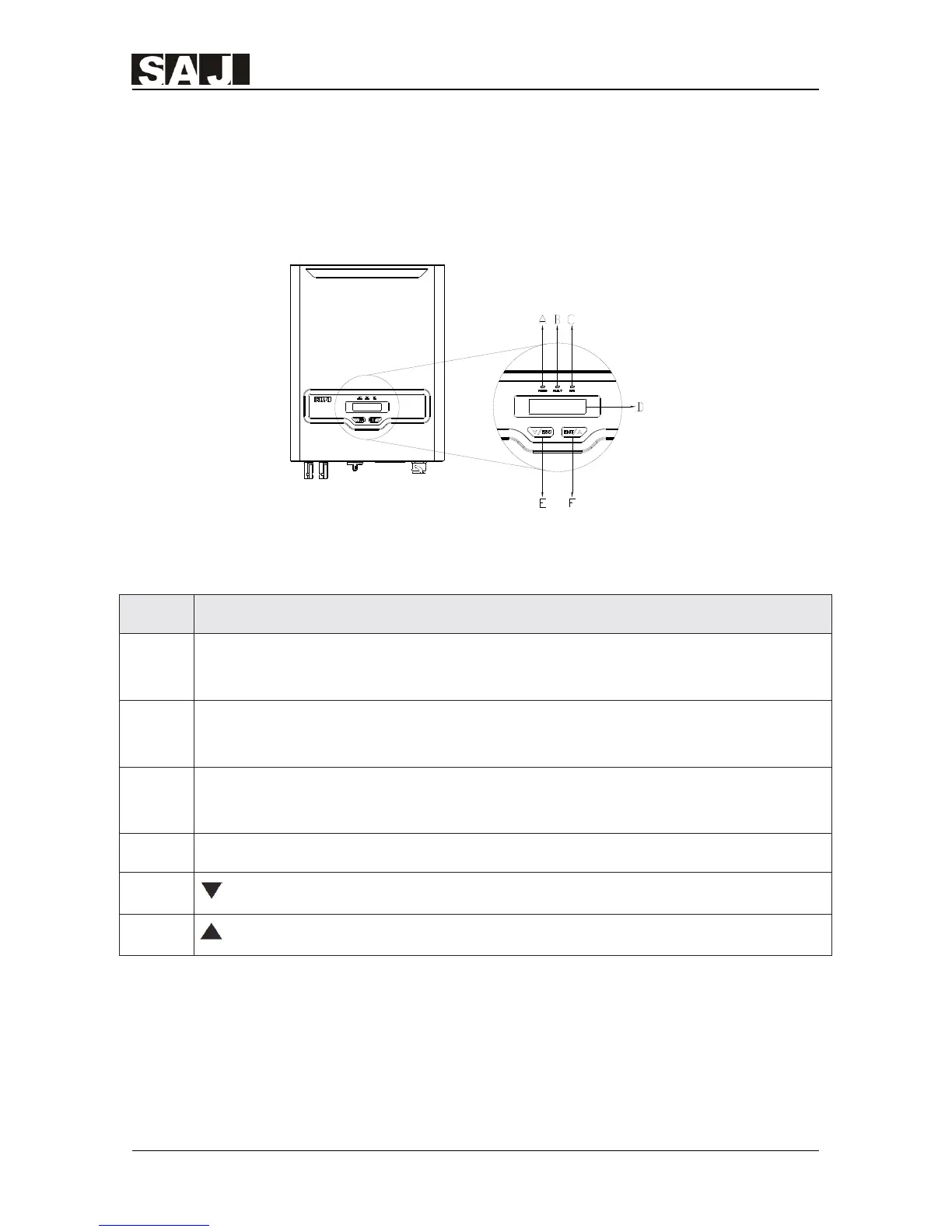
Figure 6.1 Human-computer Interface
Table 6.1 Instructions of the Interface
Object Description
A
Yellow LED light = Power - After the equipment is powered on, the yellow LED
light will go on
B
Red LED light = Error - The red LED light will go on when an Error occurs, it
will go off automatically after Errors are resolved
C
Green LED light = operation - The green LED light will go on when the
equipment is in normal operation.
D The LCD shows the operational data, recorded information and parameters
E
Exit button
F
Enter button


 To Next Page
 Loading...