
 Need help?
Do you have a question about the Samsung UE40MU6400 and is the answer not in the manual?
RISK OF ELECTRIC SHOCK. DO NOT OPEN. Refer all servicing to qualified personnel.
Follow manufacturer instructions carefully to prevent injury or damage. Install adapters and wall mount kit.
Follow on-screen instructions for initial setup. Can be accessed via Settings > General > Start Setup.
Connect the TV to the internet using a standard router or modem with DHCP server.
Connect TV using a LAN cable. Supports Cat7 cable, speeds 10 Mbps or higher.
Review list for problems/solutions or e-Manual Troubleshooting section. Visit samsung.com or call centre for further help.
Keep TV in optimum condition by upgrading software via Settings > Support > Software Update.
Details model names, resolution, screen size, sound output, dimensions, and weight for various models.
RISK OF ELECTRIC SHOCK. DO NOT OPEN. Refer all servicing to qualified personnel.
Follow manufacturer instructions carefully to prevent injury or damage. Install adapters and wall mount kit.
Follow on-screen instructions for initial setup. Can be accessed via Settings > General > Start Setup.
Connect the TV to the internet using a standard router or modem with DHCP server.
Connect TV using a LAN cable. Supports Cat7 cable, speeds 10 Mbps or higher.
Review list for problems/solutions or e-Manual Troubleshooting section. Visit samsung.com or call centre for further help.
Keep TV in optimum condition by upgrading software via Settings > Support > Software Update.
Details model names, resolution, screen size, sound output, dimensions, and weight for various models.
 General
| Audio system | 2.0 |
|---|---|
| Audio decoders | DTS, Dolby Digital Plus |
| RMS rated power | 20 W |
| Built-in subwoofer | No |
| Number of speakers | 2 |
| Multiroom audio technology | Samsung Multiroom Link |
| Tuner type | Analog & digital |
| Number of tuners | 1 tuner(s) |
| Auto channel search | Yes |
| Analog signal format system | - |
| Digital signal format system | DVB-C, DVB-S2, DVB-T |
| HDMI ports quantity | 3 |
| DVI-D ports quantity | 0 |
| USB 2.0 ports quantity | USB 2.0 ports have a data transmission speed of 480 Mbps, and are backwards compatible with USB 1.1 ports. You can connect all kinds of peripheral devices to them. |
| Component video (YPbPr/YCbCr) in | 1 |
| Consumer Electronics Control (CEC) | Anynet+ |
| Common interface Plus (CI+) version | 1.3 |
| Annual energy consumption | 85 kWh |
| Number of OSD languages | 27 |
| AC input voltage | 220 - 240 V |
| AC input frequency | 50 - 60 Hz |
| Power consumption (max) | 120 W |
| Power consumption (standby) | 0.5 W |
| Power consumption (typical) | 61 W |
| Screen shape | Flat |
| Response time | - ms |
| Display diagonal | 40 \ |
| Display brightness | - cd/m² |
| Display technology | LED |
| Native aspect ratio | 16:9 |
| Display diagonal (metric) | 100 cm |
| Supported graphics resolutions | 3840 x 2160 |
| Motion interpolation technology | PQI (Picture Quality Index) 1500 |
| Dynamic contrast ratio marketing name | Mega Contrast |
| Lifestyle apps | Samsung Smart View |
| Hybrid Broadcast Broadband TV (HbbTV) version | 1.5 |
| Bluetooth profiles | HID |
| Dimming type | UHD Dimming |
| Processor cores | 4 |
| Picture processing technology | Samsung UHD Up-Scailing |
| Package depth | 186 mm |
| Package width | 1053 mm |
| Package height | 616 mm |
| Package weight | 14900 g |
| Remote control type | TM1750A |
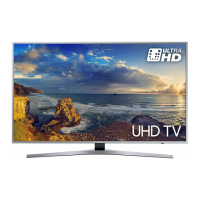
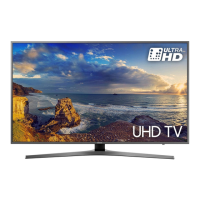
| Product color | Black, Silver |
 Weight and Dimensions
| Depth (with stand) | 304.1 mm |
|---|---|
| Height (with stand) | 573.3 mm |
| Weight (with stand) | 10500 g |
| Depth (without stand) | 54.2 mm |
| Width (without stand) | 903.7 mm |
| Height (without stand) | 519.8 mm |
| Weight (without stand) | 9200 g |



 To Next Page