
 Need help?
Do you have a question about the Samsung UN32J4000AF and is the answer not in the manual?
Safety, servicing, and ESD precautions for preventing hazards.
Guidelines for technicians to follow during servicing.
Measures to protect components from static discharge.
Safety recommendations for product installation.
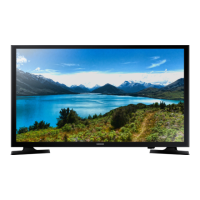
Overview of the model's identifying details and basic features.
Comprehensive list of technical features and capabilities.
List and identification of included product accessories.
Step-by-step guide for disassembling the TV.
Specific instructions for removing the rear cover.
Basic troubleshooting steps and initial checks.
Diagnostic flowcharts for identifying fault causes.
Accessing and modifying factory settings.
Procedures for white balance calibration and adjustment.
Methods for updating the TV firmware.
Physical dimensions and wall-mount details of the TV.
Diagram showing internal electrical connections.
Identification and pin maps for main board connectors.
Explains the purpose of specific TV connectors.
Identification of internal cables by function and part number.
Visual representation of component layout.
Comprehensive list of electrical components and part numbers.
Safety, servicing, and ESD precautions for preventing hazards.
Guidelines for technicians to follow during servicing.
Measures to protect components from static discharge.
Safety recommendations for product installation.
Overview of the model's identifying details and basic features.
Comprehensive list of technical features and capabilities.
List and identification of included product accessories.
Step-by-step guide for disassembling the TV.
Specific instructions for removing the rear cover.
Basic troubleshooting steps and initial checks.
Diagnostic flowcharts for identifying fault causes.
Accessing and modifying factory settings.
Procedures for white balance calibration and adjustment.
Methods for updating the TV firmware.
Physical dimensions and wall-mount details of the TV.
Diagram showing internal electrical connections.
Identification and pin maps for main board connectors.
Explains the purpose of specific TV connectors.
Identification of internal cables by function and part number.
Visual representation of component layout.
Comprehensive list of electrical components and part numbers.
 General
| Screen shape | Flat |
|---|---|
| Response time | - ms |
| Display diagonal | 31.5 \ |
| Display brightness | - cd/m² |
| Display resolution | 1366 x 768 pixels |
| Native refresh rate | 60 Hz |
| LED backlighting type | - |
| Display diagonal (metric) | 80 cm |
| Screen format adjustments | 16:9 |
| Supported graphics resolutions | 1366 x 768 |
| 3D | No |
| Digital signal format system | ATSC |
| Audio decoders | Dolby Digital, DTS, Dolby MS10 |
| RMS rated power | 10 W |
| Number of speakers | 2 |
| USB 2.0 ports quantity | 1 |
| S-Video inputs quantity | 0 |
| Number of OSD languages | 3 |
| On Screen Display (OSD) languages | ENG, ESP, FRE |
| Picture processing technology | Samsung Wide Color Enhancer |
| Product color | Black |
| Panel mounting interface | 200 x 200 mm |
| AC input voltage | 110 - 120 V |
| Power consumption (max) | 40 W |
| Power consumption (standby) | - W |
| Package depth | 127 mm |
| Package width | 924.6 mm |
| Package height | 502.9 mm |
| Package weight | 5489 g |
| Sustainability certificates | ENERGY STAR |
| Cables included | AC |
 Weight and Dimensions
| Depth (with stand) | 149.9 mm |
|---|---|
| Height (with stand) | 462.3 mm |
| Weight (with stand) | 3810 g |
| Depth (without stand) | 68.58 mm |
| Width (without stand) | 744.2 mm |
| Height (without stand) | 434.3 mm |
| Weight (without stand) | 3720 g |


 To Next Page