GB
35
GB
Installing the software
x
Installing “PlayMemories Home”
• If the software “PMB (Picture Motion Browser),” supplied with models
released before 2011, has already been installed on your computer,
“PlayMemories Home” will overwrite it and will be installed. Although
some “PlayMemories Home” functions differ from those of “PMB,” use
“PlayMemories Home.”
1
Using the Internet browser on your computer, go to the
following URL, then click [Install] t [Run].
www.sony.net/pm
2
Follow the instructions on the
screen to complete the
installation.
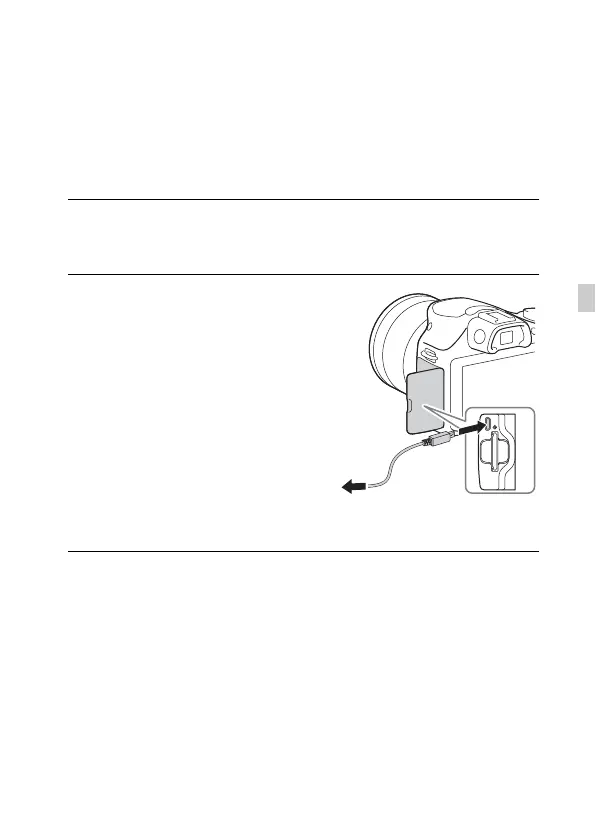
• When the message to connect the
camera to a computer is displayed,
connect the camera and computer
using the micro USB cable
(supplied).
To a USB
jack
To the Multi/Micro USB
Terminal


 To Next Page
 Loading...