To Next PageTo Next Page
 Need help?
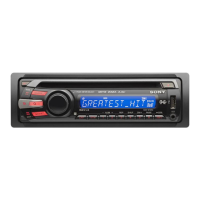
Do you have a question about the Sony CDX-GT35U and is the answer not in the manual?
 General
| MP3 playback | Yes |
|---|---|
| DVD Video playback | No |
| Preset stations quantity | 30 |
| Output power | 180 W |
| Product color | Black |
| File type | MP3, WMA, AAC |
| I/O ports | 1 x USB 1 x Aux in |
| Key illumination color | Red |
| Number of optical discs | 1 discs |
| Illumination color | Blue |
Important safety advice and compliance statements for the device.
Special handling requirements for perchlorate material in California.
Guidance on operating the unit when the car lacks an ACC ignition position.
Information on compatible disc types and formats for playback.
Procedures for resetting the unit, canceling DEMO mode, and setting the clock.
Instructions for preparing and using the card remote commander.
Step-by-step guide for removing and reattaching the unit's front panel.
Identification and function of buttons and controls on the main unit.
Details on the buttons and operations of the RM-X151 remote.
Method to search tracks by name or category.
Efficiently search through a large list of items by skipping in increments.
How to automatically or manually store and recall radio stations.
Procedure for automatically searching and tuning radio frequencies.
Information on display items and repeat/shuffle modes for CD playback.
Instructions for connecting, playing, and safely removing USB devices.
How to adjust sound characteristics like EQ, balance, fader, subwoofer, and AUX level.
Detailed steps to create custom EQ3 sound profiles.
Configuring system parameters like clock, beep, auto-off, and display.
Settings for Zappin playback time and low-pass filter.
Connecting and adjusting volume for external audio devices via AUX.
Guidelines for handling discs, including CD-R/CD-RW and file playback order.
Instructions for replacing the battery in the remote commander.
Procedures for fuse replacement and cleaning internal connectors for optimal performance.
Detailed technical specifications for audio output, tuner, and CD player sections.
Technical details for USB interface, power amplifier, inputs, and tone controls.
Solutions for common power, sound, and radio reception problems.
Guidance for resolving issues with CD and USB device playback.
Explanations of various error messages and status indicators displayed by the unit.
Recommendations for further assistance, including resetting and contacting support.
Crucial safety guidelines and precautions to follow during unit installation.
Detailed diagrams and steps for connecting wires, parts, and mounting the unit.
Notes on mounting in Japanese cars and handling the front panel.
Advice on choosing a mounting location and adjusting the unit's angle.
Instructions for detaching the front panel and handling ignition without ACC.
The importance and procedure for pressing the RESET button post-installation.