To Next PageTo Next Page
 Need help?
Do you have a question about the Sony Handycam HDR-PJ410 and is the answer not in the manual?
Overview of the main sections of the operating guide including getting started, recording, and playback.
Guidance on reading the manual thoroughly and recording unit details for future reference.
Critical safety instructions to reduce the risk of fire or electric shock.
Precautions for handling battery packs and using the AC adaptor to prevent damage or hazards.
Information on battery recycling, FCC compliance, and other regulatory information for US and Canadian customers.
Notes on radio interference, Canadian standards, and EU directives for product compliance.
Guidelines for disposing of electronic waste and compliance information for Singapore and UAE.
Information on accessing the comprehensive online Help Guide for detailed instructions.
Introduction to the initial setup and basic operations of the camcorder.
List of items included in the camcorder package.
Step-by-step instructions for charging the camcorder's rechargeable battery.
Instructions for turning on the camcorder and performing initial setup like language and date.
Guidance on inserting memory cards and compatibility information for recording media.
Instructions on how to start, stop, and manage movie recording settings.
Instructions for capturing still photos with the camcorder.
How to view recorded events, manage playback, and select movie formats for editing or copying.
Connecting the camcorder to a TV or using the built-in projector to view images.
How to import images using PlayMemories Home software, download, and check system requirements.
Instructions for connecting the camcorder to external recorders or media devices.
Setting up and using the Wi-Fi function with smartphones for image transfer and control.
Methods for transferring images to a smartphone, including NFC and non-NFC connections.
Using a smartphone as a wireless remote commander for the camcorder.
Steps for saving movies and photos to a computer wirelessly using Wi-Fi.
Instructions on how to select and use the camcorder's menu system.
Important precautions regarding AC adaptor, playback, recording, and LCD monitor usage.
Information on camcorder temperature, wireless LAN, and troubleshooting common issues.
Specifications related to the camcorder's system, signal format, and image sensor.
Specifications for the lens, built-in projector, input/output connectors, and wireless LAN.
Details on battery specifications, estimated usage times, and trademarks.
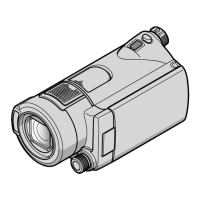
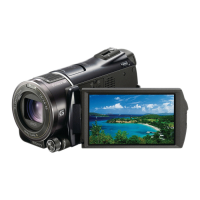
Identification and reference pages for external controls on the camcorder.
Identification and reference pages for additional external controls and parts.
Information on accessory categories and links to regional Sony websites for purchasing.
Illustrations and names of various accessories available for the camcorder.
Encouragement to register the product online for benefits like firmware updates and discounts.
Information on receiving discounts for purchasing select digital imaging accessories.
Details of the consumer warranty provided by Sony Canada, including terms and conditions.
General terms, limitations, and customer support information for the consumer warranty.
Specific limited warranty terms, labor, parts, and damage limitations for US customers.
Overview of the main sections of the operating guide including getting started, recording, and playback.
Guidance on reading the manual thoroughly and recording unit details for future reference.
Critical safety instructions to reduce the risk of fire or electric shock.
Precautions for handling battery packs and using the AC adaptor to prevent damage or hazards.
Information on battery recycling, FCC compliance, and other regulatory information for US and Canadian customers.
Notes on radio interference, Canadian standards, and EU directives for product compliance.
Guidelines for disposing of electronic waste and compliance information for Singapore and UAE.
Information on accessing the comprehensive online Help Guide for detailed instructions.
Introduction to the initial setup and basic operations of the camcorder.
List of items included in the camcorder package.
Step-by-step instructions for charging the camcorder's rechargeable battery.
Instructions for turning on the camcorder and performing initial setup like language and date.
Guidance on inserting memory cards and compatibility information for recording media.
Instructions on how to start, stop, and manage movie recording settings.
Instructions for capturing still photos with the camcorder.
How to view recorded events, manage playback, and select movie formats for editing or copying.
Connecting the camcorder to a TV or using the built-in projector to view images.
How to import images using PlayMemories Home software, download, and check system requirements.
Instructions for connecting the camcorder to external recorders or media devices.
Setting up and using the Wi-Fi function with smartphones for image transfer and control.
Methods for transferring images to a smartphone, including NFC and non-NFC connections.
Using a smartphone as a wireless remote commander for the camcorder.
Steps for saving movies and photos to a computer wirelessly using Wi-Fi.
Instructions on how to select and use the camcorder's menu system.
Important precautions regarding AC adaptor, playback, recording, and LCD monitor usage.
Information on camcorder temperature, wireless LAN, and troubleshooting common issues.
Specifications related to the camcorder's system, signal format, and image sensor.
Specifications for the lens, built-in projector, input/output connectors, and wireless LAN.
Details on battery specifications, estimated usage times, and trademarks.
Identification and reference pages for external controls on the camcorder.
Identification and reference pages for additional external controls and parts.
Information on accessory categories and links to regional Sony websites for purchasing.
Illustrations and names of various accessories available for the camcorder.
Encouragement to register the product online for benefits like firmware updates and discounts.
Information on receiving discounts for purchasing select digital imaging accessories.
Details of the consumer warranty provided by Sony Canada, including terms and conditions.
General terms, limitations, and customer support information for the consumer warranty.
Specific limited warranty terms, labor, parts, and damage limitations for US customers.
 General
| Sensor Type | Exmor R CMOS |
|---|---|
| Optical Zoom | 30x |
| Digital Zoom | 350x |
| Lens Type | ZEISS Vario-Tessar |
| Focal Length | 1.9 - 57.0 mm |
| Image Stabilization | Optical SteadyShot with Intelligent Active Mode |
| Display Type | LCD |
| Touchscreen | No |
| Built-in Projector | Yes |
| Projector Brightness | 13 lumens |
| Projector Resolution | 640 x 360 |
| Video Format | AVCHD, MP4 |
| Frame Rate | 60p, 60i, 24p |
| Photo Resolution | 9.2 MP |
| Photo Format | JPEG |
| Built-in Flash | No |
| Built-in Microphone | Yes |
| Built-in Speaker | Yes |
| Microphone Input | No |
| Headphone Jack | No |
| HDMI Output | Yes |
| USB Port | Yes |
| Memory Card Slot | Yes |
| Battery Type | NP-BX1 |
| Wi-Fi | Yes |
| Display Size | 3.0 inches |
| Video Resolution | 1920 x 1080 |
| Recording Media | SD/SDHC/SDXC |
| Effective Pixels | 2.29 MP |
| Aperture Range | F1.8 - F4.0 |