EasyManua.ls Logo

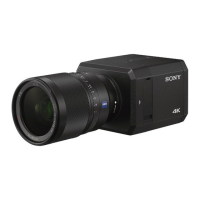
Sony SNC-VB632D - User Manual

Sony SNC-VB632D
80 pages
To Next Page IconTo Next Page
Loading...
Network Camera
User’s Guide
Before operating the unit, please read this manual thoroughly
and retain it for future reference.
Software Version 3.0
SNC-VB635/VB630/VB600/VB600B/VB632D/VB640/VB642D
SNC-VM630/VM600/VM600B/VM631/VM601/VM601B/
VM632R/VM602R/VM641/VM642R
SNC-EB630/EB630B/EB600/EB600B/EB632R/EB602R/
EB640/EB642R
SNC-EM630/EM600/EM631/EM601/EM632R/EM632RC/
EM602R/EM602RC/EM641/EM642R
SNC-XM637/XM636/XM632/XM631
SNC-CX600W/CX600
D-017-100-11 (1)
© 2012 Sony Corporation

Table of Contents

Question and Answer IconNeed help?

Do you have a question about the Sony SNC-VB632D and is the answer not in the manual?

Sony SNC-VB632D Specifications

General IconGeneral
Resolution1920 x 1080
Day/NightYes
Network Interface10Base-T / 100Base-TX
Video CompressionH.264, JPEG
Power SupplyPoE (IEEE 802.3af)
Operating Temperature-10°C to +50°C

Summary

Overview

Features

Details the camera's capabilities and specifications, including resolution, frame rates, and sensor technology.

Accessing the Camera via Web Browser

Basic Administrator Configuration

Security Precautions

How to Set Up Security

Provides steps to prevent unauthorized access and enhance camera security.

Operating the Camera

Logging into the System

Guides users on accessing and logging into the camera system via a web browser.

Live Viewer Configuration

Details how to set up and use the live viewer interface, including menus and panels.

Administrating the Camera

System Menu Configuration

Covers system-level settings like date, time, installation, and log management.

Camera Image and Audio Settings

Picture Tab Settings

Details how to adjust image quality parameters like exposure, white balance, and picture modes.

Focus and Zoom Adjustment

Explains how to adjust focus and zoom for optimal image clarity using various modes.

Network Configuration Menu

Network Tab Settings

Configures IP addresses, subnet masks, default gateways, and DNS servers.

Wi-Fi Network Settings

Security Settings Menu

SSL;TLS Settings

802.1 X Authentication Settings

Action Output Menu

Related product manuals