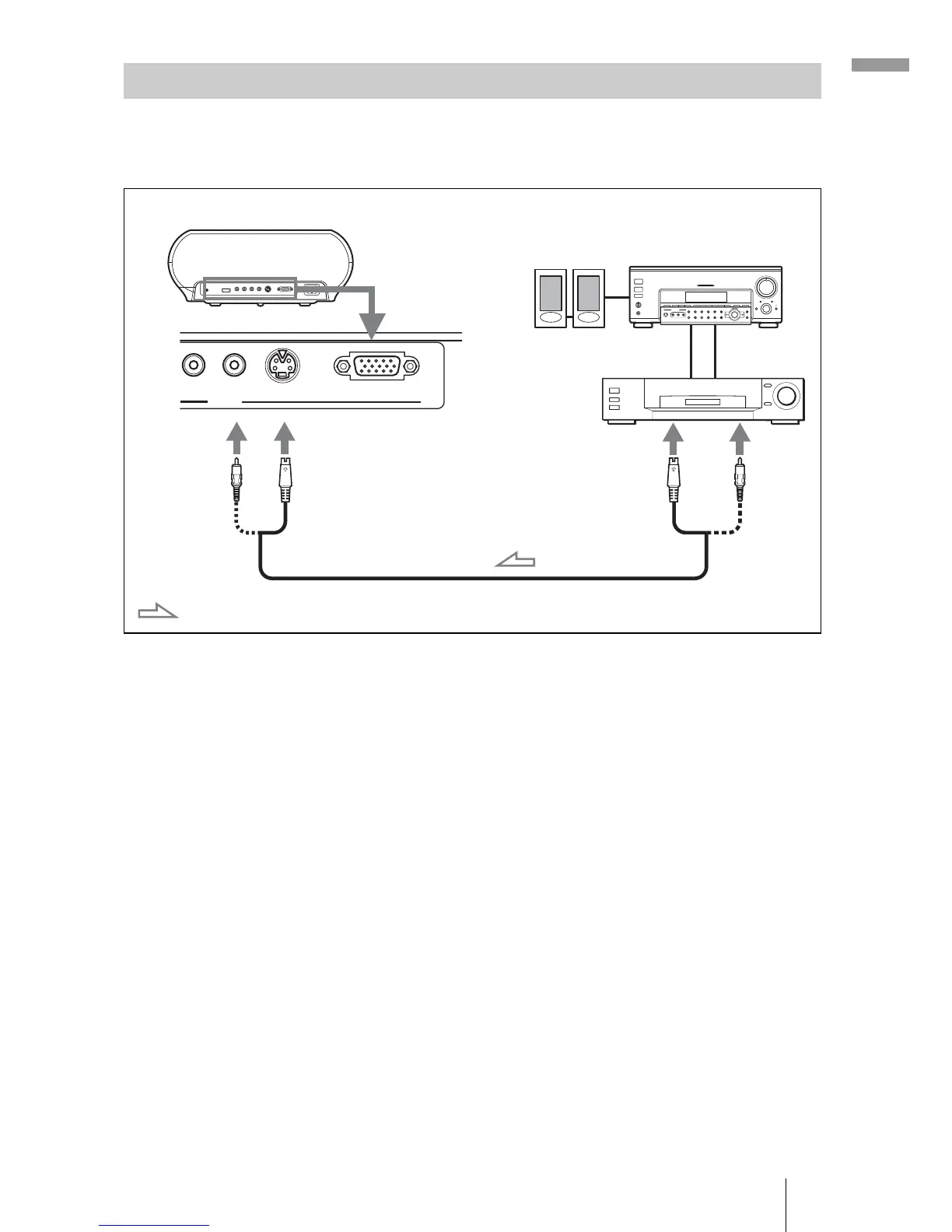
15Step 2: Connecting the Projector
Connections and Preparations
You can connect a DVD player/recorder which is not equipped with
component video connectors, hard disk video recorder, VCR or laser disk
player. See also the instruction manual of each equipment.
Tip
If you do not know to which connector you should connect the cable, S VIDEO (S video
connector) or VIDEO (video connector), connect it to S VIDEO to enjoy better picture
quality.
If the equipment to be connected has no S video connector, connect the cable to the
video output.
Connecting to Video Equipment
S VIDEO
INPUT A
PR/CR VIDEO
INPUT
S video or video cable (not supplied)
: Video signal flow
Rear of the projector
to S video or
video output
Video equipment
AV amplifier
Speakers


 To Next Page
 Loading...








