EasyManua.ls Logo

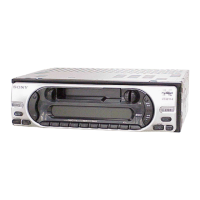
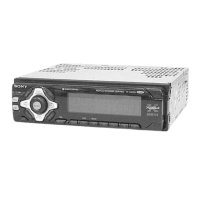
Sony XR-CA370X - User Manual

Sony XR-CA370X
112 pages
Print Icon
To Next Page IconTo Next Page
Loading...
Actual total number: Sony XR-CA370X/CA370 (GB,DE,FR,IT,NL) 3-246-852-42(1)
2003 Sony Corporation
FM/MW/LW
Cassette Car Stereo
3-246-852-42 (1)
XR-CA370X
XR-CA370
Operating Instructions
Bedienungsanleitung
Mode d’emploi
Istruzioni per l’uso
Gebruiksaanwijzing
GB
DE
IT
FR
NL
Wichtig!
Bitte nehmen Sie sich etwas Zeit, um den Geräte-Pass
vollständig auszufüllen. Dieser befindet sich auf der
hinteren Umschlagseite dieser Bedienungsanleitung.
Si dichiara che l’apparecchio è stato fabbricato in conformità all’art. 2, Comma 1 del
D.M. 28.08.1995 n. 548.
For installation and connections, see the supplied installation/connections
manual.
Zur Installation und zum Anschluss siehe die mitgelieferte Installations-/
Anschlussanleitung.
En ce qui concerne l’installation et les connexions, consulter le manuel
d’installation/connexions fourni.
Per l’installazione e i collegamenti, fare riferimento al manuale di istruzioni di
installazione/collegamenti in dotazione.
Zie voor het monteren en aansluiten van het apparaat de bijgeleverde handleiding
“Installatie en aansluitingen”.

Table of Contents

Other manuals for Sony XR-CA370X

Question and Answer IconNeed help?

Do you have a question about the Sony XR-CA370X and is the answer not in the manual?

Sony XR-CA370X Specifications

General IconGeneral
BrandSony
ModelXR-CA370X
CategoryCar Receiver
LanguageEnglish

Summary

Location of Controls

Getting Started

Resetting the Unit

Procedure to reset the unit to factory defaults after installation or battery change.

Setting the Clock

Cassette Player Operations

Listening to a Tape

Instructions for inserting a cassette and starting playback automatically.

Radio Reception Features

Storing Stations Automatically

Using Best Tuning Memory (BTM) to automatically store the strongest radio stations.

Storing Desired Stations

Manually presetting up to 18 FM, 6 MW, and 6 LW stations.

Tuning Issues and Poor Reception

Troubleshooting tuning problems, including automatic/local seek and monaural mode.

Setting the Clock Automatically via RDS

Using RDS CT data to automatically synchronize the unit's clock.

Setting the Equalizer (EQ3)

Selecting the Equalizer Curve

Choosing from 7 music types or OFF for the equalizer curve.

Adjusting the Equalizer Curve

Customizing equalizer settings for LOW, MID, and HIGH frequency ranges.

CD;MD Playback Features

Playing Tracks Repeatedly (Repeat Play)

Setting the unit to repeat a single track or the entire disc.

Playing Tracks in Random Order (Shuffle Play)

Options for playing tracks randomly from a disc or all connected units.

Removing the Unit

Specifications

Troubleshooting Guide

Troubleshooting Specific Issues

Error Displays for Optional CD;MD Units

Interpreting and resolving error messages related to optional CD/MD units.

Related product manuals